Missing "Add FTP user" option after the latest Virtualmin update

SYSTEM INFORMATION
OS type and version Ubuntu Linux 24.04.3
Webmin version 2.510
Virtualmin version 7.40.1

Hello,

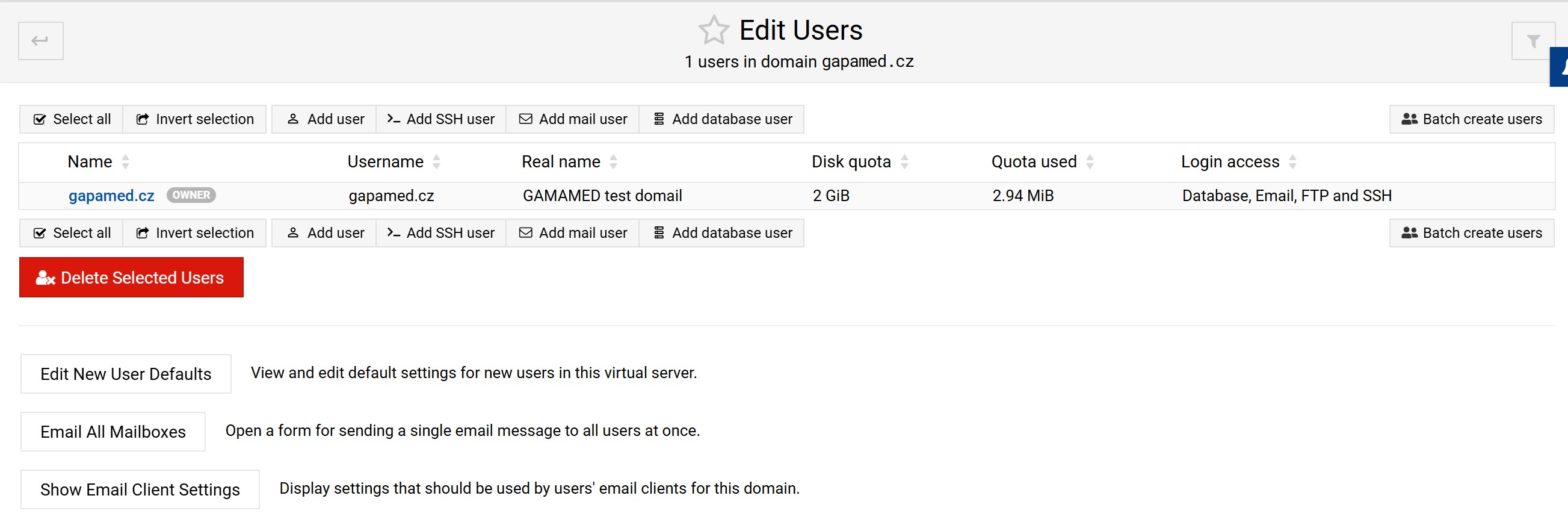
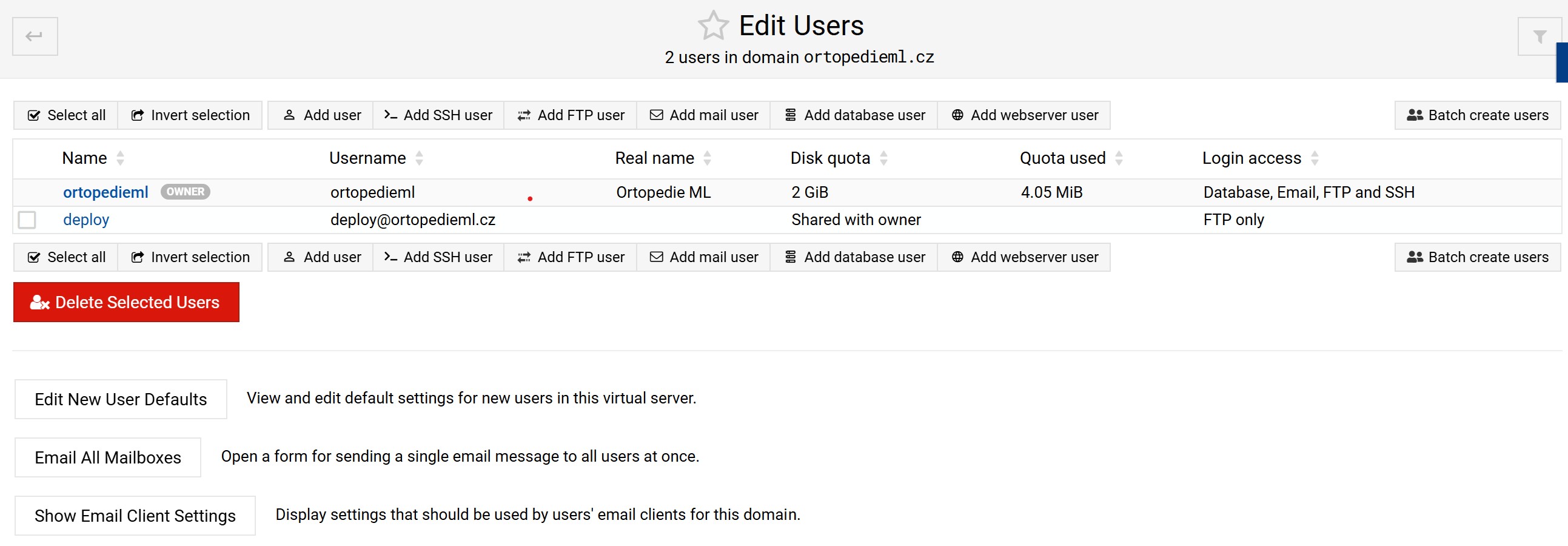
after updating Virtualmin to the latest version, I noticed that the option to add an FTP user has disappeared (also the “add Webserver user”). This issue only affects newly created virtual servers after the update. For domains that were created before the update, the “Add FTP user” button is still visible and works as expected.

I am attaching two screenshots for comparison — one from a virtual server created before the update (where the button is present) and one from a new virtual server created afterwards (where the button is missing).

Could you please let me know why this option is no longer available for new servers, and if there is a way to restore it?
Thank you in advance.

Best regards,
Lukas


here is the second screen

Interesting. I have this too. But I can still login with the default domain user.

if you click add user you can also select email and ftp but not ftp alone it seems.

This is a difference between the Pro and GPL versions. (possibly a bug?) which are you using.

It is still there in Pro.

I use pro. And for newly created domains it is missing like reported by OP.

1 Like

and I can confirm it is also missing on GPL newly created domains - so definitely a :bug:

Lukas, thanks a lot for reporting it! This is definitely a bug! It will be fixed in the next Virtualmin release.

In the meantime, you can apply this patch to fix it right away:

webmin patch https://github.com/virtualmin/virtualmin-gpl/commit/e845c0f
2 Likes

This topic was automatically closed 8 days after the last reply. New replies are no longer allowed.
