Master domain redirects to Webmin LogIn

SYSTEM INFORMATION
OS type and version Ubuntu Linux 24.04.3
Usermin version 2.400
Virtualmin version 7.40.1
Theme version 25.10
Apache version 2.4.58
Package updates All installed packages are up to date

Fresh and new installation Linux 6.8.0-85-generic on aarch64 on ARM CPU. Everything works fine without any issue. However, I’ve made some mistakes and what I have now is
while typing domain . com it redirects me to domain . com : xxxxx chosen port. I don’t want people to see what port it is, and what Panel is behind.
Don’t know where to look.
I’ve done Webmin & Virtualmin default ports change. I’ve also made 443 & 80 redirects mail . domain to 2xxxx etc…

This is my 443 directives sample

SuexecUserGroup #1001 #1001
ServerName mydomain.com
ServerAlias www.mydomain.com
ServerAlias mail.mydomain.com
ServerAlias webmail.mydomain.com
ServerAlias admin.mydomain.com
DocumentRoot /home/mydomain/public_html
ErrorLog /var/log/virtualmin/mydomain.com_error_log
CustomLog /var/log/virtualmin/mydomain.com_access_log combined
ScriptAlias /cgi-bin/ /home/mydomain/cgi-bin/
ScriptAlias /awstats /home/mydomain/cgi-bin/awstats.pl
DirectoryIndex index.php index.htm index.html
<Directory /home/mydomain/public_html>
Options -Indexes +IncludesNOEXEC +SymLinksIfOwnerMatch
Require all granted
AllowOverride All Options=ExecCGI,Includes,IncludesNOEXEC,Indexes,MultiViews,SymLinksIfOwnerMatch

<Directory /home/mydomain/cgi-bin>
Require all granted
AllowOverride All Options=ExecCGI,Includes,IncludesNOEXEC,Indexes,MultiViews,SymLinksIfOwnerMatch

ProxyPass /.well-known !
RewriteEngine on
RewriteCond %{HTTP_HOST} =webmail.mydomain.com
RewriteRule ^/(?!.well-known)(.)$ https://mydomain.com:20002/ [R]
RewriteCond %{HTTP_HOST} =mail.mydomain.com
RewriteRule ^/(?!.well-known)(.
)$ https://mydomain.com:20002/ [R]
RewriteCond %{HTTP_HOST} =admin.mydomain.com
RewriteRule ^/(?!.well-known)(.)$ https://mydomain.com:10001/ [R]
<FilesMatch .php$>
SetHandler proxy:unix:/run/php/17593228493760.sock|fcgi://127.0.0.1

RewriteRule ^/(?!.well-known)(.
)$ https://mydomain.com:10001/ [R]
RemoveHandler .php
RemoveHandler .php8.3
SSLEngine on
SSLCertificateFile /etc/ssl/virtualmin/17593228493760/ssl.cert
SSLCertificateKeyFile /etc/ssl/virtualmin/17593228493760/ssl.key
SSLProtocol all -SSLv2 -SSLv3 -TLSv1 -TLSv1.1
RedirectMatch ^/awstats$ /awstats/

AuthName “mydomain.com statistics”
AuthType Basic
AuthUserFile /home/mydomain/.awstats-htpasswd
require valid-user

SSLCACertificateFile /etc/ssl/virtualmin/17593228493760/ssl.ca
RewriteCond %{HTTP_HOST} =www.mydomain.com
RewriteRule /(.*)$ https://mydomain.com/$1 [R]

What could be a problem, before installing I’ve named system host = admin.mydomain.com as a FQDN
Don’t know if that has some with it..

What I want is mydomain to open sample HTML index file and not to redirect to Webmin logIn screen.

Virtualmin (in its default settings) reserves the subdomains: admin, mail, webmail, www and ftp. These subdomains should not be used by us Virtualmin users so that conflicts can be avoided.

This bit of info may or may not be pertinent to the redirect issue that you are experiencing.

I know we all read the docs last :slight_smile:

I have read documentation and for some reason got confused :confused:
My bad.

Thanks for answer. My next question is, can I do changes now or I need to setup all over again with new install?

If my answer above was the solution then could you mark it as such please?

WRT your question immediately preceding this message, you will find many topics in these forums which will tell you how if you use the search functionality.

Update:

So, I installed new instance and this time FQDN is serv1. domain .com

At the beginning I saw that I have HTML page opening for master domain. After configuring some things same thing happens. This time I had a clue on what could be wrong.

</Directory>
ProxyPass /.well-known !
RewriteEngine on
RewriteCond %{HTTP_HOST} =mail.mydomain.com
RewriteRule ^/(?!.well-known)(.*)$ https://mydomain.com:20202/ [R]
RewriteCond %{HTTP_HOST} =webmail.mydomain.com
RewriteRule ^/(?!.well-known)(.*)$ https://mydomain.com:20202/ [R]
RewriteCond %{HTTP_HOST} =admin.mydomain.com
RewriteRule ^/(?!.well-known)(.*)$ https://mydomain.com:10101/ [R]
<FilesMatch \.php$>

Last rewrite rule gives me redirect from mydomain → mydomain PORT

What I want to achieve is that admin. domain .com redirects to login page.

Now I understand that I need to know my own Panel and ports that I opened for connection.

Master domain? You mean the default website for IP address?

I see you have changed Virtualmin’s default ports. Could you go back to the defaults and tell us if the issue persists?

1 Like

perhaps this relates to the default domain that is created on setup, which is used for obtaining the ssl certificate for the hostname and should never used after a domain is created IDK, if this is the case it can be confusing for new users as it may signify that this is a “real” domain

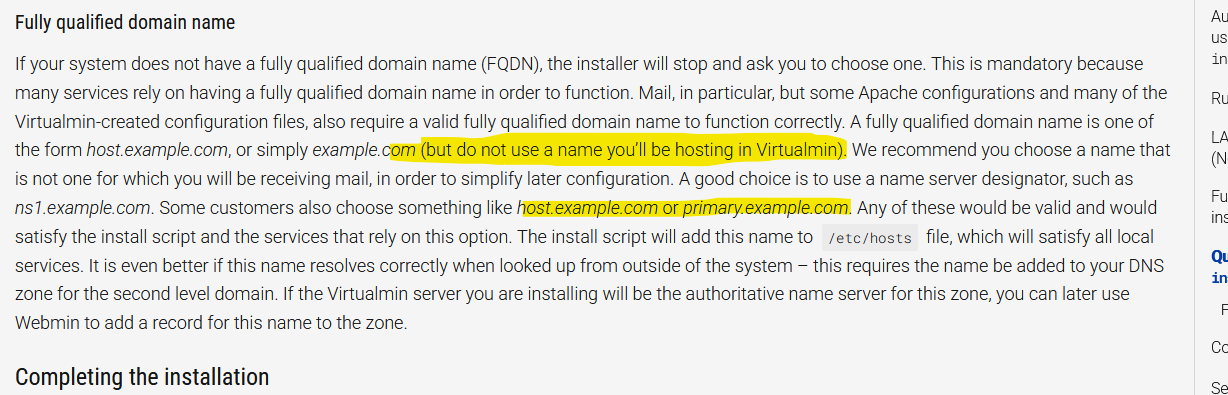
1 Like

Yap, master domain is my default website for IP. I have changed default ports like I always do. For some reason when I add this line I have a problem.

RewriteCond %{HTTP_HOST} =admin.mydomain.com
RewriteRule ^/(?!.well-known)(.*)$ https://mydomain.com:10101/ [R]

If I remove these lines everything works great.

I don’t understand why, and I’ll go forward. Have done restoring Virtual servers, and now they all work fine on new server.

One thing to note: new OS and Webmin + Virtualmin are installed on arm64 Ampere technology. Didn’t see any trouble related to that.

Start a new topic if you wish to discuss this self-inflicted wound.

I’ll skip that. One thing I have to say, new server runs on x86 system. There was some Postfix issues.