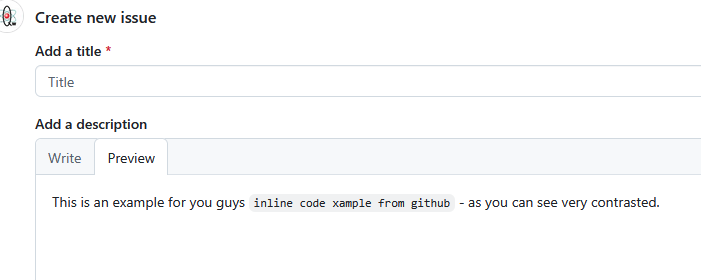
when I highlight something inline with the backticks to change it into code, the font and colour change is so minor it is hard to tell. Can this be improves to something a lot more contrasted like red font with a grey background.
Code in a block (wrapped in triple backticks, ```) is much more clearly a different thing:
I am code
And, I think that’s more likely when we really need clarity about what’s code.
I don’t like color being the only distinguishing characteristic of a thing as it is inaccessible to color-blind folks. Red, in particular is a bad choice, as it is the most likely to be invisible to color-blind readers (red-green color-blindness is the most common type, AFAIK). And, red usually means “something is wrong”.
But, maybe inline code ought to have a grey background, as it does in a block. I dunno…
Discourse recently (a month or two back) made several changes to the editor, particularly the WYSIWYG (Rich Text) editor. I don’t know if typeface was among the changes in the Markdown editor. Even when I notice stuff like that, I immediately forget about it, as it mostly doesn’t matter to me. I do remember thinking things looked different at some point in the recent past.