We just rebooted the modem and changed the router’s Public IP address, but it’s the same issue. We did close all active browsers, and it’s the same.
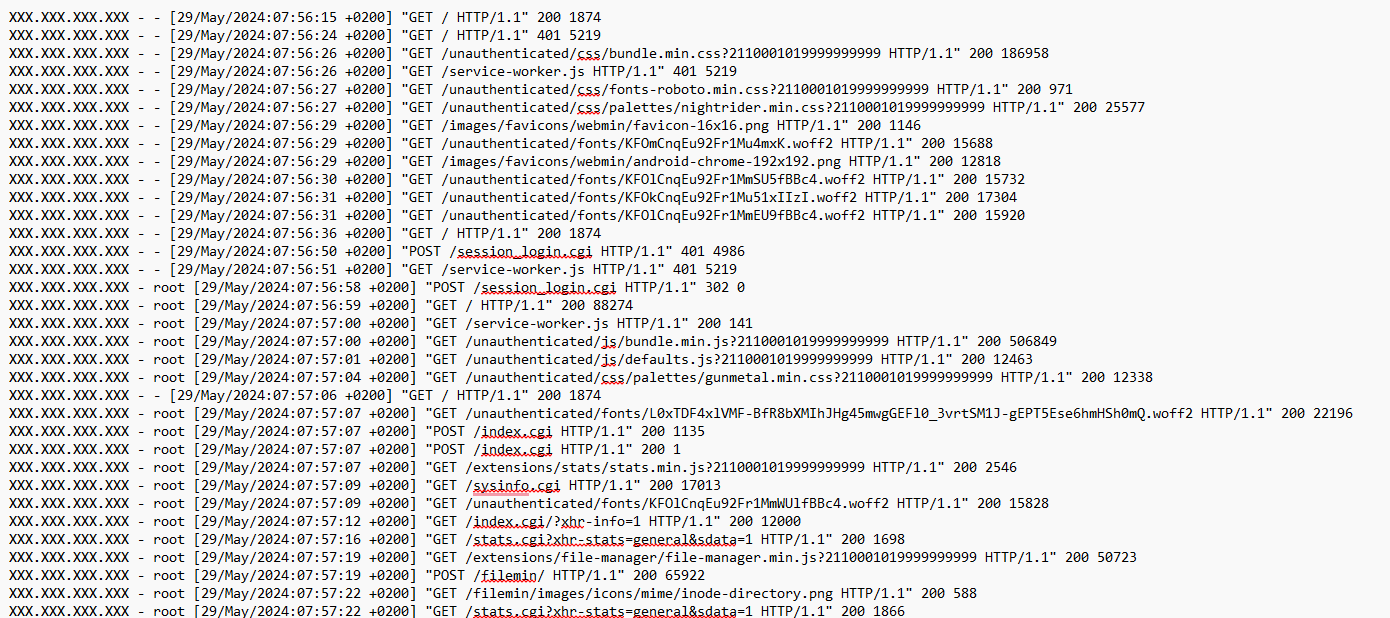
Upon checking this on the miniserve.logs under webmin, as we accessed the site through a self-signing certificate aka no valid SSL, we found differences between non-TOR VS TOR IP addresses that from the non-TOR, and we found a lot of “/unauthenticated/”, see below for non-TOR:
Forget browsers and IPs. It is probably an app on one of you PCs on your local network. Identify which is the PC (or other device) causing these connection issues first.
We closed all open browsers, VPN, Outlook, Teams, Remote Access, etc., and we have the same issue.
When we logged in to Webmin, we landed on Dashboard, and the connection was OK, but soon we went to Tools > File Manager or some other modules (not all), and then we got the Connection Lost.
The only time I ever witness this type of connection in Webmin is when the server SSL is for localhost (such as self signed certificates) and you are logged in through the server ip address.
It drives the browsers crazy and they reconnect infinity.
Only way I was able to resolve it was to give that server a hostname with a DNS A Record and a legit SSL Cert.
Perhaps create a ca then add it to the browsers ca’s and then you have a valid ssl for localhost. This works with linux chrome but not firefox (out of the box) but who knows what happens in a windows enviroment, not used it for years (windows that is)
It’s browser issue regardless of what OS you are using. It’s trying to match the SSL to your connection and by default most browser are set to block that connection until you give it permission to ignore the warning. One of the reasons TOR works because it only looks for a Cert no matter who it belongs to.
Sometimes this works and sometimes it doesn’t. As you see with TOR browser it still leaves unauthenticated messages in your logs.
Not my logs perhaps the OP’s logs My simular setup works fine, I set it up once put 10 years on the certificate and forgot it, tbf it’s a good 5 years since i did it, and can not of memory remember the exact process I used, but I would guess your more on the ball than I am
Wasn’t trying to be rude or anything, as I stated above,
It all depends on the browser and how you tweak it.
For security reasons, If this server is on the web? I would suggest OP set the server with a hostname pointing to an A Record.
Than they can setup an Let’s Encrypt cert and be on their way.
Or, setup all the computers needing access by installing the server Self Signed Cert and CA bundle. This would require looking up on how to tweak your browser to accept this connection.