Only the bare minimum ports are open at this time 22, 80, 443, and my webmin port.
Providing as much detail as possible, maybe too much:
Clean OS install,
Clean webmin / usermin install via repo
I secured the site immediately with a self signed cert.
Discovered that Apache, PHP, and MariaDB were not installed.
So then I installed Apache, PHP, and MariaDB.
Today I decided to replace the self-signed cert with Let’sEncrypt and could not find the tab to do it. Following AI advice I ran the installed and ran Certbot, got the certs and entered them into the SSL config page Private key file and Certificate file.
We also tried combining those to files into one file (miniserv.pem)
I can still login to the control panel using https, not secure but the domain throws an error with https: Secure Connection Failed An error occurred during a connection to t41.net. SSL received a record that exceeded the maximum permissible length.
Any help appreciated. I am willing to turn off SSL briefly to fix this assuming fail2ban would still work.
Let’sEncrypt tab not showing: what did I do wrong?
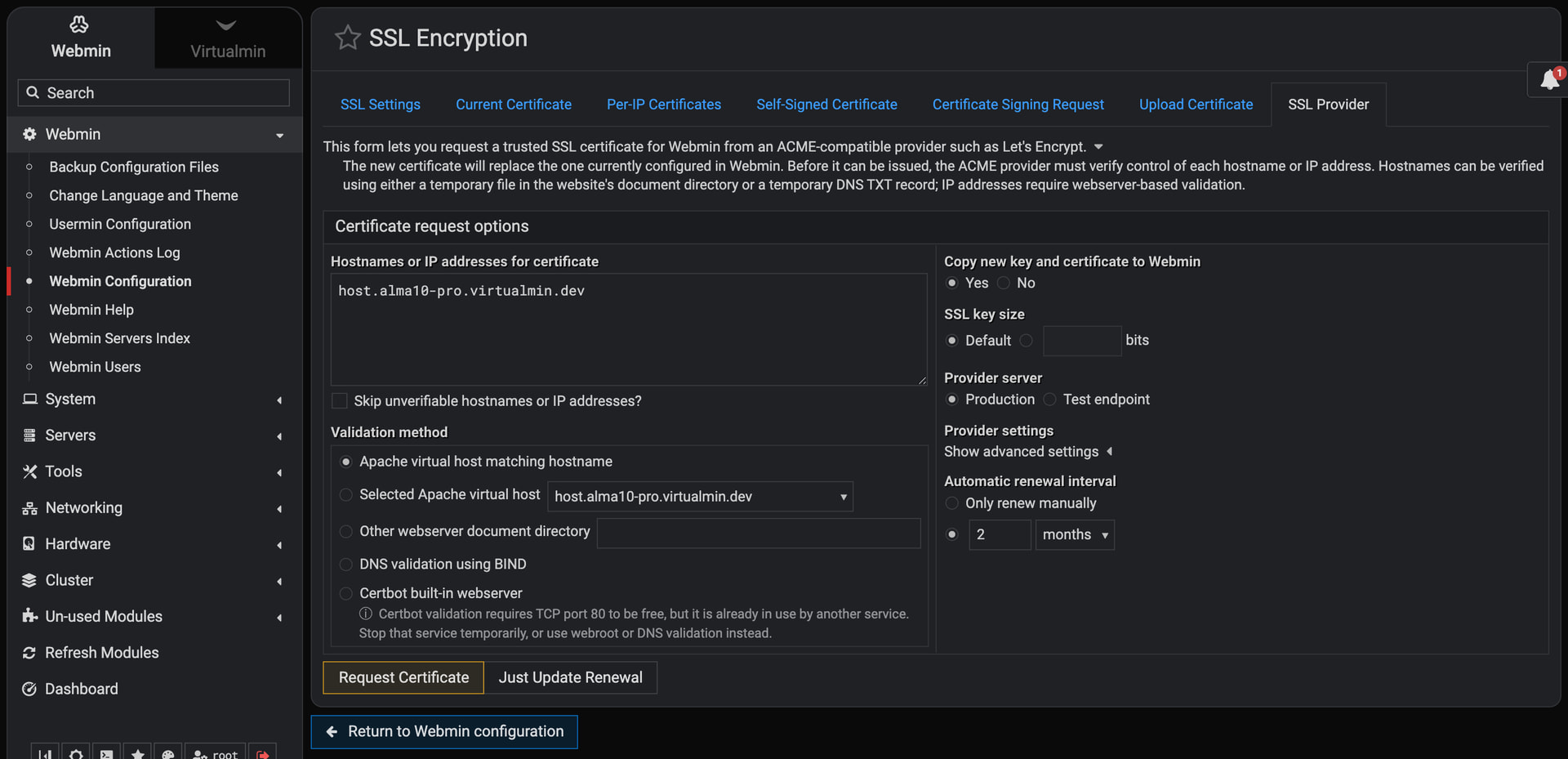
The “Let’s Encrypt” tab on the “Webmin ⇾ Webmin Configuration: SSL Encryption” page was renamed to “SSL Provider” and is located in exactly the same spot. It still supports “Let’s Encrypt” as before.
if you were successful in requesting/receiving LE cert for Virtual Server use that for url https://myspiffydomain.com:10000 , you will get error because the domain get’s the cert not IP
For the benefit of others and before I mark this as resolved:
CTS’s reply was helpful. Using mydomain.com:10000/ did resolve all issues with the webmin connection. It also cleared up why the ’ Certificate request options’ continued to show an IP # and not show the true hostname.
The Error Code: SSL_ERROR_RX_RECORD_TOO_LONG issue was a bit more tricky to fix. I can only speculate how it happened and will. There were two entries for port 443 and that was the issue. I don’t know exactly how I created that mess but I did. It may have happened when I returned to the Configure Apache Modules pages after creating a virtual host and added SSL which I did not enable the the first time I visited that page.
If anyone has a comment on how I might have avoid that issue; please speak up.
Once I deleted all the virtual hosts except default and recreated them and added SSl engine on and a link to the files, all my problems went away.
I will be here off and on and will gladly try to help anyone who wnats it.
If you don’t need apache etc, then you could have just installed Certbot and Webmin can create an LE cert just with that. I do this for mail-only servers etc.