| SYSTEM INFORMATION | |
|---|---|
| OS type and version | Ubuntu Linux 24.04.3 |
| Webmin version | 2.610 |
| Usermin version | 2.510 |
Hi, I hope this message find you well!
I dont know if there is a margin to improve how Usermin manage HTML email in composer and signature but I tried to paste (in the email composer) my email signature that I use on every mobile and desktop client email and while in composer all is showed correctly.. once the email is sent the HTML pasted is no more showed correctly as should be.
Also is not possibile paste directly an HTML signature because there is no editor on the signature field so I need paste the direct HTML. I pasted the direct source HTML and I discover that the result showed in the email composer was totally wrong on elements alignment but also image was not showed once the email was sent.
I would just suggest to improve this if can be improved or just focus your attention on this two defect:
- HTML pasted in the composer is showed correctly but the content is wrong once the email is sent.
- HTML signature is also not working as expected as is not able to process correctly the pasted HTML source.
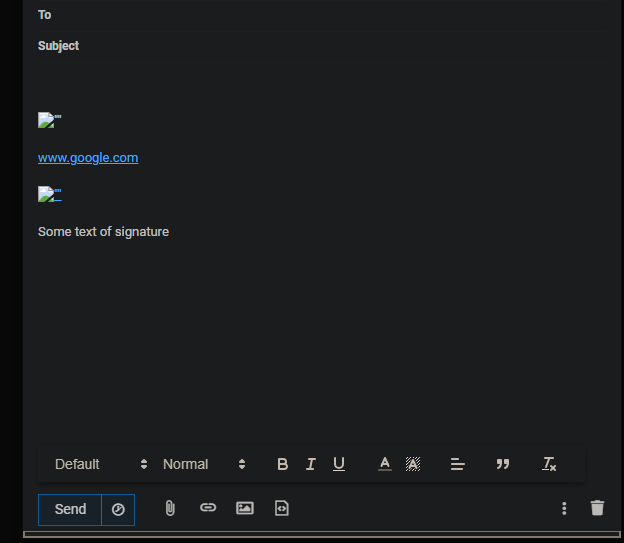
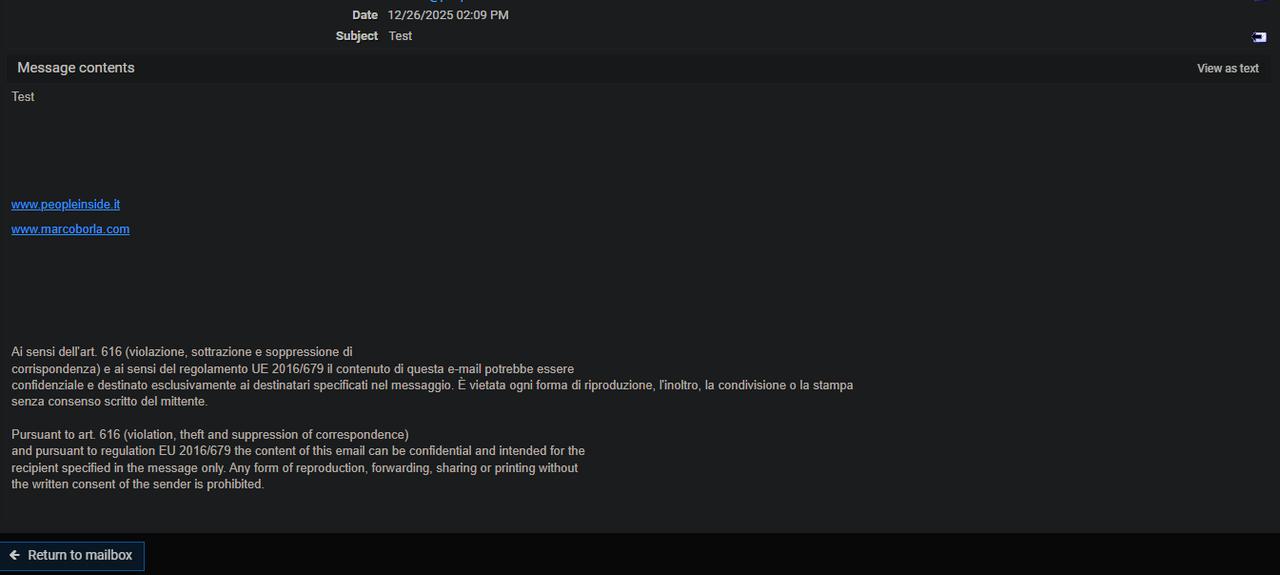
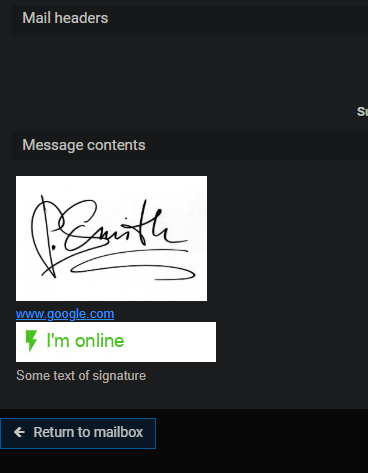
I show now a screenshot where the signature has been directly pasted in the email composer windows and is showed correctly (screenshot 1). In the next screenshot you will see the result after send that email (Screenshot 2)!
Screenshot 1 - HTML showed correctly in composer after directly paste it.
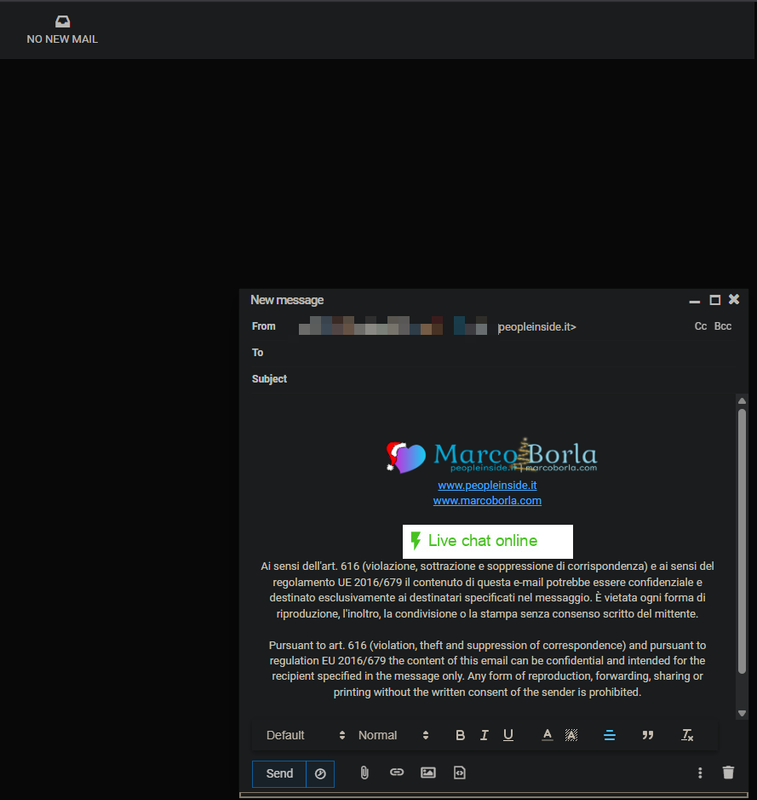
Screenshot 2 - Result of the sent email, not correct.
Now I will include a test HTML signature source code that you can test.
<p class="ql-align-center" style="text-align: center;"><img src="https://cdn.pixabay.com/photo/2014/11/09/08/06/signature-523237_1280.jpg" alt="" width="191" height="125" /></p>
<p class="ql-align-center" style="text-align: center;"><a href="https://www.google.com/" target="_blank" rel="noopener noreferrer" data-darkreader-inline-color="">www.google.com</a></p>
<p class="ql-align-center" style="text-align: center;"><a href="https://demo.livehelperchat.com/chat/start" target="_blank" rel="noopener noreferrer" data-darkreader-inline-color=""><img src="https://demo.livehelperchat.com/site_admin/restapi/onlineimage?&online=I%27m%20online&offline=I%27m%20offline&w=200" alt="" /></a></p>
<p class="ql-align-center" style="text-align: center;">Some text of signature</p>
<p> </p>
How to reproduce:
1- Copy the html signature above
2- Paste it in an html editor that work. You can use this
You see now how the signature should be:
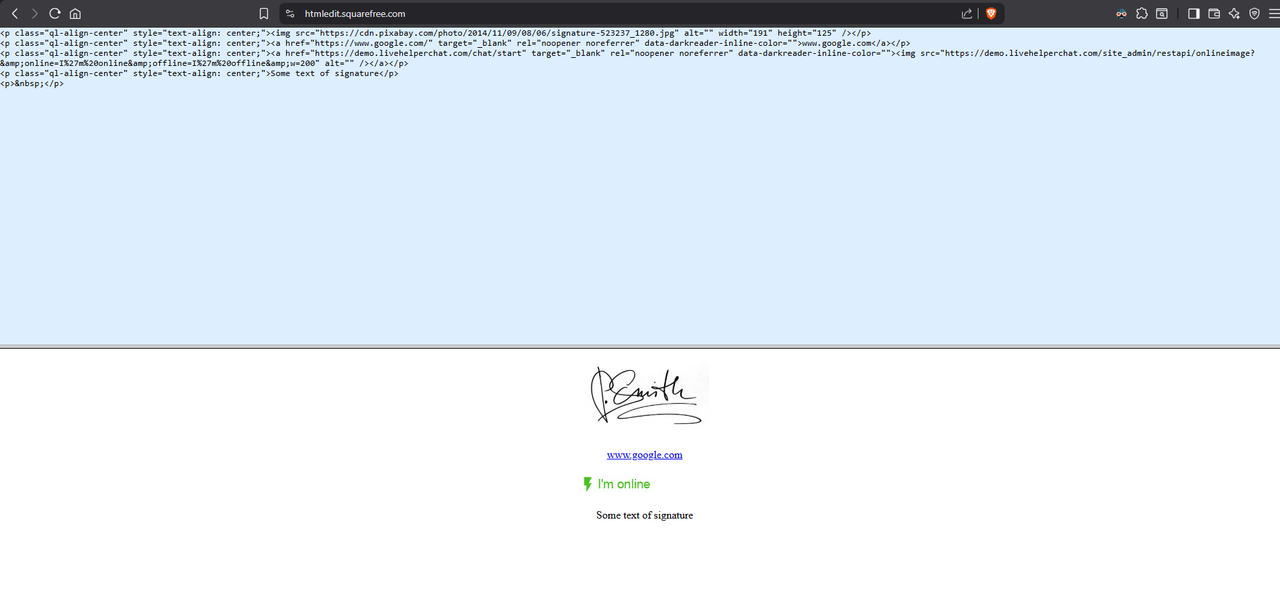
You can select the result on the blank area and copy the html signature.
You can now go on Usermin and paste the HTML signature in a email composer window.
Result:
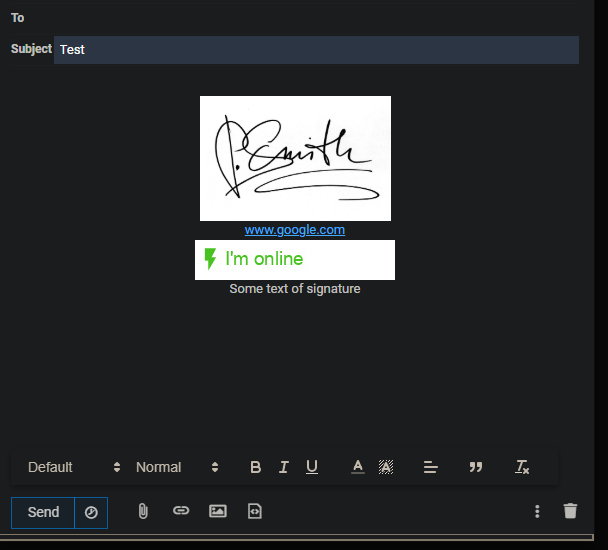
All is showed correctly in the composer Window. Now try to send this email to yourself.
The result will show the bug where elements are no more centered but aligned to the left.
Now consider that I’m pasting the signature in the composer window because Usermin never support correctly HTML signature.
You can test this by pasting the HTML signature above into the usermin signature:
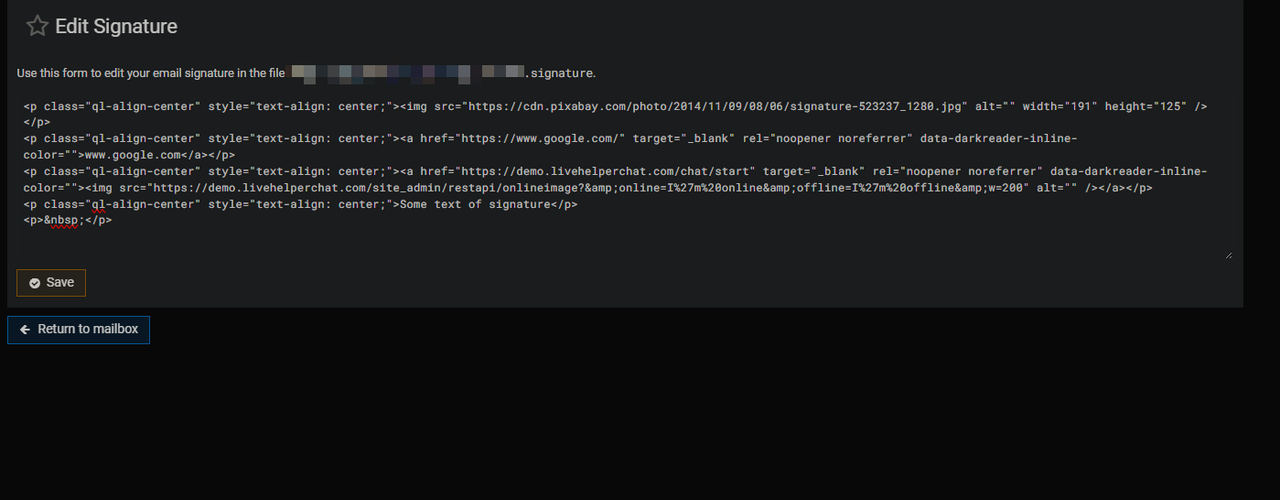
Save and see the result when you compose an email and send the email. The signature is broken in both cases.