So my IP changed my static IP and now I cannot get my sites to resolve. The registrar has the current IP as the NS but still no joy. Where do I need to look?
| SYSTEM INFORMATION | |
|---|---|
| OS type and version | Ubuntu 20.04 |
| Webmin version | 2.111 |
So my IP changed my static IP and now I cannot get my sites to resolve. The registrar has the current IP as the NS but still no joy. Where do I need to look?
| SYSTEM INFORMATION | |
|---|---|
| OS type and version | Ubuntu 20.04 |
| Webmin version | 2.111 |
If I go to the new IP I still get the NGINX Hello page. Just not sure why it isn’t just working…
Virtualmin detects the change in IP address and displays a popup on the Dashboard, asking if you wish to apply the new IP address across the Virtualmin system. If you say yes, it will be done with just that one click.
Are you not seeing that popup? The cron that was configured on the standard Virtualmin install is unchanged?
What’s that mean? You changed the IP there then?
Check config may force the ip detect?
Its worked ever time I have had an IP change though.
You need to confirm DNS is resolving to the new IP. Use host or nslookup on some system other than your own.
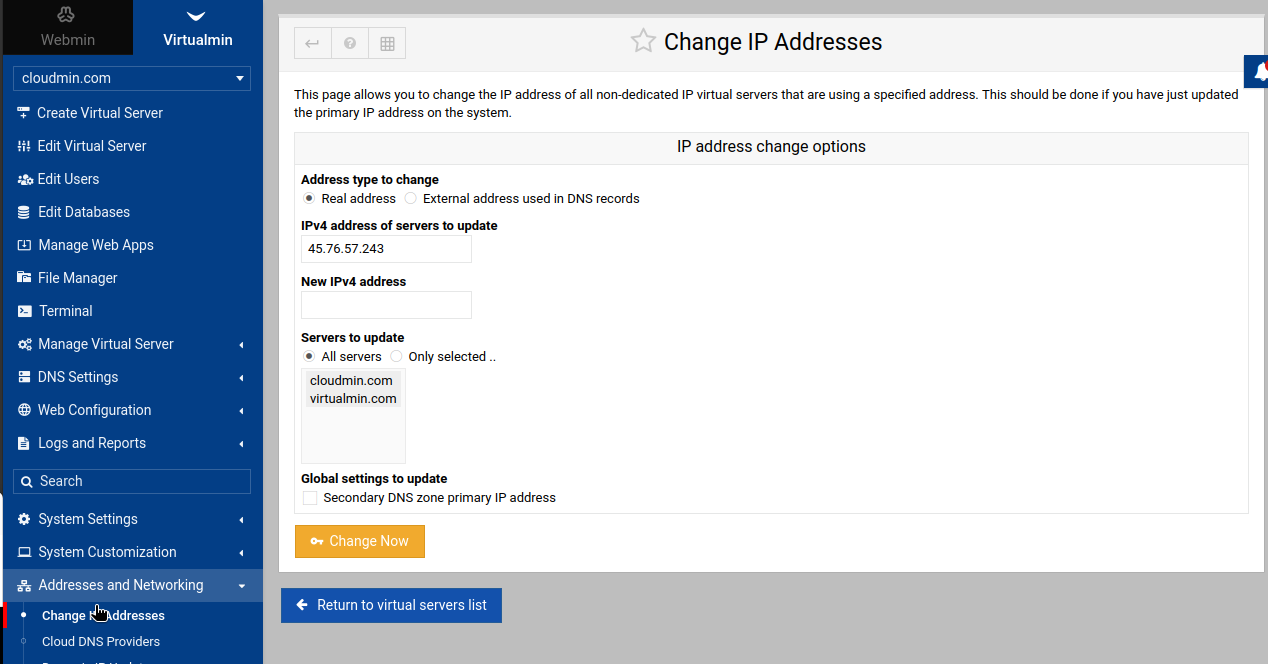
Then, you need to confirm your web server is serving your virtual hosts on the right IP. Virtualmin can change the IP in bulk in the Change IP Addresses form.
Did that with the external address and used the new public IP. My DNS records are still showing my old public IP. nslookup still shows the old public IP as well. The registrar has the name server as www.mydomain.com with the new public IP. If I go to https://new.public.I.P:10000 I can get in to the webUI.
Not seeing that popup. I believe the cron is unchanged.
Who is hosting the dns, webmin or your provider? If it’s your hosting provider they normally have a ui allowing you to change the dns records, if it’s webmin are you sure your nameservers resolve to the new ip address ? You need to find out which way your dns is hosted
Name servers point to webmin. Servers are still showing the old public IP in NSLookup.
So are you saying webmin is hosting your dns then ? Maybe run dig <your domain name> NSto find out the nameservers then use dig to find out where your nameservers resolve to by using dig <name server> if you are using webmin to host the namesever it should resolve to your new ip
Ok so it is something in webmin/virtualmin. I just spun up a test server and I can access the page that says Website Enabled from Virtualmin.
Future me or anyone else with this issue… Virtualmin>Manage Virtual Server>Change IP Address>Change the external address. It updates all the Name Servers and DNS records. WHEW! Thank God I figured that one out! Back to regularly scheduled programming… LOL!!!
This topic was automatically closed 8 days after the last reply. New replies are no longer allowed.