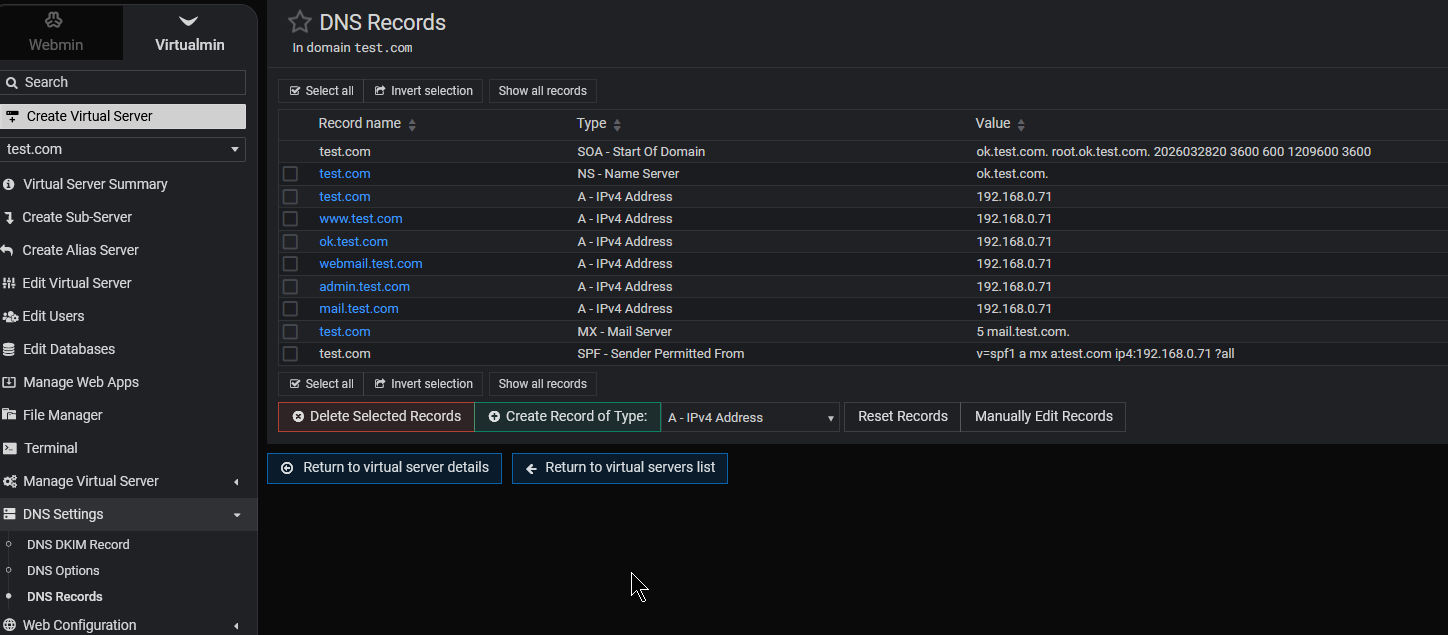
I’m testing some features on localhost and I need to know about how that Virtualmin DNS Server works: If I create a Domain [test2_com] and let all ips configured like 192.168.0.71 even the MXs of that Domain pointed to internal 192.168.0.71 IP , the Virtualmin will send a email as a internal domain first (without look outside) or will look outside ignoring that domain is inside created. As in another Panels (I will not merchand here) we can set that routing telling the panel its a local exchange or not. Can some one telling me about that?
Adding: I think this point is very important to know because, if I have 2 domains in the same Virtualmin that has the DNS service active, but for these 2 domains I use an external DNS service where external and different email servers are configured, what will happen when the two domains communicate via webmail provided in Webmin? Will they look outside or do I have to go into the DNS of each one and specify that the MX record is there (1) or there (2)?
Better way to ask:
The Virtualmin will respect this pic numbers or will look some another internal variable to choose for what MX will be that email. If there is internal, will be internal , if not will look outside. That decision is Internal DNS Based or its based just the fact that Domain exist on system. All cases, if I just change the Internal DNS settings deleting or disabling the DNS service for that Domain then the system will understand the MX have to be found outside?
Okay, I got my answer by testing, here it is for anyone who wants to know: Even if you disable the internal DNS system for the domain, the messages will always be delivered to the same address internal. If you want it delivered externally for domains that you have inside, you will need to DISABLE the internal Email Service for Domains that use external DNS service provider.
Virtualmin offers a web based GUI through which you can configure BIND. You use Virtualmin to configure DNS records via BIND and additionally (this is important for you to understand) use Virtualmin to configure the sequence in which different DNS servers are used to resolve domains, so yes, you could kill BIND or demote it. Your mail will be delivered provided you have configured Virtualmin to point to a working DNS server.
If one looks as Virtualmin as a GUI which helps one configure a shared web hosting environment, one could become adept at it very quickly indeed.
I understand your point, very good. Yes, right now I’m working in test all that Postfix Security, until now not success secure, but after test all I will say my opinion. The truth is, every time I tried to test Postfix’s security, I always compared it to the old KERIO (Windows) and the current MailEnable (Windows), and I always missed the features that both had, wishing Postfix also had them. In the end, I always managed to bypass Postfix’s security by acting as a normal user contracting cheap hosting, and that always bothered me. When I saw all the security features that Virtualmin offered in Postfix, I was excited, but so far some fields and buttons seem cosmetic because, testing in Virtualmin, I can send more than 50 messages per hour when it’s already configured in the database that it should only be 50, and worse, even using domains that don’t exist in Virtualmin. Oh, okay, SPF prevents it from reaching that point, but then what about the reputation of that MX HOST IP?! Complicated, right?! I’ll finish the tests and give my final opinion.
If you haven’t even been able to get Virtualmin’s mail rate limits to work then I do not see much point in your testing Virtualmin any further - you are sure to get weird results because on a properly configured Virtualmin system, 50 messages per hour will not let you send more than 50.
Oh, WRT your comment, ‘configured in the database’ you should know that Virtualmin does not use a database to store these configuration parameters. As I was saying earlier, think of Virtualmin as a GUI which assists you… Virtualmin does not have its own DNS server, it does not use a database to store configuration parameters, it is quite simply a GUI that makes it easy for us to offer a shared hosting service.
Virtualmin has over a million installs. If you have been unable to get mail rate limiting to work then you are in a very small minority.
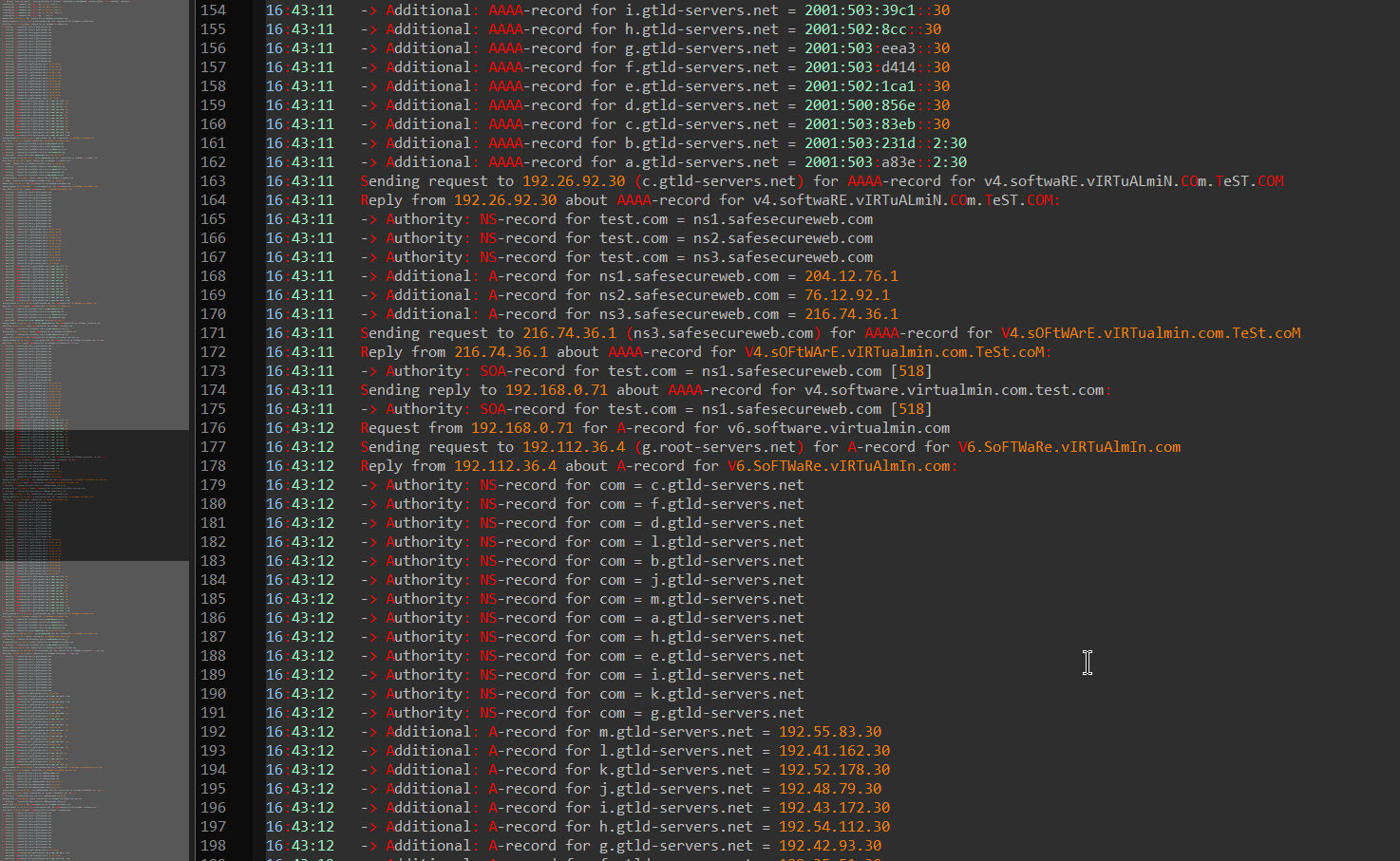
I understand your point, but for me, what matters are the tests and results. If I tested it and it didn’t give me the expected result even using the provided features, it means something is wrong. Regarding not using the database, I believe it does use it, even if it’s XML data, because the Postfix configuration files undergo small changes, allowing the system to read variants from other files or databases. So I’m in the minority. Did the majority also notice that when you click, just click and nothing more, on this button, the panel triggers many external requests, querying and sending information outside the local server? Was it just me who noticed? I’m not saying I won’t work with the panel, but if I do, you can be sure I’ll work on my physical firewall before putting it into production. I don’t want anyone knowing how many domains or how many clients I add to my production servers. The images speak for themselves.
All others who use Virtualmin and work with its open source code have not noticed this, but you have.
Minority of 1.
No, none of us want Ilia to know how many virtual servers and how many clients we have on our Virtualmin system. Sorry, Ilia, we don’t want you to know. Got it?
If Postfix is configured to receive mail for a domain, it will accept mail for that domain. It doesn’t check DNS for MX record. It knows it is supposed to accept mail for that domain, because it is configured to receive mail for that domain. It only checks MX records when it is not configured to receive mail for a domain.
What do you believe that network traffic indicates? Those are DNS lookups. None of those are our servers. We don’t see any of that. Your configured DNS servers (and their upstream resolver(s)) do.