The command to check to check whether a package installed on the Debian system would be:
dpkg -l postgresql* | grep ii
Or adding the --installed flag to your apt list command works too. And no, you don’t need to install all of them.
The command to check to check whether a package installed on the Debian system would be:
dpkg -l postgresql* | grep ii
Or adding the --installed flag to your apt list command works too. And no, you don’t need to install all of them.
I cannot give you specific recommendations about which version or packages should be used in your particular case. This is not a decision Virtualmin can make for you.
However, if I were in your position and needed to use PostgreSQL, I would let the system decide which version to install by default and simply run apt-get install postgresql postgresql-client instead of overcomplicating things.
what is the version info?
psql -V or psql --version
I believe 16 is default
Did you run virtualmin-config-system --include PostgreSQL after installing those PostgreSQL packages?

18 it seems
ok 18 it is 
Did you go to the postgresql module?
Usually it says to initialize it or something like that
I’m on Rocky Linux though so not sure about Debian based
re-run, but now shows a perl bug 

It seems like something else is going on in this screenshot:

Not sure why the space between SQL and in was edited, but it seems to have an extra character there. Just make sure you actually run:
virtualmin-config-system --include PostgreSQL
run again - all appears ok - with a nice green tick
at least i get the option of a postgresql database now
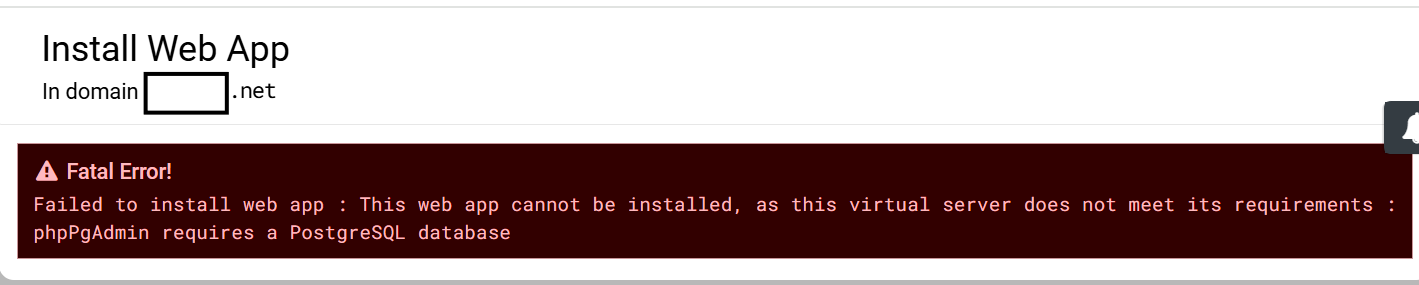
but still insisting no database and refusing to create one just as before
Maybe this can help?
https://forum.virtualmin.com/t/phppgadmin-script-fail/119055/3
ha! but as shown above it no longer seems to do it anymore or i would not be having all this trouble.
the database is obviously not being created.
i am creating the database as root and have also tried as theowner of the domain - makes no difference the database is not crreated.
i have wasted all weekend on this and the client will expect it running tomorrow - so a transfer to a new VM is getting to be the only solution

I’m sure someone with more experience with postgres in Virtualmin will help out
thanks, but i fear it will be too late, I think it is really down to the changes in how Webmin/Virtualmin works with postgresql not postgresql itself.
i can work with psql to create a role and a database but that should not be required - they should be automatic and i think they used to be.
Nothing has changed in how Webmin/Virtualmin integrates with PostgreSQL. To confirm this, I performed a clean installation on Ubuntu 24.04, and PostgreSQL installed and ran without any issues.
However, I noticed that running the APT command on my Ubuntu system doesn’t list any development versions of PostgreSQL you listed earlier—only the postgresql-16-* packages are available.
took the nuclear  route with a new VM, changed the external DNS, added the VS, loaded from backup. selected both MariaDb and the now postgesqlDB and the Web App loaded without a hitch. contacted the client this afternoon and I don’t think he realised the grief he has caused.
sometimes it is just easier to  and give up!
Greater question is why?
was there customizations done to the Virualmin/Webmin install?
Custom PostreSQL packages installed?
I have never had problems installing PostgreSQL and using it in Virtualmin

 that seemed like progress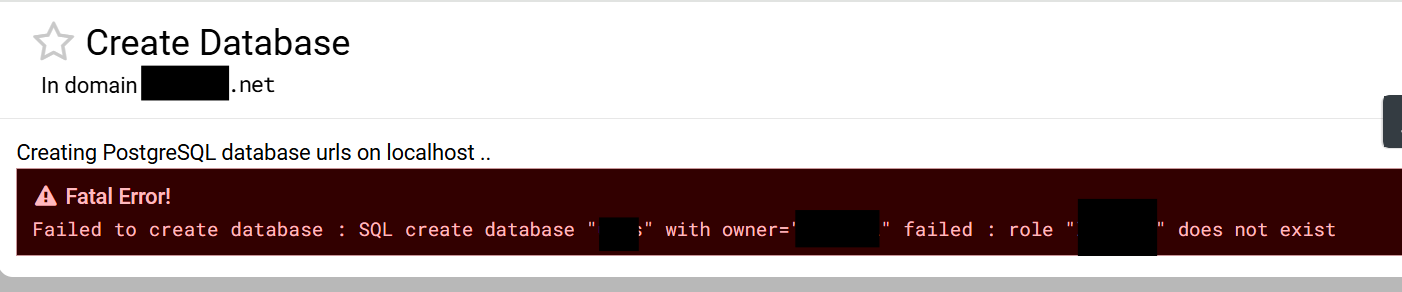

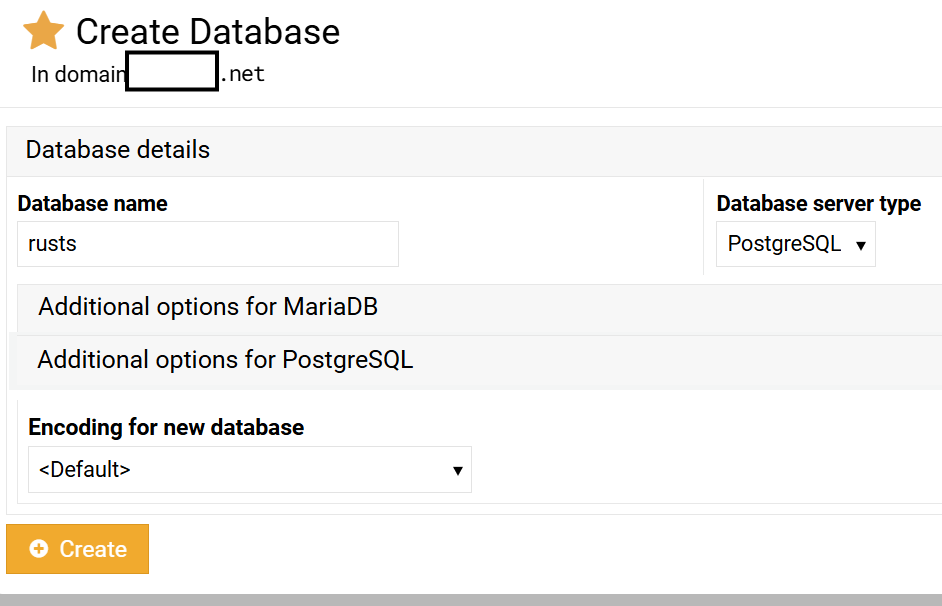
 trying to install phpPgAdmin