I’m migrating my docker containers from my old VPS to my fresh Ubuntu physical server, and following suggested best practice I have created a few sub-servers off my main domain, to replace the old sub-domain set up I had. I had 3 docker containers on the old server, but I want to use the new Container Manager in Virtualmin to install and manage them on my new server. When I try to run a new recipe, I get this error:
level=warning msg=“RunRoot is pointing to a path (/run/user/1004/containers) which is not writable. Most likely podman will fail.”
The user 1004 is my mail domain user, and has no domain or otherwise connection to the parent Virtual Server, or the sub-server, so it makes sense that it fails. AI is suggesting that I need to add a user as Owner to the sub-server so that the recipe won’t fallback to the first user it finds, but I would rather ask in here because that solution doesn’t make full sense to me. My thinking is that the recipe would have handled that if it was needed? I would prefer to run rootless to keep the containers separated if that matters.
Can anyone shed any light on what I’m doing wrong, or what I need to do to install the recipe please?
I’m not sure I understand what Sub-servers have to do with the error? The problem is that it’s setup to run as a user unrelated to the domain that owns the sub-server, not that it’s a subserver. The same thing wouldn’t work under a top-level virtual server, either, because that user is also not the mail user.
I hear what you’re saying Joe, but I’m not choosing the user - the recipe is. I tried it on the parent server and got the same response, so I guess sub-server isn’t the issue. It doesn’t change the issue I’m having, I get the error as soon as I click “Deploy”, before I have had a chance to enter any details or information. Here’s the full error:
Checking deployment requirements ..
.. done
Creating container trilium from docker.io/triliumnext/trilium:v0.105.0 ..
.. failed : failed to prepare persistent storage /home/myserver/containers/trilium/data for its container user: failed to initialize rootless Podman for myserveruser: failed to snapshot running pods for myserveruser: time=“2026-09-29T17:44:02+09:30” level=warning msg=“RunRoot is pointing to a path (/run/user/1004/containers) which is not writable. Most likely podman will fail.”
Error: default OCI runtime “crun” not found: invalid argument
If everything is coming from a recipe, then that’s a bug. I got the impression from your initial post you were bringing over some existing containers/configuration.
Definitely don’t do what the AI is suggesting. The container should be owned by the domain owner user, and obviously should be working in paths owned by that user.
@Ilia any idea why it’s trying to use some unrelated user for the container RunRoot?
Could you link the “best practice” instructions you followed? Creating sub-servers is supported, so that alone shouldn’t cause this error.
With a standard installation using our virtualmin-install.sh script, you should be able to create a virtual server and sub-server, then install Trilium Notes using the recipe’s default settings, out of the box.
And no additional users or manual Podman configuration is needed!
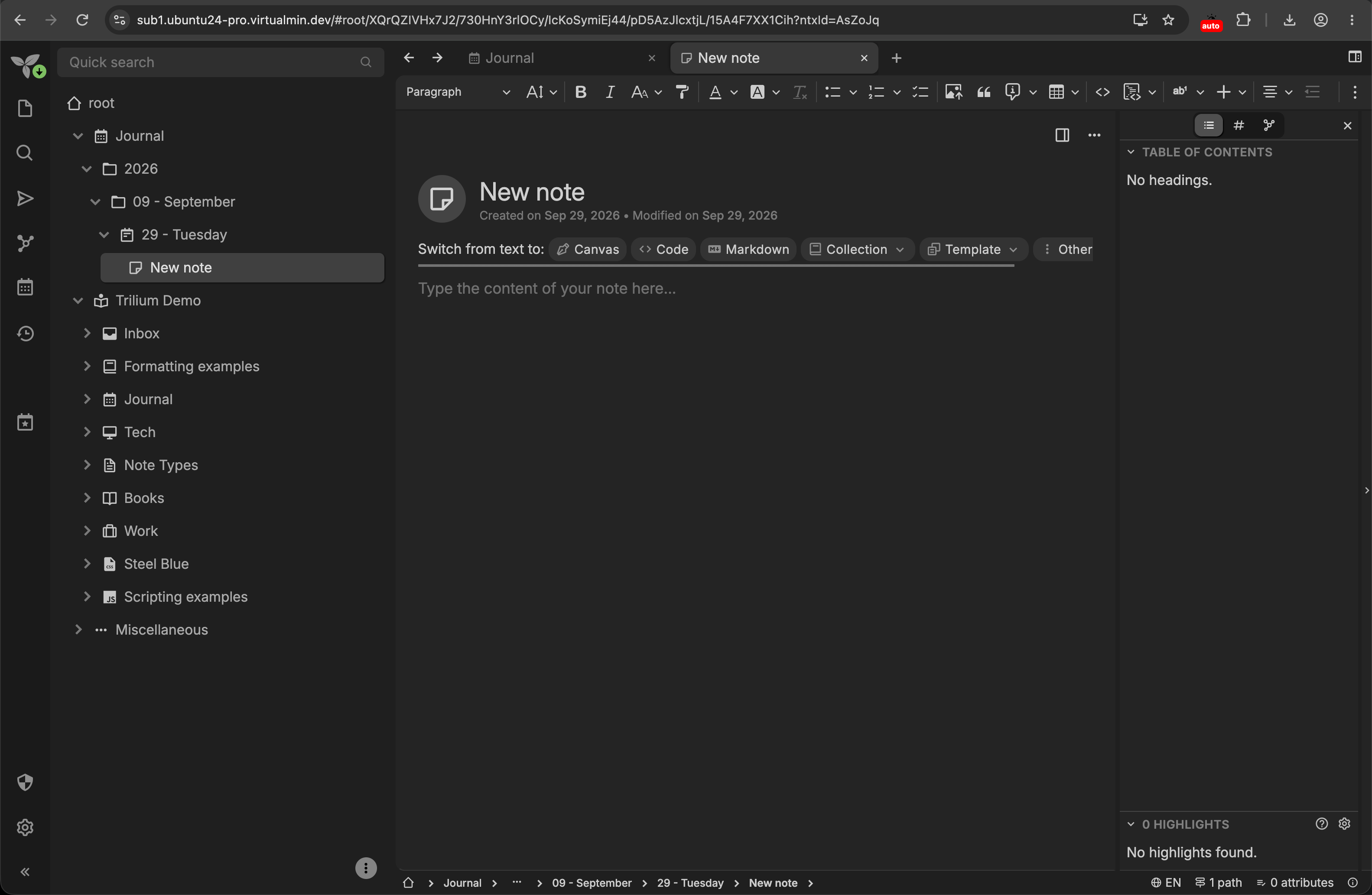
I’ve just tested the same Trilium Notes recipe on an Ubuntu 24.04 sub-server, and it installed successfully as in my previous tests:
I built a brand new physical Ubuntu 26.04 server, and migrated Virtualmin and my domains from my old 24.04 VPS. In my old setup, I was running a Postfix mail server, Radicale Dav server, Syncthing file share, and 3 Docker apps serverd by Apache, installed using Docker Compose. I have (finally) got my mail server working (changing from spamassassin to rspamd provided many challenges and learnings ), as well as Radicale and Syncthing. Now it’s time for the docker apps, and I want to use the Container Manager this time, rather than the pure docker installs. After they’re up and running, I will (attempt) to import the existing data, but that’s not my issue at present.
@rudy.hinojosa The first command you asked for might give some insight into where this is falling down.
Running “id myuser” showed a user id of 1011, group id of 1004 and groups=1004.
Running loginctl shows an active user with the id 1011 as expected. This user is also the apache web user, I don’t use www-data, and I’ve checked the apache envvars to confirm that.
Running podman info returns the error I’m getting (path /run/user/1004/containers is not writable).
Running ’ echo $XDG…’ returns a blank line.
Running the 2 grep commands returned identical outputs myuser:165536:65536
It might be that the difference between my uid and gid could be an issue? The actual user with uid of 1004 is my mail user, part of a completely separate domain.
@Ilia The “best practice” was a response to my question to an AI agent re: the suitability of sub-domain (my existing setup) vs sub-server. I checked the references it provided, and it seemed sound advice. I’m not using AI for any of the installs unless I run into issues, and then only for answers that I can check and validate. It’s helpful, but certainly not trustworthy!
I installed Virtualmin to my new server using the install script, and then restored my domains and configs etc from backups of the old server.
Your UID and GID don’t need to match, so that difference is fine.
Podman using /run/user/1004 when your UID is 1011 isn’t expected behavior at all!
Q1. Also tell us how you migrated from the old server to the new one. Did you restore the configuration through Virtualmin backups, or did you also copy files manually? If so, which files did you copy? Q2: What were the old and new OSs?
I’d say let’s run a few checks to get more details and figure out why your Podman can’t find crun.
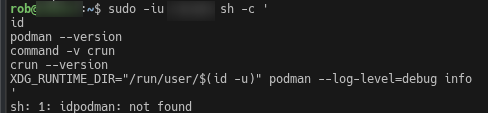
Q3: Now replace myuser with your domain owner’s username and share the full output of the following command:
sudo -iu myuser sh -c '
id
podman --version
command -v crun
crun --version
XDG_RUNTIME_DIR="/run/user/$(id -u)" podman --log-level=debug info
'
I was running Ubuntu 24.04 Virtualmin 8.2 Pro on my old server, and did a fresh install of Ubuntu 26.04 and Virtualmin 8.2 Pro on my new server (it’s now 8.3). I backed up the Virtualmin config and domains on my old server, and restored them to my new server. I still have access to my old server if any comparison checks or old file settings are needed.
I have copied some of the files manually, but most of those have been Postfix specific.
I tried to run the command you suggested, but got this output:
sh: 1: idpodman: not found
Does this account have any existing Podman containers or application data, including for its other domains, or only these failed installation attempts?
Only the failed attempts. I didn’t have it setup on my old server, and only intend on making the change to Podman on the new server. This is the first recipe I’ve tried to install, and every attempt has produced the same error.
I didn’t do that specifically or separately, but I backed up the complete domain and restored it from scratch on the new server, so it may have. The folder exists on my old server, but I didn’t try to create any containers or install any recipes on it that I can recall. I only discovered Podman when I was researching options for my new server, and I couldn’t get it to install on my old server, so I waited until V8 was released to get access to it. By then I was well down the path of migrating, so I don’t think I would have done anything to leave dregs on the old server.



 ), as well as Radicale and Syncthing. Now it’s time for the docker apps, and I want to use the Container Manager this time, rather than the pure docker installs. After they’re up and running, I will (attempt) to import the existing data, but that’s not my issue at present.