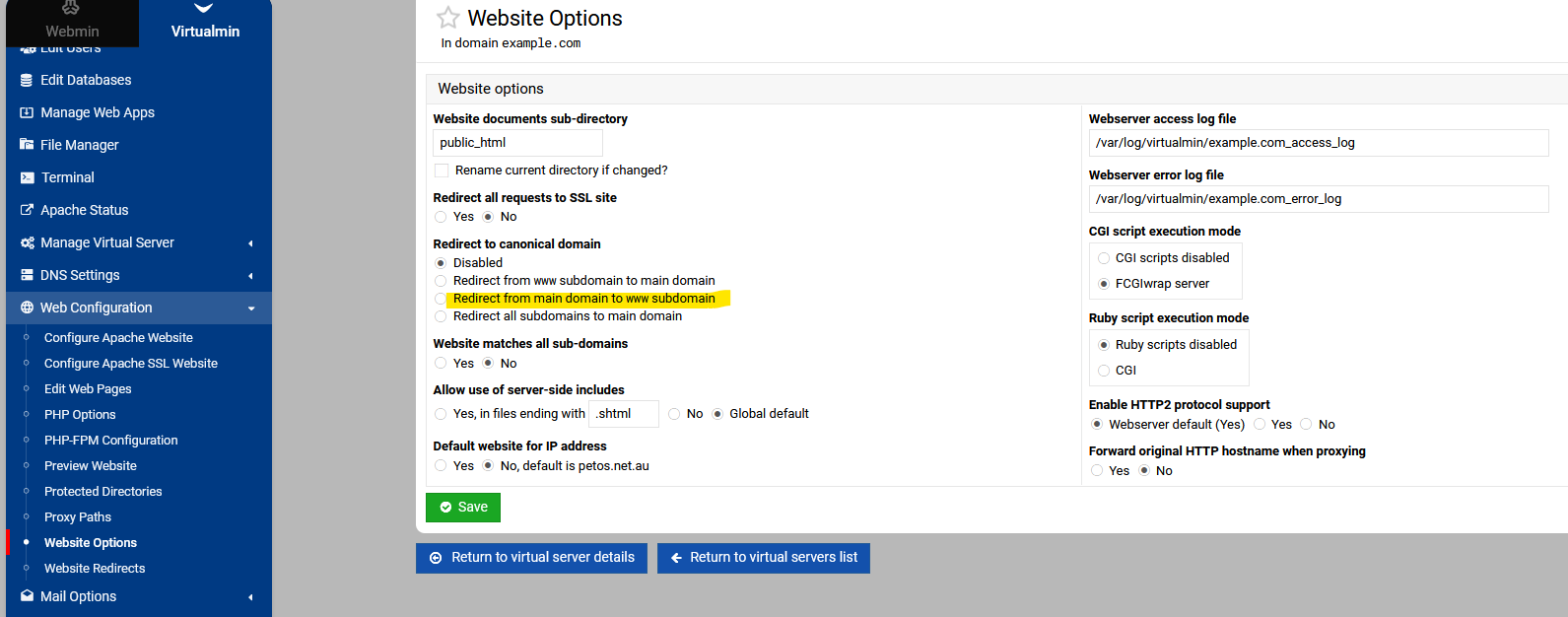
I’m planing to migrate from other Panel to Virtualmin and I’m doing some tests before. I want to keep my htaccess because some my web apps have a lot to do with and its easy to migrate when all my rulers is in one place.., the most importante thing I realize is that even keep using Apache2 Debian 13 PHP FPM 7.3 is not respecting the .htaccess rulers, example:
## Force www ##
RewriteCond %{HTTP_HOST} ^domain.com [NC]
RewriteRule ^(.*)$ https://www.domain.com/$1 [L,NC]
## Force www ##
I know Webmin have the option to do that without htaccess, but as explained, I want to keep a lot anothers kind rulers to make that migration faster.
Can some one help me on that?
Here’s a tip from my humble and almost nonexistent experience:
Note For NGINX users: (I tried to compare the speed) who want to use WordPress, I had to open the file: /etc/nginx/sites-available/domain.conf and add the following code:
I have no knowledge of why .htaccess would not work. Maybe the disable in the website option is blocking it. Maybe using website options to do this rather then htaccess.
Normally there should be a RewriteEngine On line in the htaccess!!
Why do you mention NGINX in this post? Create a separate post for that.
Hi, RewriteEngine On is not On in my production server right now, but that its the most probability reason, I will try. About the nginx mention, its because most of users who have problems with migration some moment try nginx and that’s way to convert Wordpress rulers. Besides, I might be too lazy to start another topic, but it’s a good idea! I will. Regards!
nginx doesn’t have .htaccess support, so obviously you shouldn’t expect .htaccess to work with nginx.
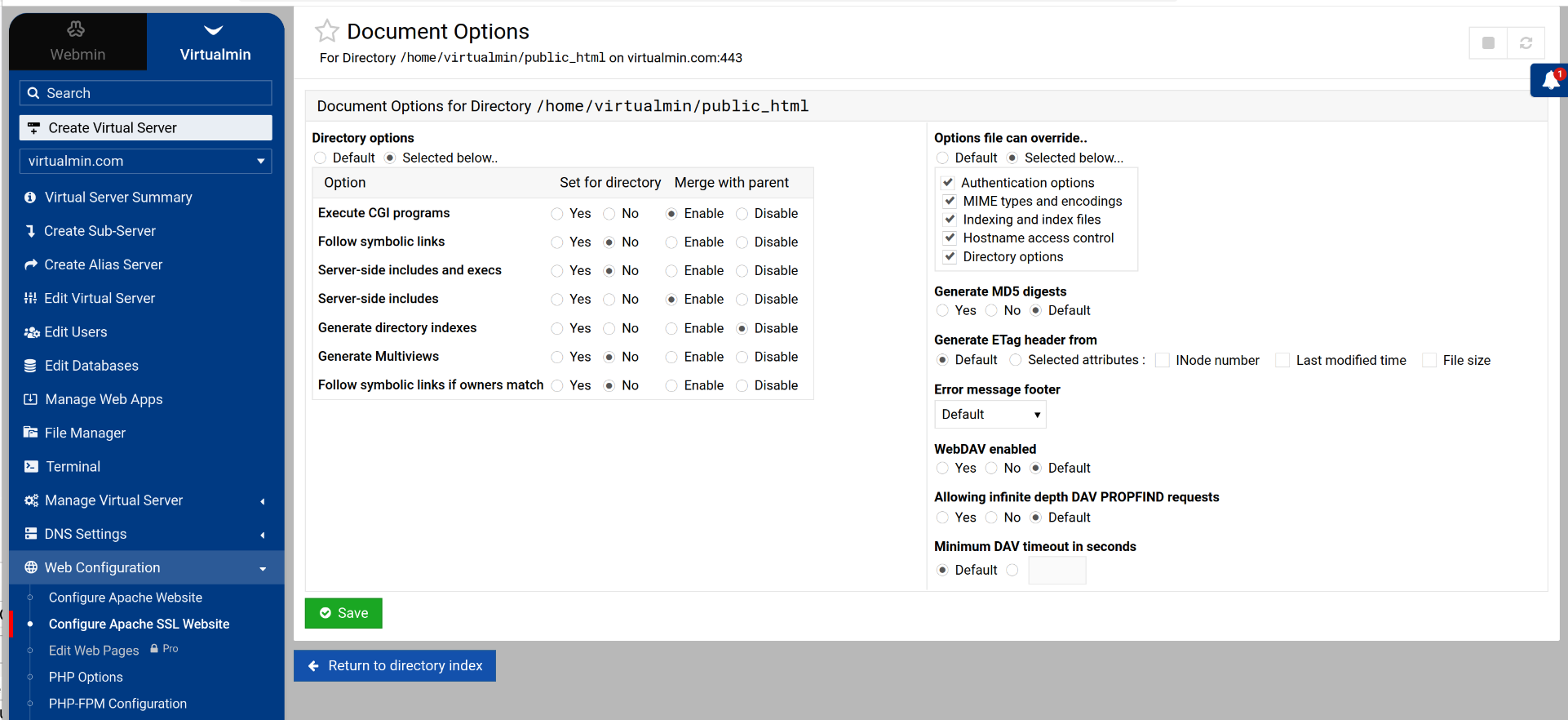
As for Apache, as far as I know, .htaccess is enabled by default, but somewhat restricted in what directives can be used. That’s configured in the AllowOverride directive for each VirtualHost. This is configurable in Server Templates (for new domains) and for existing domains in Web Configuration->Configure Apache [SSL] Website->Document Options->Per-directory options->public_html->Options file can override
We think so. For WordPress users, Virtualmin Pro has the new WP Workbench that Ilia made for managing many WordPress installations easily, and it’s really nice, I think the best tool of its kind (though I haven’t tried many of them, we did do some market research to see what the lay of the land was in that space…since many of the competitors are WordPress plugins, they’re much more limited in what they can do).
Yes, I’ve already tried and am always testing new options. aaPanel, fastPanel, CloudPanel, but currently I use CloudPanel (NGINX) on Debian and aaPanel (Apache) on CentOS7 (old websites). I did a test and noticed that Virtualmin (Apache) responded faster than CloudPanel (NGINX) on the exact same type of hardware, which surprised me. So, because Virtualmin has several functions and a MailServer, I’m willing to try a gradual migration from one of the others. Does that make sense? Or am I just excited by the look and tools I saw in Virtualmin? Please help me decide. Because even if I don’t migrate now, the promise of Virtualmin is great. I won’t even comment on CyberP because it has always been very slow and full of problems. Am I wrong?