SYSTEM INFORMATION
OS type and version
LINUX 12
Webmin version
2.520
Virtualmin version
7.50.0 GPL
Hello,
after updating the virtualmin / webmin installation on my server, i suddenly found a new search segment on top of the menu. Due to this, the menu became to long and is not as easy as before.
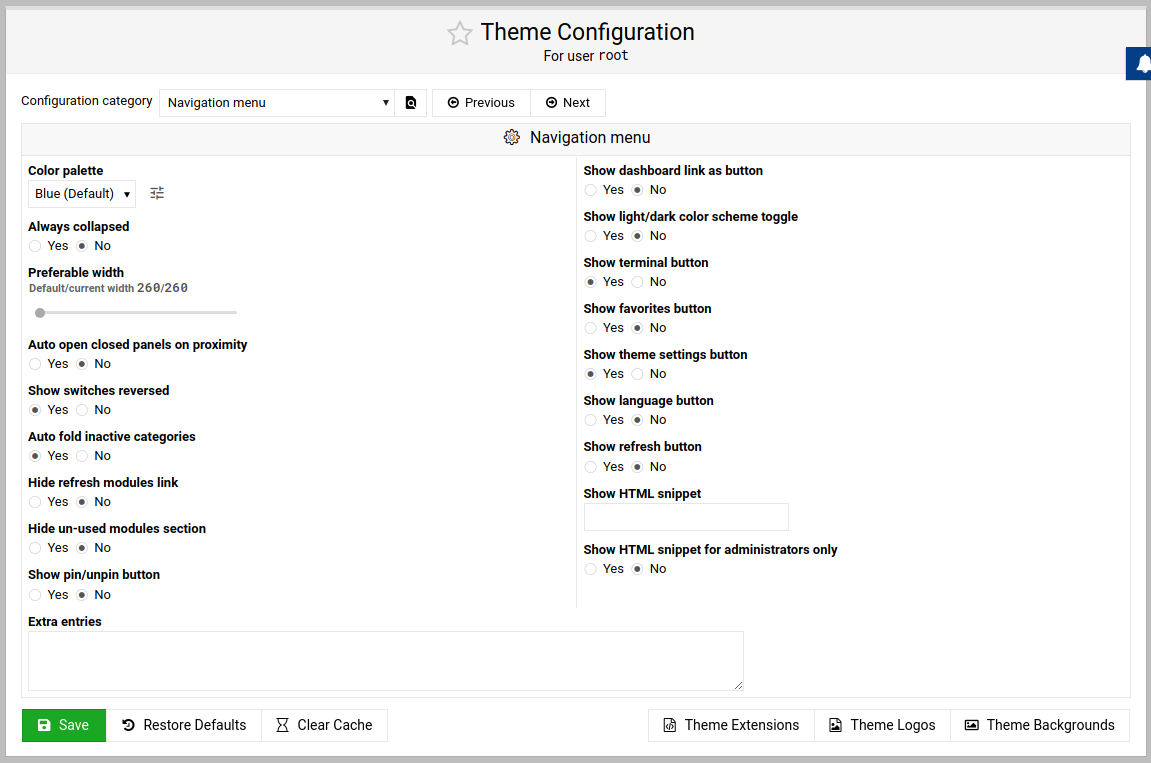
Within the theme config i was not able to find a method to disable / hide this search segment - although other segments can be controlled (tab order, menu footer icons, …)
Where/how can i disbaled those search field ?
Ilia
November 5, 2025, 11:05pm
2
Hello,
Would you like to hide the search bar completely?
Hello Ilia,
yes, thanks. The complete element:
<li class="menu-container search-form-container new-layout-prod">
  <form id="webmin_search_form" action="/webmin_search.cgi" role="search">
    <div class="form-group">
      <input type="text" class="form-control sidebar-search" name="search" placeholder="Search">
      <i class="fa fa-search"></i>
    </div>
    <div class="autocomplete-dropdown-container"></div>
  </form>
</li>
I would have expected this setting in this area:
jimr1
November 6, 2025, 7:17am
4
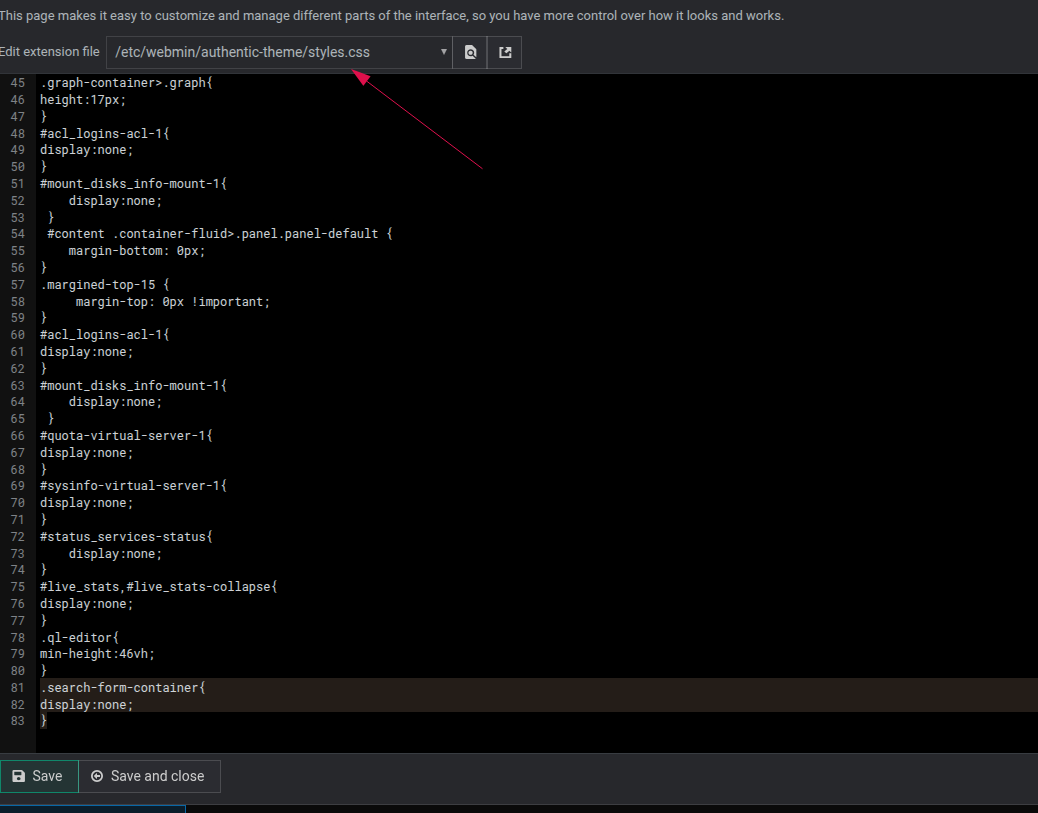
hit theme extensions & add
.search-form-container{
display:none;
}
to styles.css which is the default extension
Note this will also remove the search option in the webmin menu
1 Like
Thank you jimr1,
i already looked out for the styles.css in the /etc/ folder and a way to modify the CSS in virtualmin.
Thank you for pointing me to the right method. For everyone:
Click on the “Theme Configuration” icon below the menu
Click “Theme Extensions” in the content panel footer
Select the “styles.css” in the dropdown (only if required)
Enter your CSS code
Click “Save and close”
jimr1
November 6, 2025, 8:09am
6
better still use the css class
new-layout
rather than
search-form-container
using new-layout class does not remove the search option from the webmin menu only virtualmin
new-layout is a weird CSS class. I am sure it works but a very daft name.
system
November 14, 2025, 8:13am
8
This topic was automatically closed 8 days after the last reply. New replies are no longer allowed.