We have a stock Ubuntu 20.04 / Virtualmin installation.
A hacker is breaching Postfix and rotating IPs to avoid us blocking them.
We have:
Changed, and tested, the user’s email password.
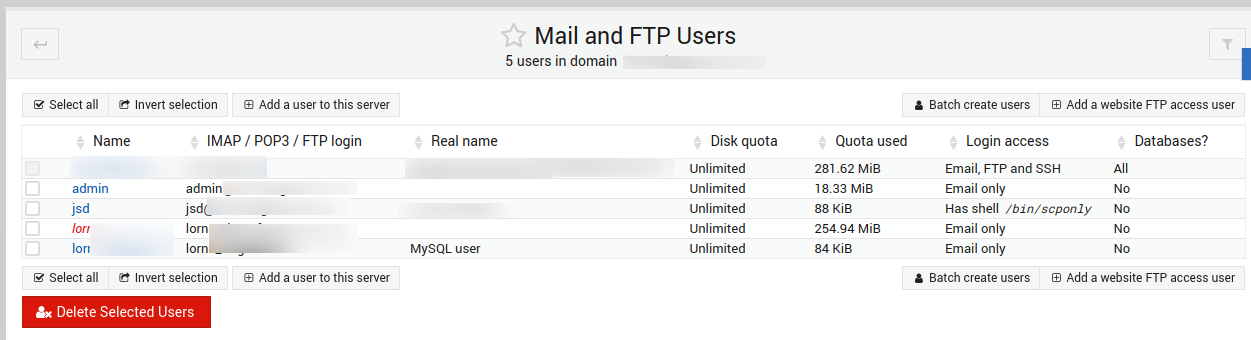
We have disabled login for the user in Virtualmin so it’s displaying red as if it’s working.
In spite of this, the hacker is still able to log on, and send email.
Example of event:
Aug 11 15:23:27 server-name postfix/smtpd[1521637]: AA1176CD007: client=189-210-152-183.static.axtel.net[189.210.152.183], sasl_method=PLAIN, sasl_username=our-user@example.com
I really don’t know what to say except that someone is able to use Postfix to send email, from random IP addresses, apparently using one of our usernames.
Whose password has been changed. Whose account login is disabled.
My remedy for now is to monitor the log for that event and when I see it do this:
Are you sure you’re not seeing queued emails from before you disabled the user? I don’t see how they’d successfully authenticate after disabling…the password becomes impossible to use to authenticate (it gets an ! prepended, making it never valid). Spammers tend to spew as much mail as possible as fast as possible, so thousands might queue up.
Unless they’ve obtained root, they can’t have nulled the password. They might be able to reset the password with a buggy RoundCube password reset, though, if you’ve got RoundCube installed and an old version of the Virtualmin password plugin enabled (we don’t maintain that or have anything to do with it, but I seem to recall it had security issues in the past).
Are you sure you’re enforcing authentication? What’s your smtpd_recipient_restrictions in the Postfix main.cf?
I’m thinking if they obtained root then things would be a lot worse than a single repeated user logging in and sending email.
We’ve just backed up the mailbox using IMAPSYNC to another server, and we’re about to entirely delete it, and recreate it. Perhaps it will reset something bad.
EDIT: Recreating the mailbox didn’t work, still having breaches.
Any tips on checking if there are holes here:
permit_mynetworks
permit_sasl_authenticated
reject_unauth_destination
check_policy_service
inet:127.0.0.1:10023
Edit 2:
We have completely deleted the mailbox, but the hacker is still logging in to Postfix using that username. Need advanced Postfix support will pay $$
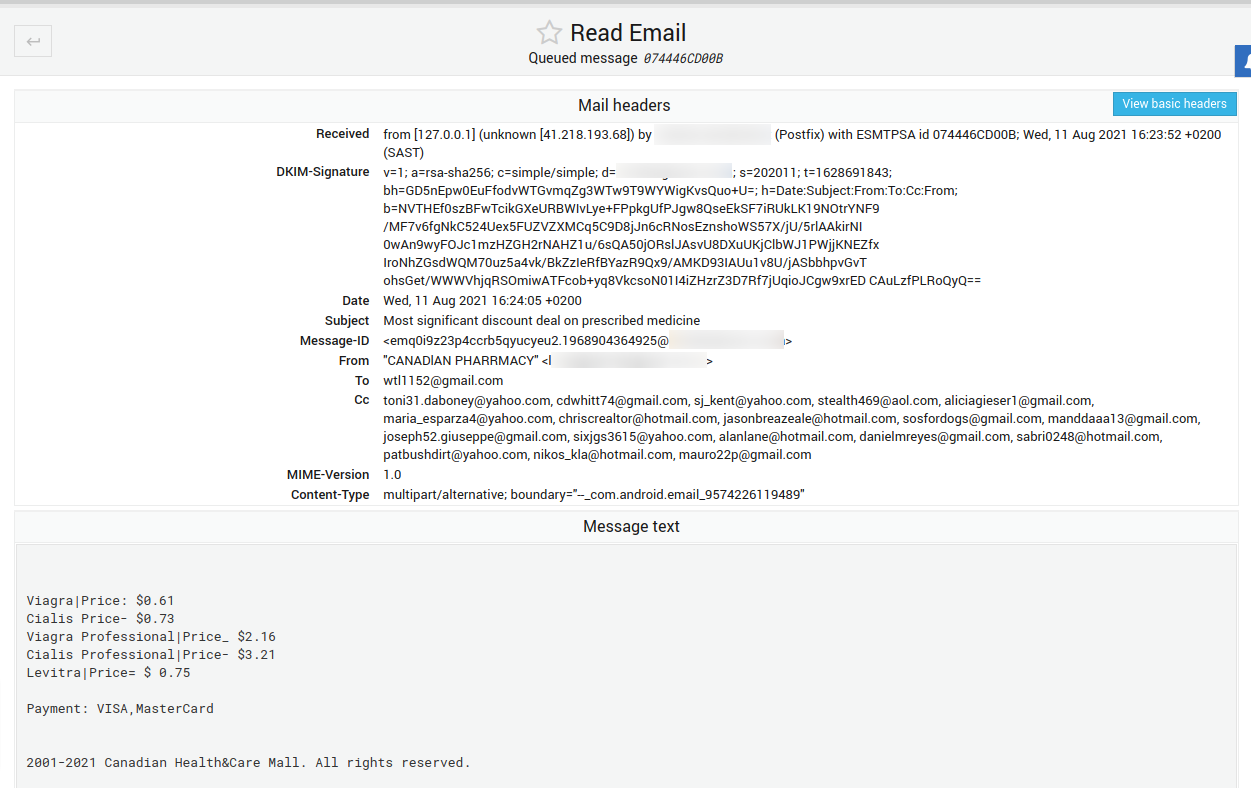
We’re thinking it’s a website breach due to 127.0.0.1 in view headers on email but I did full text searching in /var/log/virtualmin for specific IPs that are breaching and we don’t see Apache access log entries.
Also client had a WordPress website, but that’s disabled now and problem persists. Every four minutes a new IP.
All that’s left is maybe Usermin or some other random website, and I have to point of some sophistication because they’re using a username that did exist but doesn’t anymore. Does Usermin have an access log?
But, I doubt it’s Usermin. If the user doesn’t exist, it can’t login to Usermin.
Are log entries still showing a remote client IP and username?
Any clues in the journal for saslauthd? (journalctl -fu saslauthd to tail the log, probably, though I’m not sure the daemon is called that on Ubuntu…I know it is on CentOS).
You can also look at everything from that unit and search the journal (with /searchterm, if you use the standard pager, which is less, I think), using journalctl -u saslauthd. So, you can search for that username.
I’m not sure how the sasl_username would get populated without a sasl auth event happening in the log.
@vander.host To me this looks like they get access from WordPress, just install Wordfence on that website and scan, Also check that WordPress website for ‘old’ and no longer maintained plug-ins. Wordfence might tell you anyway. Update to latest version and remove any not used themes / plug-ins once as they might get still access through those plug-ins or themes whatsoever, I am thinking of this because you changed password for email and they still get access. Perhaps updating this account to use latest PHP and check the environment is fully up to date, Install CSF firewall and enable the mail locks so you get warnings and so on. But WordPress would def. be my concern.
Nick
Try disabling greylisting, which I think is responsible for the 127.0.0.1:10023 entry in smtpd_recipient_restrictions. They might be getting in that way.