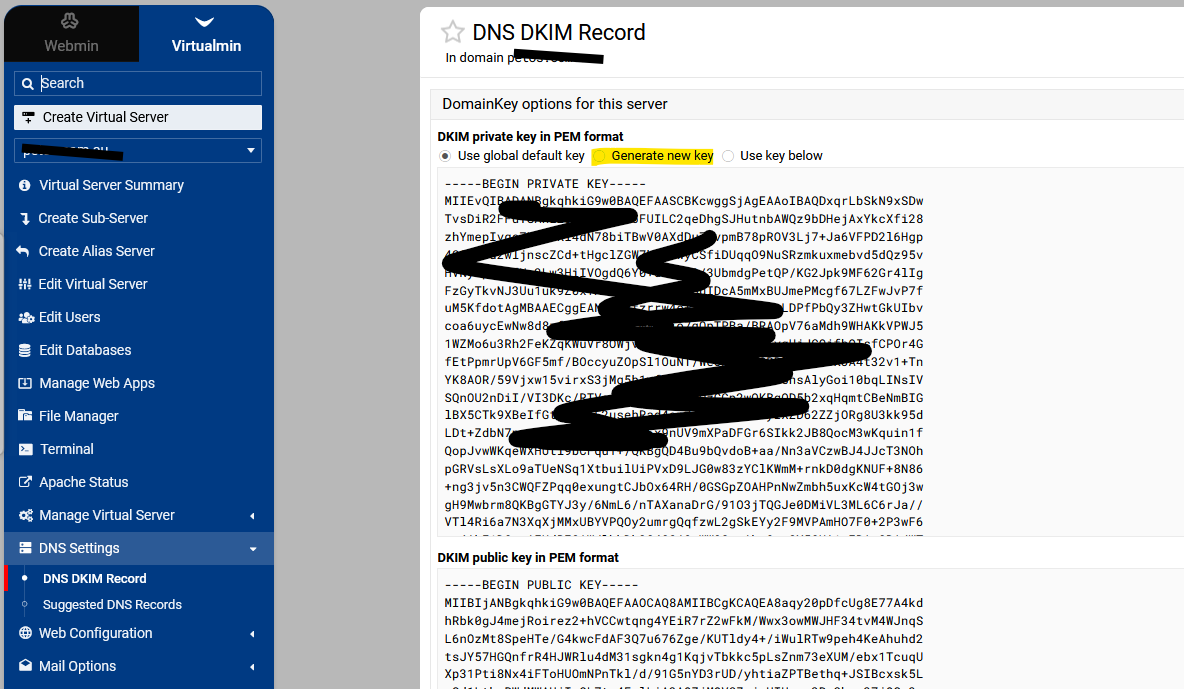
When I go to DNS DKIM record and select ‘generate new key’ and then click on save the new key appears to be identical - is this a bug? Anything I can do to troubleshoot?
Copy the key into a text file, then regenerate the key, put that new key in a text file and then then compare the text in the 2 files to see if they are different.
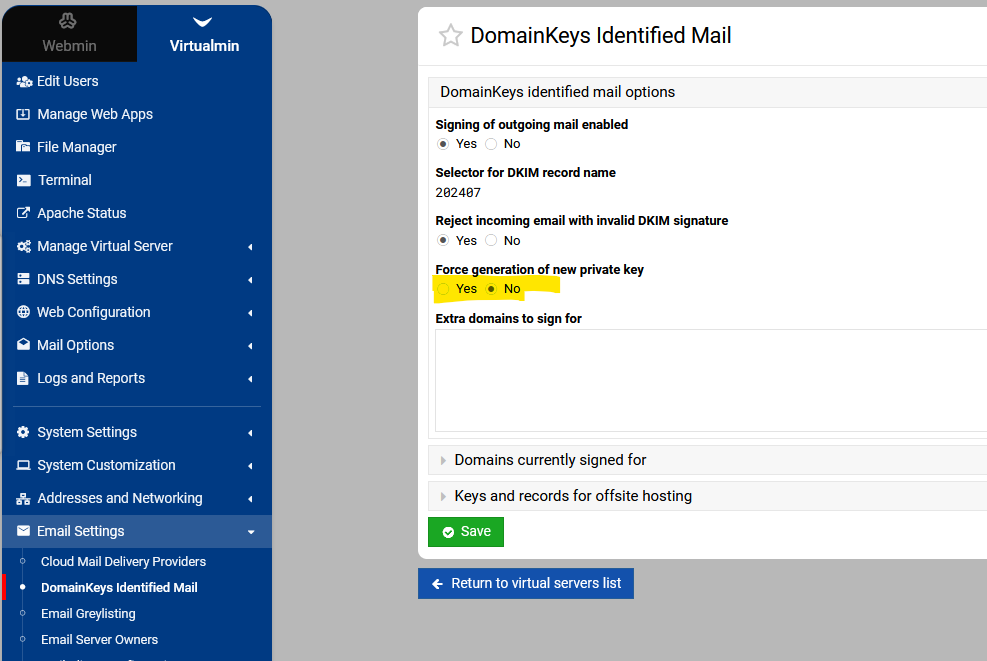
Thanks Stefan - I actually had no idea Email Settings > DomainKeys IM existed until it was mentioned in this thread. I haven’t tried Force generation of new private key? because I wonder why that option is there - why would forcing be required? Almost seems like it is a ‘only do this if you absolutely need to’ kind of situation, possibly with some kind of drawback, hence I thought I’d check here first.
I’ve tried Email Settings > DomainKeys IM > Force generation of new private key > Yes but I am still getting the same keys on the domain I am checking. The output from this is also a bit odd:
  Finding virtual servers to enable DKIM for ..
  .. found 7 servers and 1 extra domains
  Generating private key in file /etc/opendkim/keys/default.private ..
  .. done
  Extracting public key from private key in /etc/opendkim/keys/default.private ..
  .. done
  Setting domain and selector in DKIM filter configuration ..
  .. done
  Adding DKIM records to DNS domain domain1.com ..
  .. records already exist
  Adding DKIM records to DNS domain domain2.com ..
  .. records already exist
  Adding DKIM records to DNS domain domain3.com ..
  .. added successfully
  Adding DKIM records to DNS domain domain4.com ..
  .. records already exist
  Adding DKIM records to DNS domain domain5.com ..
  .. records already exist
  Adding DKIM records to DNS domain domain6.com ..
  .. records already exist
  Adding DKIM records to DNS domain domain7.com ..
  .. added successfully
...