I have ordered 2 new servers and installed Debian 13. As currently that is not an A grade supported os, should I wait till it’s officially supported A grade or is that everything just works fine for now?
You may be able to try the pre-release branch; however, considering it’s not a Grade A OS release yet, I don’t think anyone will vouch for it “working just fine for now.”
For a production system, I’d personally stick with Debian 12 until Virtualmin adds Debian 13 to its Grade A Supported OS list, but that’s just me.
I went with 11 because 12 just out and I personally couldn’t wait ‘until’. For most of us our servers need to be rock solid STABLE. So, I guess it depends on your particular/personal requirements. Good Luck.
Debian 13, unstable Virtualmin branch, no errors on install (but firewalld is a must before running the Virtualmin script). After installation and a small change in the BIND configuration (TLS listening), everything works.
Yes, I’ve experienced the same thing on installation process. Actually Ilia and I have shared a bit more about deb 13 and installer script v8.0.0 on this issue
I know Deb 13 is not yet A grade but we are testing to see how its progressing, the new VM config file has fixed the apache error but saslauthd.service will not start, below might help.
Oct 14 11:43:54 systemd[1]: /usr/lib/systemd/system/saslauthd.service:8: PIDFile= references a path below legacy directory /var/run/, updating /var/run/saslauthd/saslauthd.pid → /run/saslauthd/saslauthd.pid; please update the unit file accordingly.
The main Virtualmin repos do not have the fully updated Virtualmin Config yet. You should try using the latest installer from our GitHub page with the --branch rc flag.
Everything is ready except the landing page for virtualmin.com and a couple of bugs to fix and polish. I plan for @Jamie to release Virtualmin 7.50.0 today or tomorrow. Then, we’ll get feedback, fix any remaining bugs, and we’ll be good to go for Virtualmin 8. Though, our release cycles are slow, so it might take more time than I expect.
Note that you can just spin up a fully working Debian 13 system today from RC repos using the --branch rc flag.
Just a heads up, The install on Deb 13 seems to have gone well with no errors using the rc flag.
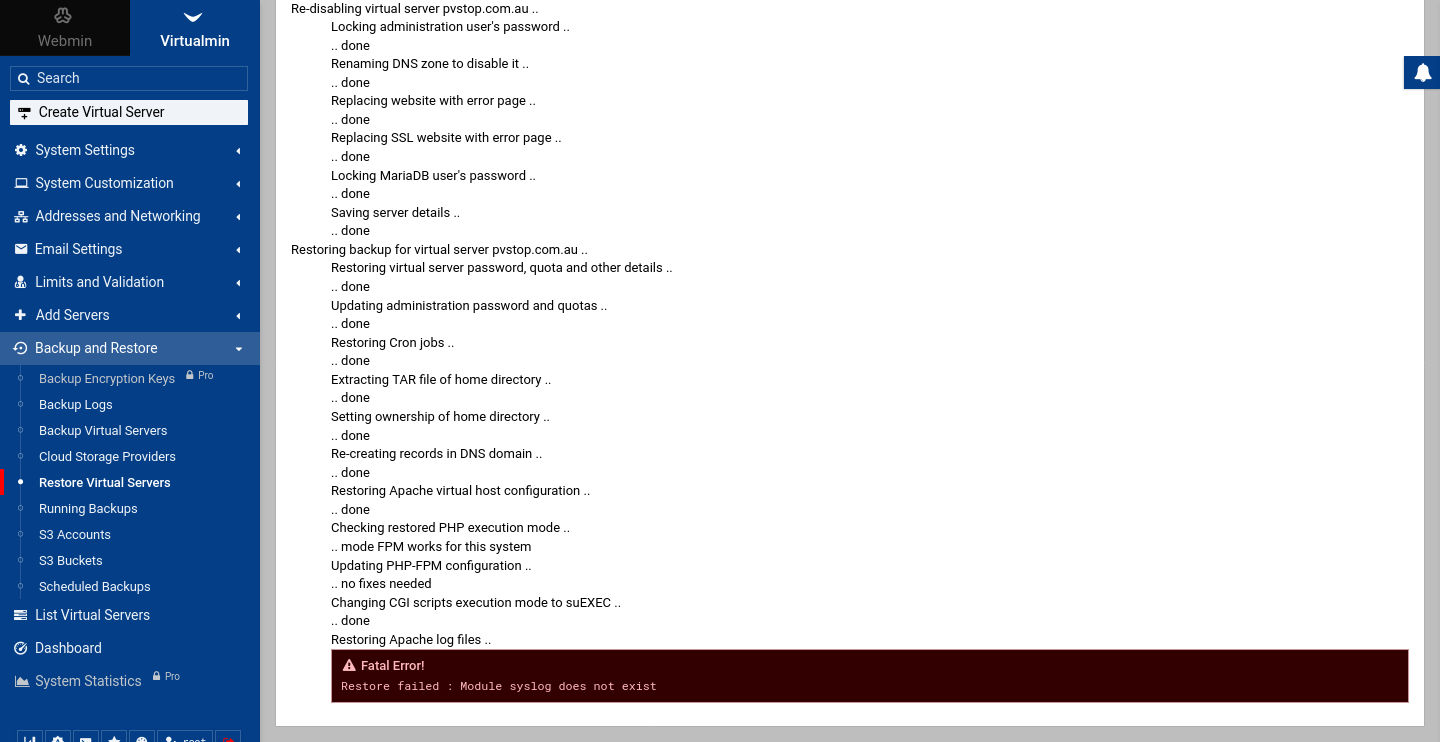
However when I tried to restore a back up server I’m getting an error module syslog doesn’t exist, which of course it doesn’t exist.
I just tried it on an OVH VPS and Debian 13, and I only encountered one error: [7/19] Configuring Firewall Module firewall does not exist Error
I had to manually install the FirewallD package: apt-get install firewalld
Then I ran the configuration again: virtualmin-config-system --bundle LAMP
And now there are no more errors. I don’t know how package installation works, is it from a list, or from a package that contains the list of dependencies ?
 Phase 2 of 4: Setup