“It is a feature, not a bug, that your OS sticks with the same version of everything throughout the life of the OS, only rolling out security and bugfixes”
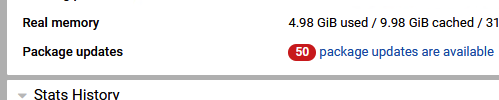
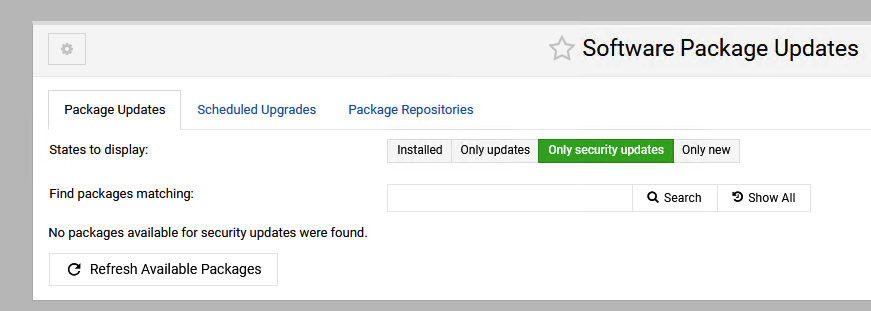
I would like the options for “Package updates” to say “0 security updates are available”.
When I see a number there, I feel that I should act, but unless those are all strictly bug fixes, and my server is doing what I want it to, I should not.
(I believe that it says somewhere “# of which are security updates”, but that big red number on the Home Screen says “so you have work to do”… and that number will only climb… and if I recall eventually updates of updates come out and then some are archived by the time you click it, etc..)
Or are those all bug fixes and I should install them all always?
if i remember correctly
the security updates get indicated adjacent to the total - but then I have always seen the list as a prompt to examine the list and make a choice - rather than just blindly accepting them all (which usually ends up as my choice anyway) I do not think there is any problem accepting all updates (bug fixes or not)
Each to his own but I figured out a long time ago keeping up with updates is a good way to not get whacked by an update. I’m not advocating auto updates I am advocating not letting them pile up so the updates are applied to current packages.
But, I wasn’t talking about your OS. I was talking about the EL distros (Rocky, Alma, RHEL). You picked Ubuntu. Which does not have exactly the same policy as EL about updates (though LTS is mostly similar, they do still sometimes roll minor version updates rather than patching the exact same version).
But, even so, I generally recommend you regularly update your system with all available updates from your OS vendor. Security is the most important, but bugfixes are good, too. The LTS version of Ubuntu generally won’t do anything dramatic with its packages. It is not as safe as EL in that regard, but it’s not wild or bleeding edge.
I just consider it ‘sensible’ to know which updates are being applied anyhow. IF something goes wrong, you have more of a clue about what might have happened.
If you’re using a stable distro then it’s probably less risky than waiting in case some packages conflict somehow. I’ve seen that too. And, less has changed so less to look at IF it happens.
Docker and php packages seem to be constantly updating on the server. Home wise it is the browsers and messaging app that seems to be in constant flux. Unrelated, I just got whacked hard by a Discourse update that I waited too long on.
Take away. I think it is less risky to keep updated than not.