| SYSTEM INFORMATION | |
|---|---|
| OS type and version | Debian Linux 12 |
| Webmin version | 2.641 |
| Virtualmin version | 8.1.0 Professional |
| Webserver version | Apache |
| Related packages | SUGGESTED |
You suffer from the same condition I do. I think people know what I’m talking about because it is clear to me. 
I think a little more detail is in order for most of us. MAYBE someone else understands this, but I don’t. Exactly what are you trying to do? 6 years us like 60 in software age. If there are configurations that need restored LOTS have changed in the Virtualmin setup since then.
We need to see the actual errors.
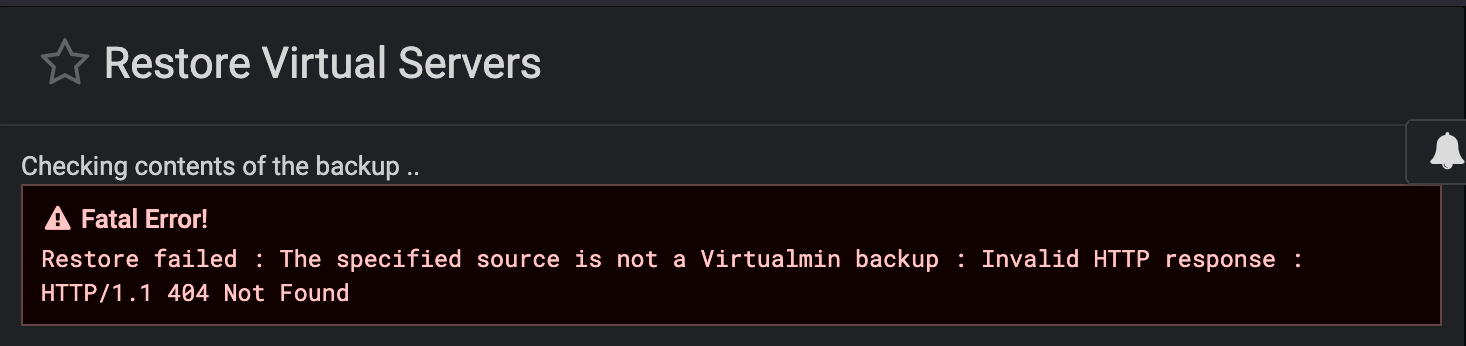

You’re using a backup that has been created by some tool from Rackspace that has chunked it into various 200Mb segments?
Do you actually have a valid Virtualmin backup? The software doesn’t think so. At best you have backup created by a Rackspace tool of what was originally your Virtualmin backup. If that is the case then reassemble the segments back into the original file and try again.
If you just dumped an image of the server, well, that’s a whole different thing.
I have had that error pop up recently when trying to restore from a VM scheduled backup. Older ones, not that old though. Thought it was some sort of corruption, maybe permissions?
David
A Virtualmin backup is a zip file which has a certain internal structure. This structure is quite human readable, so you are have options if Virtualmin rejects the file that you have supplied.You can open the archive yourself and copy ove the files manually and even restore the database manually.
Assuming that when you download it it chuncks back together correctly or if it downloads in one piece lets hope when it was uploaded to rackspace the chunks were put back together correctly
So, a 404 is simply “not found”. It’s not finding anything where it thinks it should find the files.
We should probably take this to a private conversation via PM to @staff, so we can get more details and enable more logging to see what queries Virtualmin is making. I’m not familiar with Rackspace Cloud Files and how Virtualmin interacts with it, so I don’t have a quick CLI command to confirm existence where Virtualmin is looking. Jamie probably knows how to further troubleshoot this.
So this is a Virtualmin backup to something called “Rackspace Cloud Files”? That would make more sense. I really never got past trying to understand that part.
RackSpace Cloud Files does sometimes split files into 200mb chunks.
It does appear the issue is that Virtualmin can’t find the backup file at all.
A workaround may be to download the backup from the RackSpace Cloud Files web interface which will result in a single file. Then upload that to the server and restore it from the local filesystem.
Nope. Not the problem at all. Virtualmin has no problem with Rackspace Cloud Files 200Mb when the path provided is correct. This was an extreme edge case involving Rackspace allowing containers in different regions to have the same name and Virtualmin‘s application of the default container setting which affects the path name that gets sent to Rackspace. Once that issue was discovered and corrected, the Restore proceeded without issues.
– sent from my iPhone…
That sounds very much like the problem was that Virtualmin couldn’t find the file!
And the workaround I suggested likely would have worked…
(Either way, glad to hear it’s sorted!)
My daft thought / take on this error when it arrived in my face was it was a backup from a previous bkp schedule from a different server to a new server retrieval from a Hetzs storage box. Not even like the path I set at first? All seemed right to me.
David