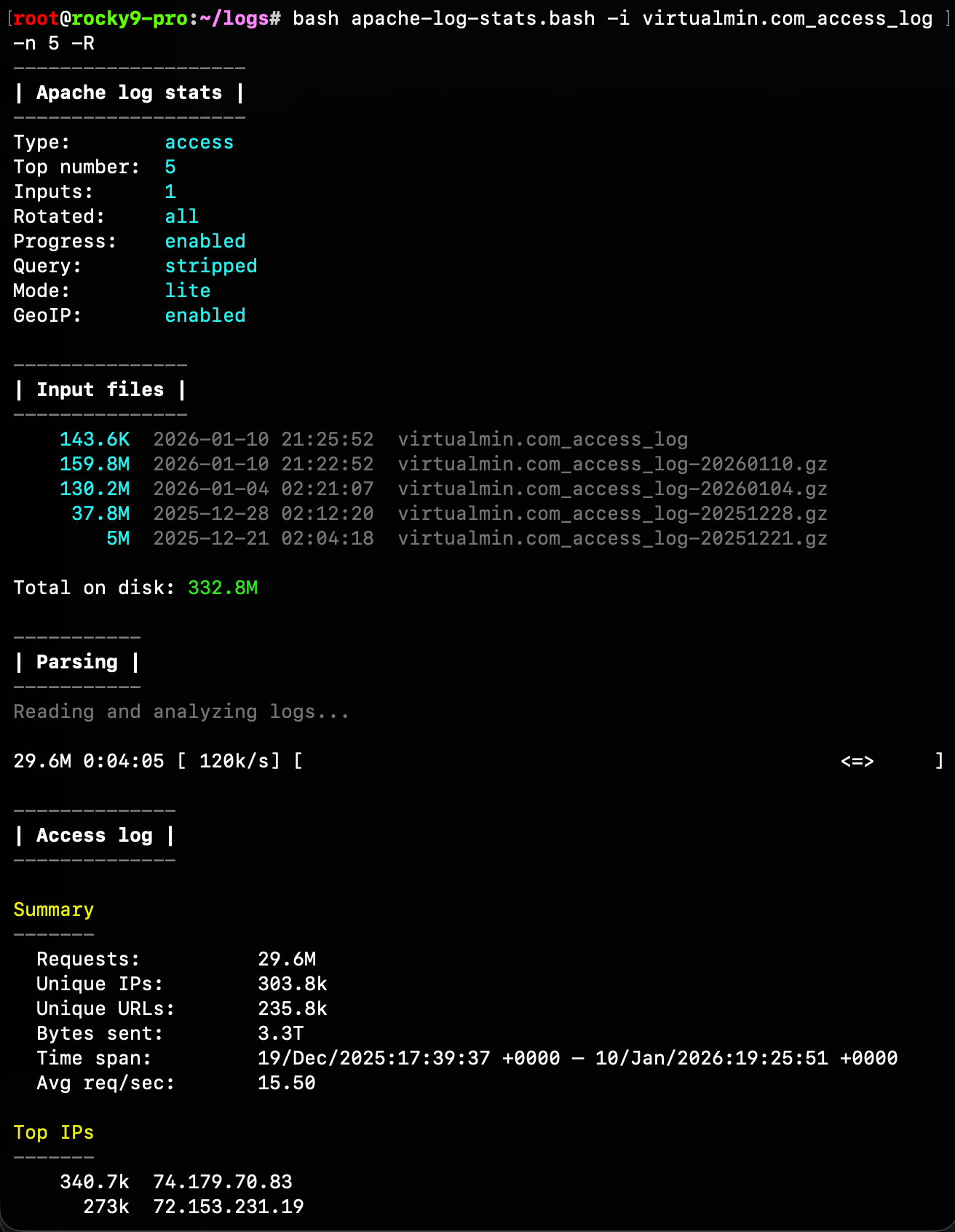
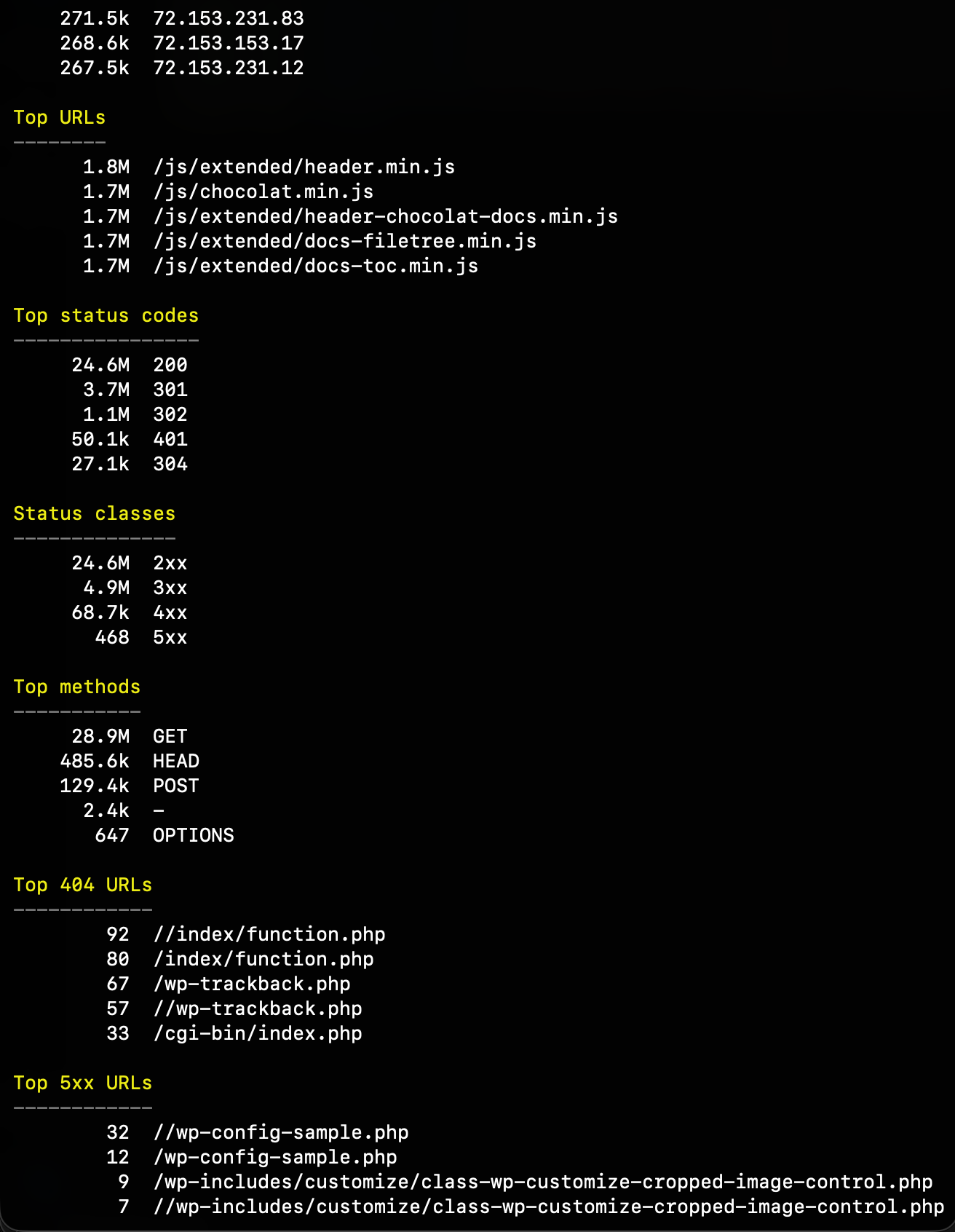
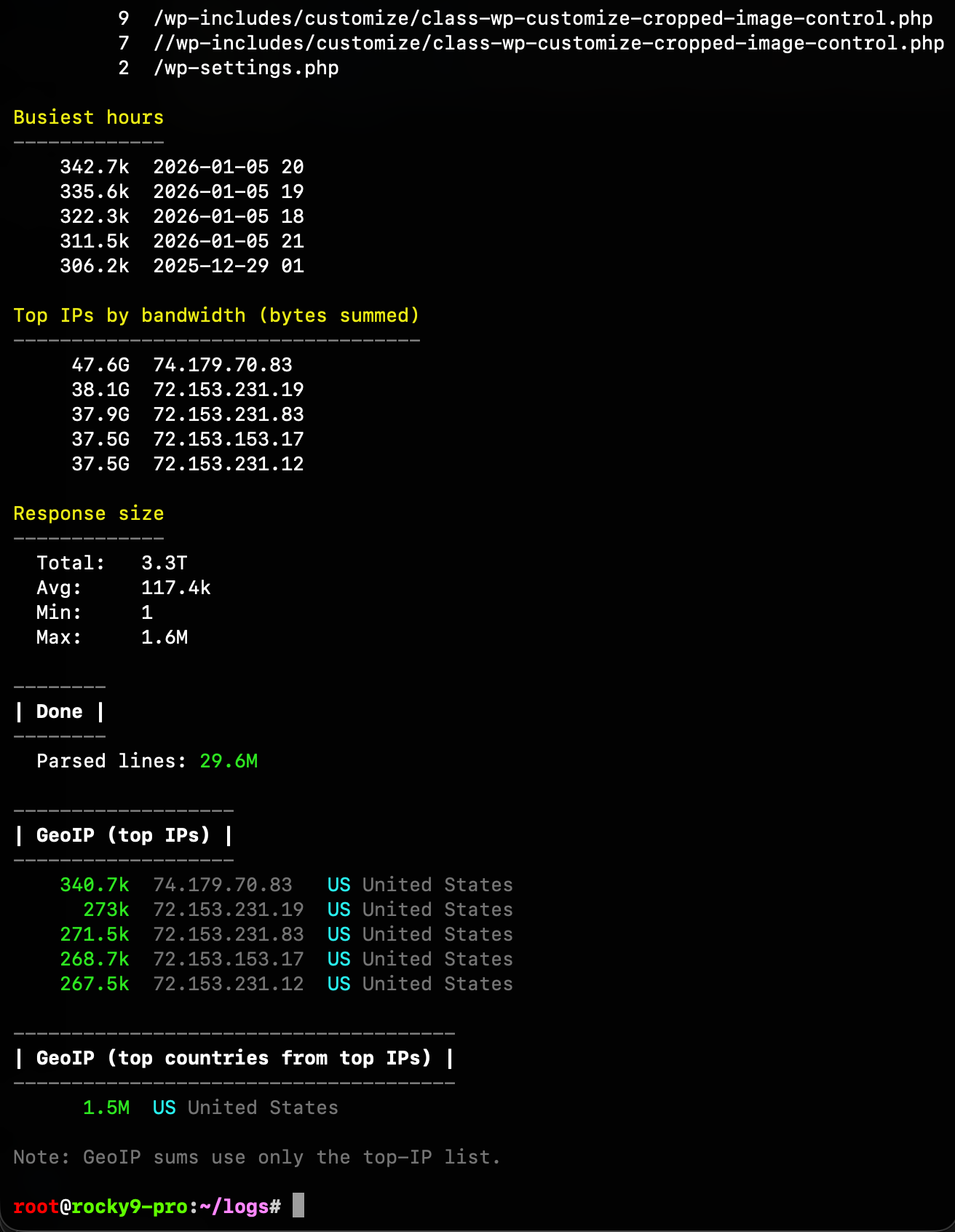
I ended up writing a small apache-log-stats.bash script to help me analyze Apache logs. After seeing super heavy bot/spam traffic I wanted a quick way to answer “who’s hitting what, how much, and from where”.
The script streams Apache access and error logs (so it works on big files), and can optionally include rotated logs (.gz and .tar.gz). It prints a clean report with things like:
apache-log-stats.bash: line 1239: warning: here-document at line 225 delimited by end-of-file (wanted `EOF')
apache-log-stats.bash: line 1240: syntax error: unexpected end of file
Suggestion, the log files will always be in /var/log/virtualmin/ and end with _access_log, and every example uses -i, so include those such that you can just do:
I think it can be added as a separate page and CLI command for Virtualmin Pro users. It happened to be pretty powerful and useful utility.
Those who don’t want to get it as part of Virtualmin Pro can use my script directly instead. In Virtualmin, it will just be more convenient, and users will have another reason to support our work.
Oh, wow! This tool is amazing and accurate too—really impressive!
What surprised me is that it worked with the same speed as my Bash script, and I expected Go tool to be much faster, especially in log processing! Yet speed-wise, it was about equal! And, same accurate too.
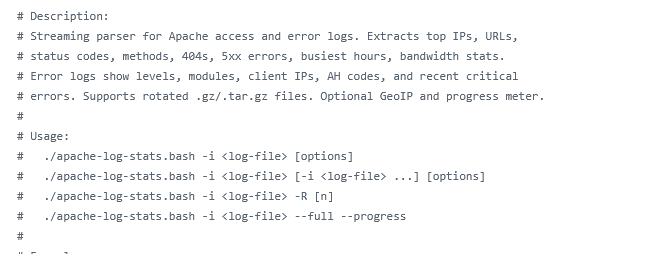
script works great, just didn’t understand how to use -R flag (?)
trying with -i domain_access_log -R
but only data is about that log, not access_log* ones (+rotated). am i missing something?
good thing with goaccess is you can get an output (html and more) to display,
eg. goaccess --log-format COMBINED --output /path/to/public_html/report.html /var/log/virtualmin/domain_access_log
and you can save data with the persist flag + add new data (from new logs…) with restore flag.
overall a nice tool, and i believe some other hosting control panels have it integrated.. (like an alternative to awstats i guess).
I could add an option to export to a file, but users can just redirect output to a file like ./apache-log-stats.bash -i virtualmin.com_access_log > stats.txt easily.
Yes, I like the output goaccess generates—it’s really cool!
However, for the terminal, I’d prefer my script because it’s simple, just as fast, and clearly reports issues most sysadmins care about.
Also, the HTML file generated by goaccess is about 70 times larger than what my Bash script outputs. Plus, the goaccess binary is 1.3M, whereas my Bash script is only 32kB.
Those graphs are nice and all, but most of the time we don’t need HTML data and all those fancy graphs, as it only slows things down; we need to see clear stats to quickly address the issue.
Nevertheless, we will considerer integrating goaccess into Virtualmin, along or instead of with AWStats. The good thing is that goaccess can be installed from repos on all distros we support, and it also supports Nginx logs. This is a big win and a clear successor to AWStats. And I know, I know, users like fancy graphs and nice-looking HTML.
I’m not sure I completely understand the issue, but if you look at the screenshots in my first post, you will see what kind of logs are listed under “Input files”.
probably this. logs are like :
domain_access_log
domain_access_log.1 #uncompressed using delaycompress option in logrotate conf
domain_access_log.2.gz
domain_access_log.3.gz
etc..