Fantastic new addition to Firewall Module

I had gotten so used to running the firewalld command to block ip’s for whatever reason. Browsing the Networking/FirewallD page to view current rules what a pleasant surprise it was to see this added.

Not sure when it was added but just wanted to say thank you for finally adding it. Much appreciated!

5 Likes

I’m glad you liked it! Thanks for the positive feedback! :blush:

3 Likes

Is there a way to see what’s been added in the GUI?

1 Like

A CHANGELOG perhaps
you know, those things we all read and do not fully take in/understand/notice at the time

yes, I missed this one too! :+1: @Ilia

1 Like

“Add support for allowing a given IP temporarily or permanently in FirewallD module”

Yes, there is a “List FirewallD Rules” button that opens a page listing details about existing rules.

I believe this came up in a discussion about people locking themselves out of their mail. Change your password on one device and you are locked out before you can change others.

Only thing missing now is a timer. :wink:

1 Like

I remember glossing over this at the time as in my mind I was waiting for “Blocking an IP” which was missing from the changelog. Can’t believe it took me 5 months to notice it, that’s on me.
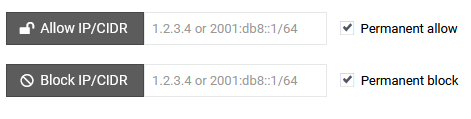
A timer? Do you mean to auto-remove the rule?

Yes. That way I don’t have to remember to remove it later.

I am glad for this feature as it is very useful and I am pretty sure I asked for it :smiley:

It was implemented here:

2 Likes

without reading the code, are the timers optional?

Yes, it’s optional and disabled by default.

3 Likes

This topic was automatically closed 60 days after the last reply. New replies are no longer allowed.