I thought you said you used CSF/LFD?
Right but with fail2ban it doesn’t work properly and I disabled it.
Do you want me to activate it again to see the errors?
So what are you now using ? As stated earlier in the thread it is either csf on it’s own or firewalld/fail2ban if you keep trying different combinations of these programs there is no doubt all the bits of software will get confused. You need to step back and think which route to take csf or firewalld/fail2ban, when the choice is made purge out what your not going to use, make sure there are no chains in iptables with banned ip data and start again. Which ever route you take just research on how to use the program, there are plenty of resources out there for all of them and don’t take knee jerk reactions when you feel something is not working just research on what you think is under performing
You’re right, but I didn’t know that I can’t have both, csf + fail2ban. Can I have good protection only with CSF on my vps server, that is?
Yes, you can.
I leave FirewallD and Fail2ban active from virtualmin default install.
and then still install Crowdsec.
the Crowdsec bouncer can work with nftables and iptables.
the advantage of crowdsec is that it has a large communtiy driven database of malicious IP’s. The community list is always active and included, you can get 3 external lists for free. You can also add whitelists from the API stream, if you use public VPNs or TOR, those tend to get banned.
you can install “collections/scenarios” for many different services.
with cscli metrics you can get a good overview of what is going on.
I highly recommed crowdsec. After installing it your fail2ban will just be idling around! All the script bots are banned from the outright.
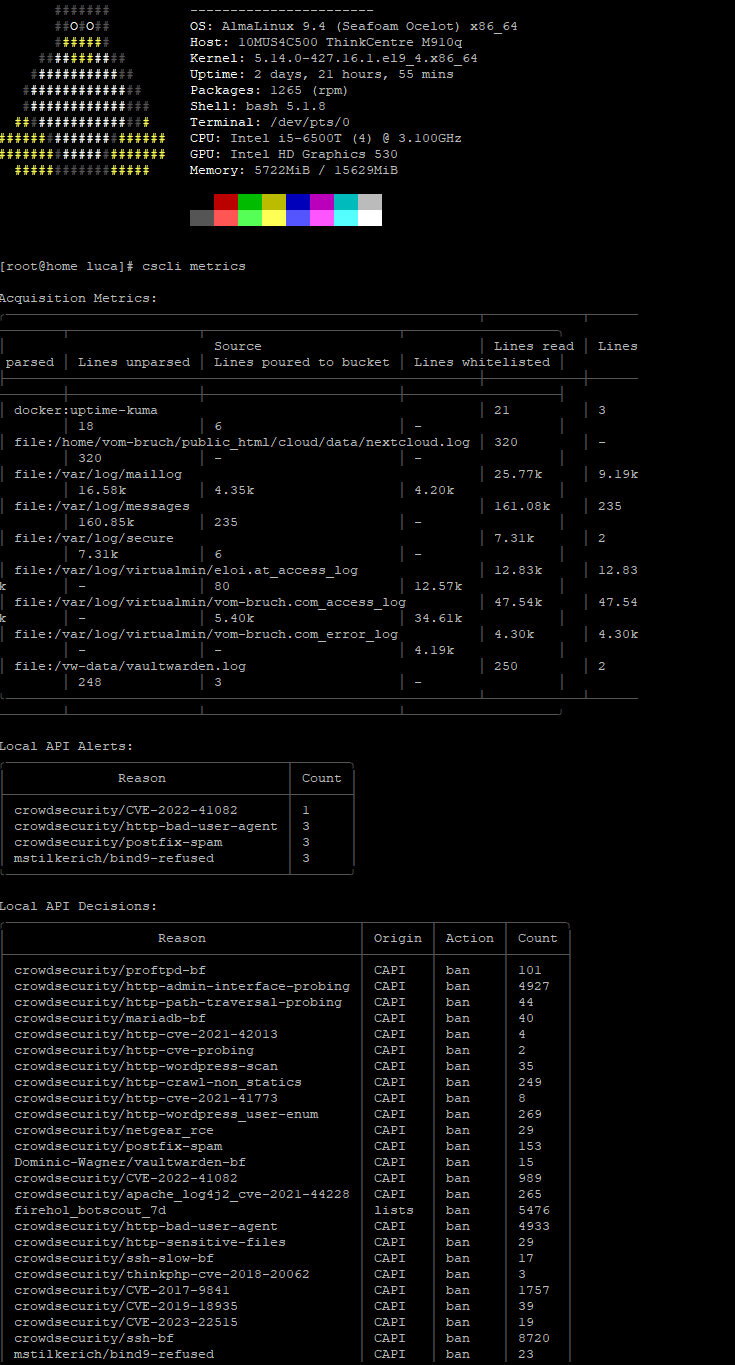
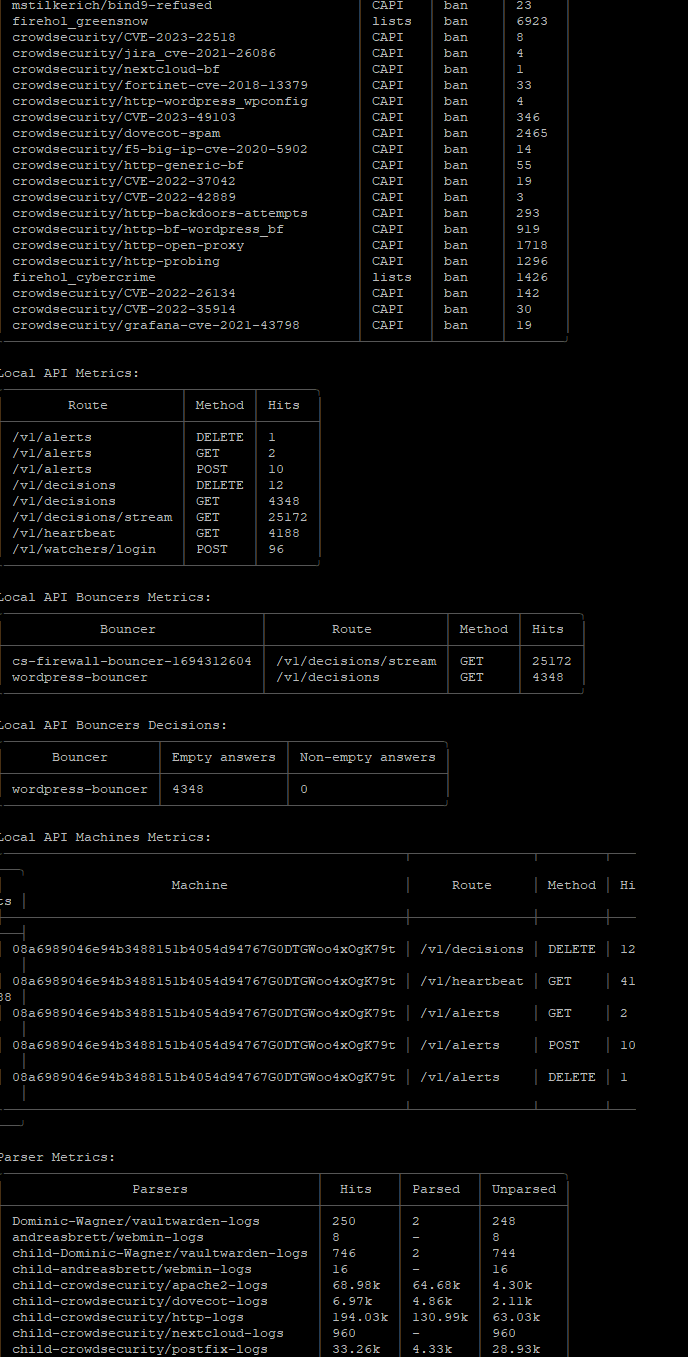
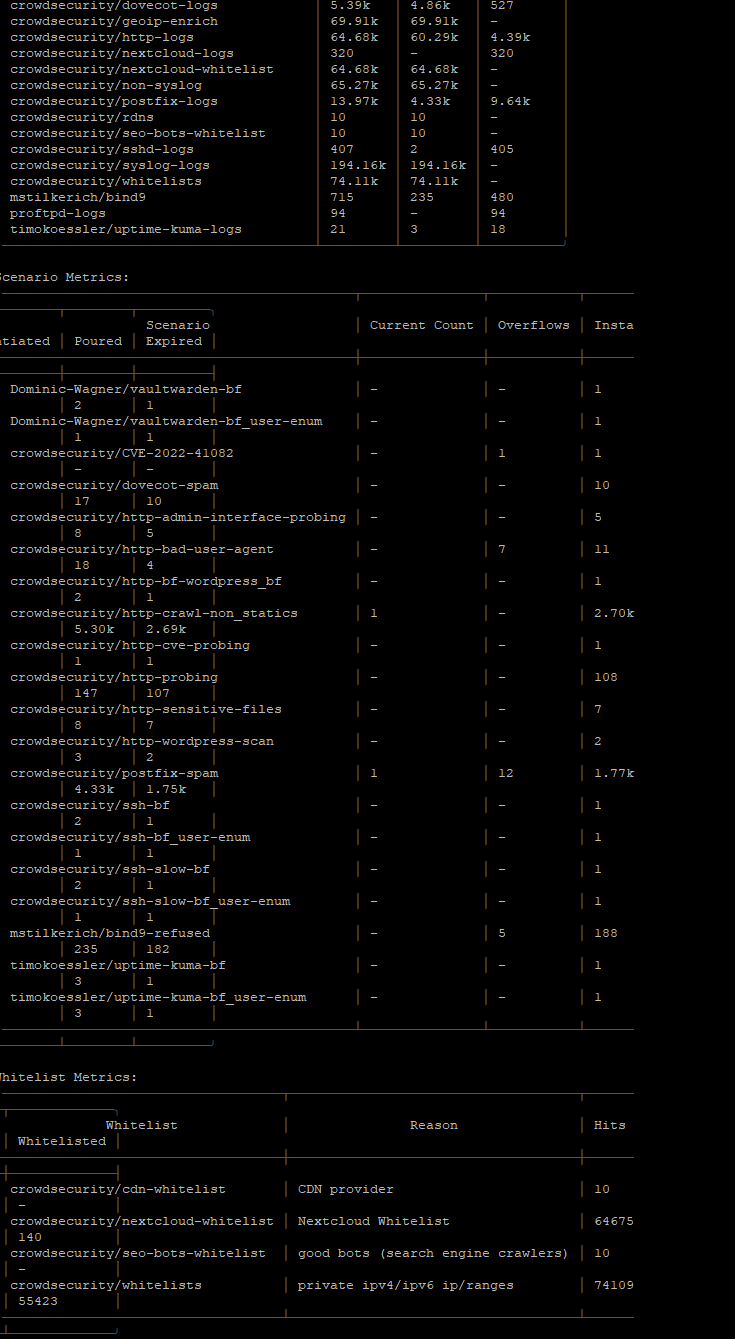
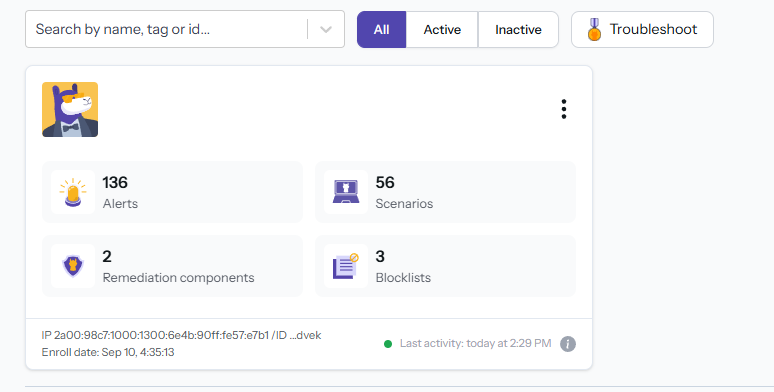
it also has an API that connects to an online dashboard:
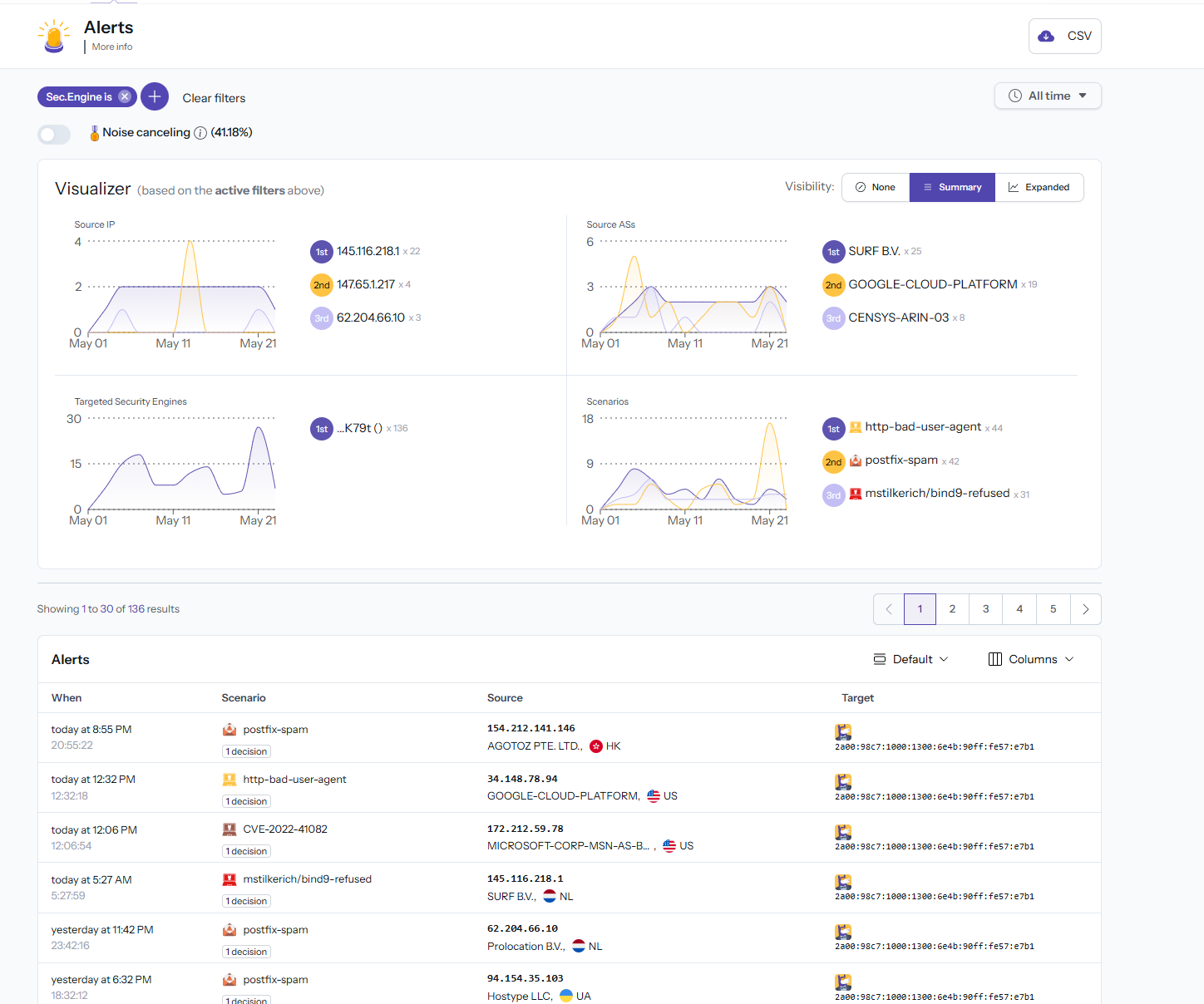
How can I install it on ubuntu 22.04?
Disable fail2ban and enable CSF. He tries to attack with the same ip and CSF gives an error SASL LOGIN I don’t know what to do finally…
May 23 22:55:04 vps-server postfix/smtpd[3055]: disconnect from unknown[194.169.175.10] ehlo=1 auth=0/1 rset=1 quit=1 commands=3/4
May 23 22:55:05 vps-server postfix/smtpd[2320]: connect from unknown[194.169.175.17]
May 23 22:55:11 vps-server postfix/smtpd[2320]: warning: unknown[194.169.175.17]: SASL LOGIN authentication failed: authentication failure
May 23 22:55:12 vps-server postfix/smtpd[2320]: disconnect from unknown[194.169.175.17] ehlo=1 auth=0/1 rset=1 quit=1 commands=3/4
May 23 22:55:17 vps-server postfix/smtpd[3055]: connect from unknown[194.169.175.17]
May 23 22:55:21 vps-server postfix/smtpd[2320]: connect from unknown[194.169.175.10]
May 23 22:55:23 vps-server postfix/smtpd[3055]: warning: unknown[194.169.175.17]: SASL LOGIN authentication failed: authentication failure
May 23 22:55:23 vps-server postfix/smtpd[3055]: disconnect from unknown[194.169.175.17] ehlo=1 auth=0/1 rset=1 quit=1 commands=3/4
May 23 22:55:24 vps-server postfix/smtpd[2320]: warning: unknown[194.169.175.10]: SASL LOGIN authentication failed: authentication failure
May 23 22:55:25 vps-server postfix/smtpd[2320]: disconnect from unknown[194.169.175.10] ehlo=1 auth=0/1 rset=1 quit=1 commands=3/4
What the heck? No, of course not! They do the same thing. They obviously conflict.
@dimgr is helping us top-hit the Discover Charts in Discourse! Don’t stop him!
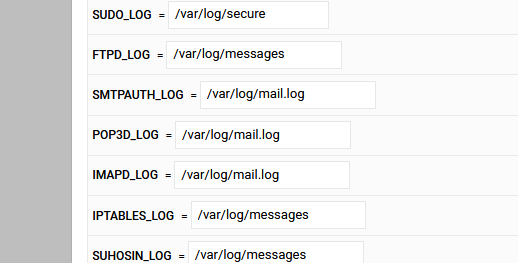
I noticed a incorrect path for Rocky 9, it maybe looking in the wrong log file. Check here
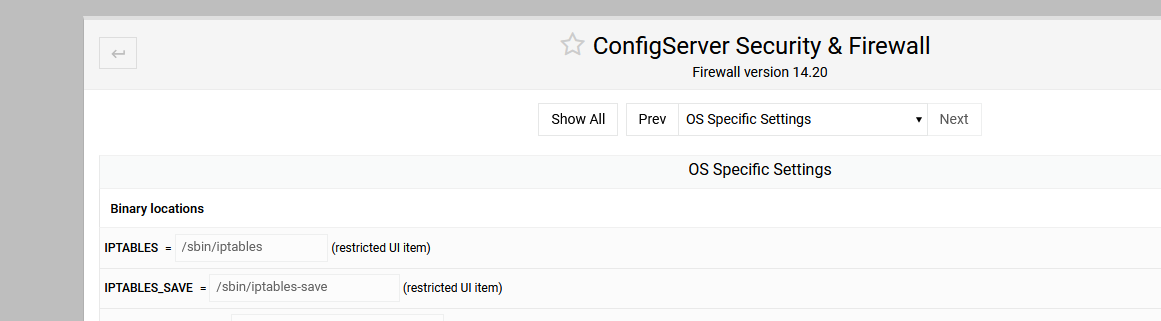
and go down to the log locations
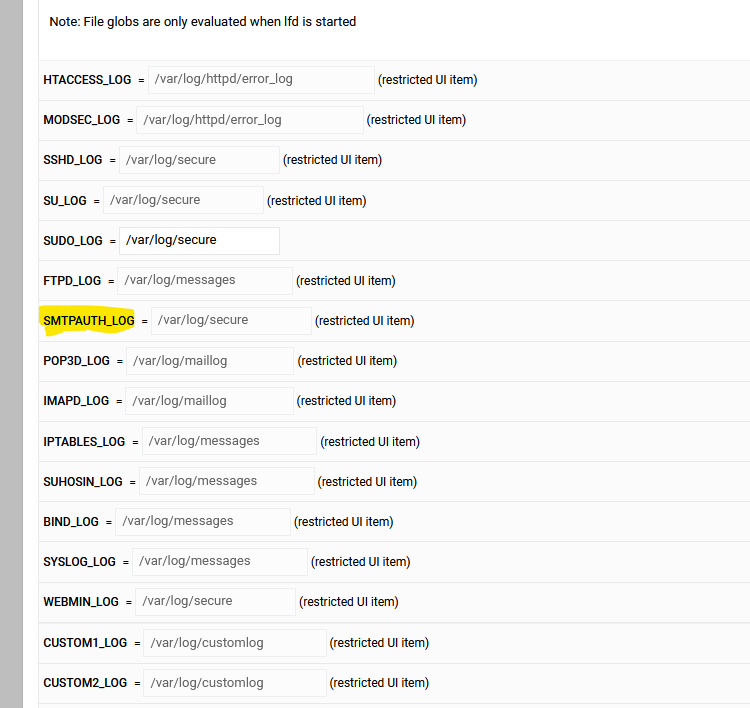
Is it looking at the correct log file. Rocky uses /var/log/maillog
Although I do see auth failure in /var/log/secure
But it maybe something to look at.
I changed mine and now its blocking
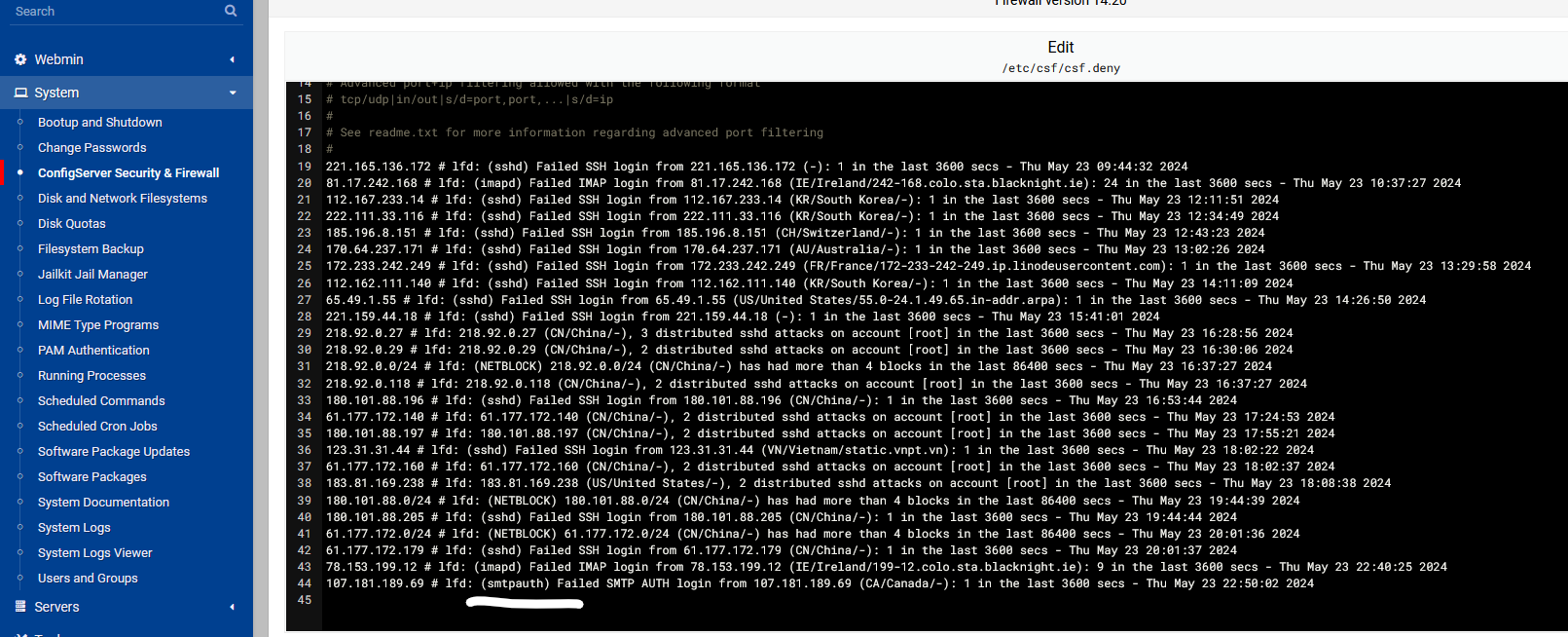


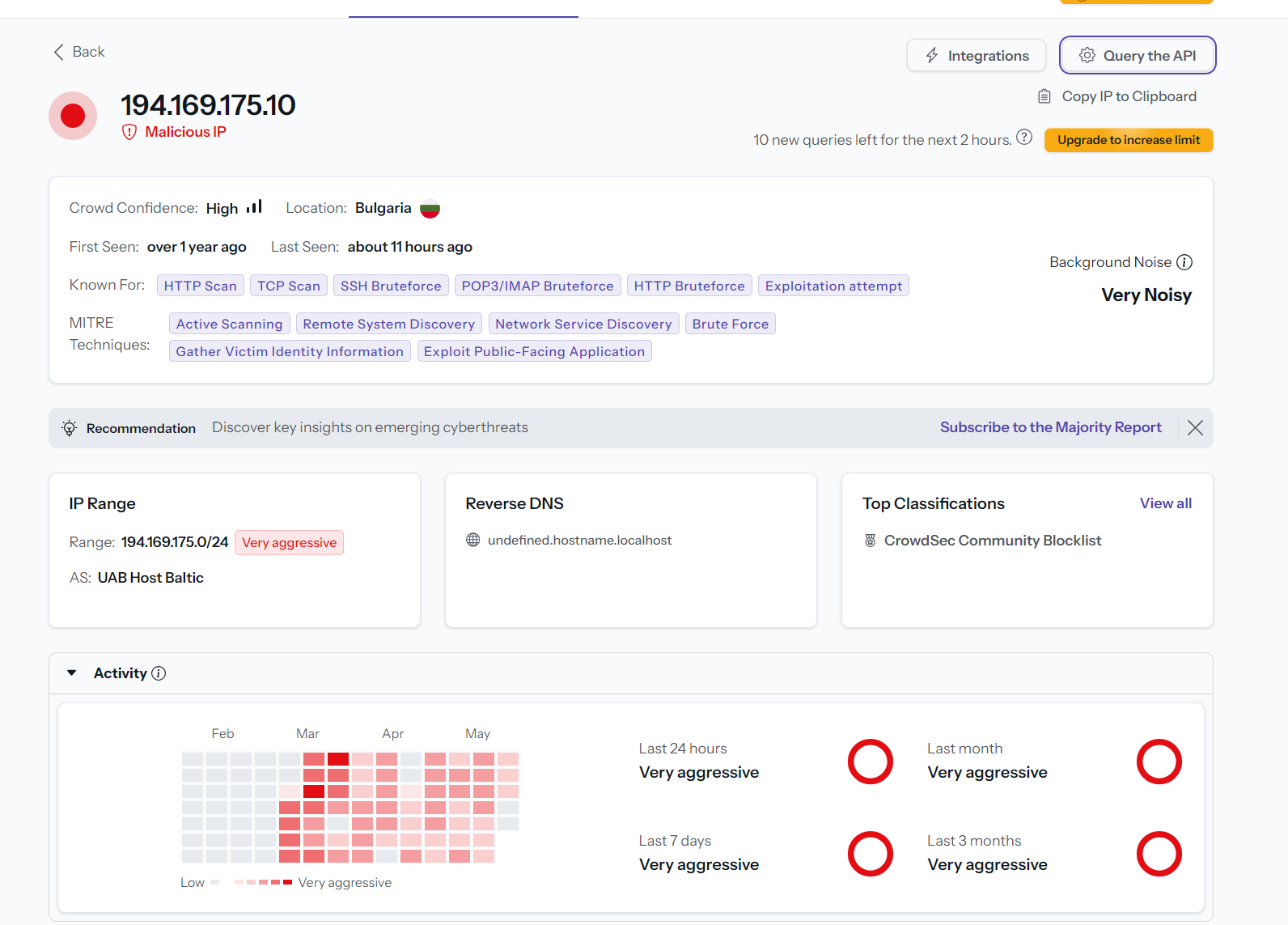

Should I do a new installation of virtualmin on the vps server because there are many problems???
What log file location do you use to see smtp authentications? I don’t use ubuntu
I tested ubuntu, use this config
I think you should stop doing dramatic things because of a minor configuration issue. Installing CSF, which you’ve never used and have no experience with, because fail2ban had one misconfigured jail is absolutely bonkers.
So, I think you should probably stick to a default installation until you’ve got some experience before you go off-roading by replacing big chunks of the system with random stuff.
Which jail was it? To my knowledge, there are no misconfigured jails!
See the original subject of this stupidly long and wildly off-topic thread:
That tells me the postfix-sasl jail isn’t doing the right thing, as that IP is still able to poke at SASL.
But, it’s entirely possible OP had already broken their system with other nonsense, and on a default Virtualmin system this will work.
By the time I looked at this it was already off the rails. The initial “already banned” is caused when F2B and Firewalld get out of sync. The ‘root’ of the problem was Firewalld changing a setting to satisfy some group that didn’t like what they considered temp bans being carried forward through a service restart. They saw this as a flaw because it was their quick and dirty way to reset things.
In other words, restarting Firewalld flushes F2B entries that F2B thinks are still there. No backwards notification in the new default. So basically, restarting F2B in the beginning was probably the solution.