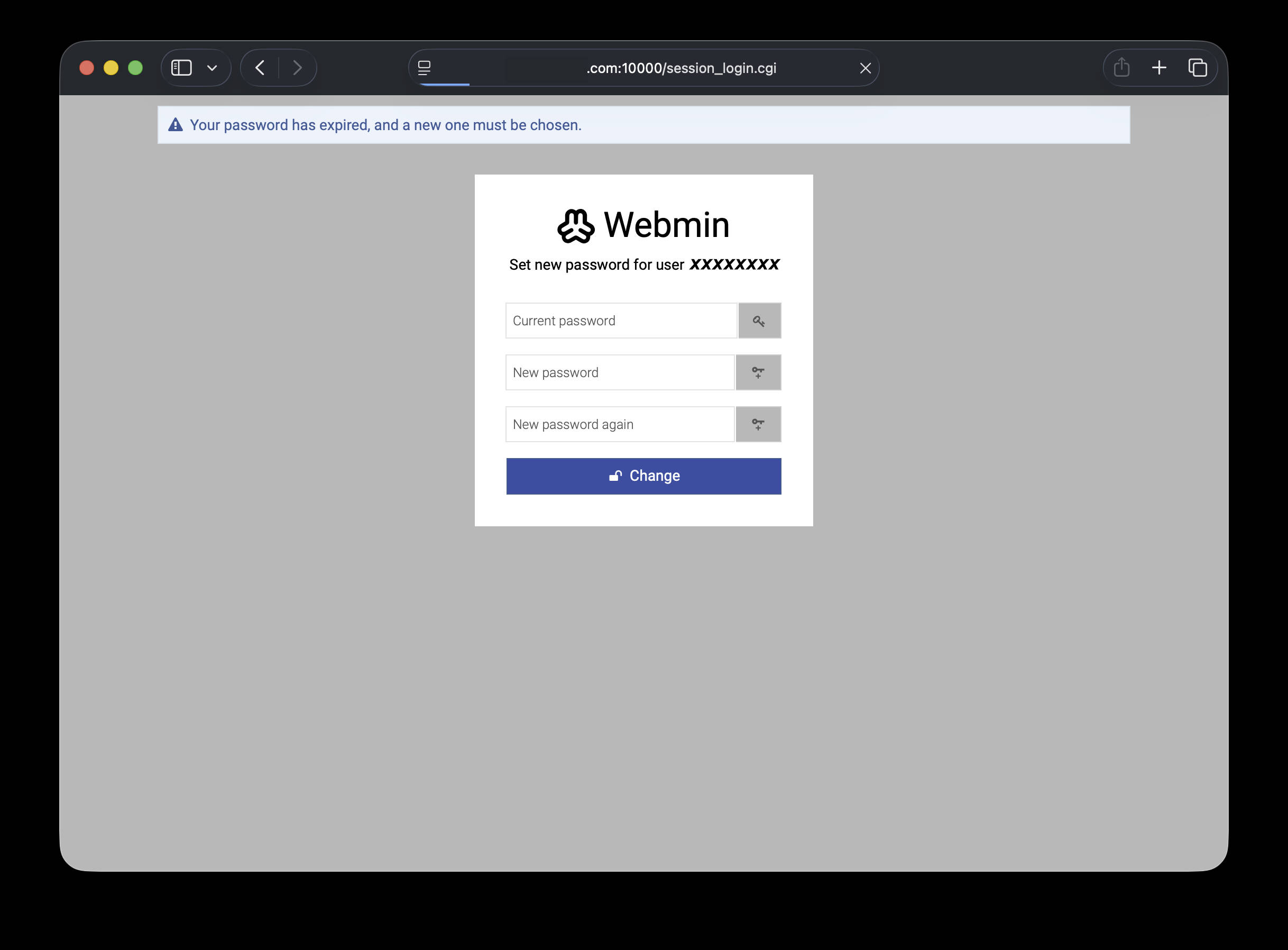
An interesting issue with Password Expiry enabled. Usermin is configured to prompt the users after they log in to change their password, as it has expired.
The page which appears asks for the old password and has two other inputs for new/verify password.
For an unknown reason, when the user logs in they may see this page for a second, then usermin redirects them back to the login form at “/session_login.cgi” immediately. They are not able to then update their password.
The only way I can get them back into their usermin is by going and manually resetting the password for them. At which point they don’t need to see the expired password prompt and can just log in as normal.
My question is, why is the password expired prompt page auto-redirecting and how do I make it stop so the users can reset their own passwords?
Maybe I should ask, where do I start looking to figure this out myself?
Is this a dangling header sent by Perl? Some javascript or HTML thing?
It happens so fast that I can’t really tell what causes it.
Some testing has shown that the page -may- remain open the very first time the page is shown. If the user reloads the page or their session times out and they have to log in again, the page will start immediately redirecting.
Additionally, is there a way I can manually expire the password of a singular account? I’d like to do more testing without needing to change the settings back and forth that impact everyone.
Thanks.
Sounds bad, but it’s good to know I’m not in a vacuum with this issue.
I have not discovered anything else about it myself. I’m not really in the “web” game any more, I basically keep the stuff running as best I can while all of my time is spent taking care of elderly family members who are in home-hospice care.
To answer your query, @Joe my server is not behind a proxy. It -does- happen to be on a server with multiple dedicated IPs though.
If there are things I can do to help you figure this out, let me know and I’ll definitely look into it when I have free time. Usually can do a little bit of work after I get the folks into bed for the night.
Not that I am aware of. Hosting service may have something set up.
The only way that I have been able to do a workaround is to change pass_maxdays=0 in /etc/webmin/miniserv.conf so that at least I can get in to do a manual reset of password.
The strange thing is that the form does appear so that you are able to make the change, but about a second later it redirects to the login username/password page.
Using an “incognito” browser does not help.
Using Webmin v2.600 on Rocky Linux 9.6
SOC2’s an attestation of your org’s controls and how they operate over time. A software bug doesn’t in itself make an organisation non-compliant. What matters is whether a stated control in your SOC2 scope is unable to operate and whether you have appropriate compensating controls in place.
The above issue doesn’t automatically constitute a SOC2 failure. Password management requirements under SOC2 can be satisfied through multiple mechanisms, including administrative (manual) resets with ID verification which is recognised and accepted by auditors.
@Joe@Jamie and @Ilia (and others)
Thank you all so very much for the effort you put into these bits of software. I could not express enough how much impact your work has had on my toils with the internet over these many years. You’ve singularly made it possible for me to learn well more than I ever thought I would about all kinds of things IT. I have sung your praises to everyone who asked me about server management software.
While this praise isn’t paying your bills, I hope it has helped you see some success from those more financially stable than me.
I eagerly await the coming update. Thank you again!
Has it been released already?
Don’t remember when I installed Virtualmin on the VPS but it set up the package repository using software.virtualmin.com/vm/7/gpl/apt and apt is not reporting updates available yet.
Should I be using a different repo address from the one that was set up initially?