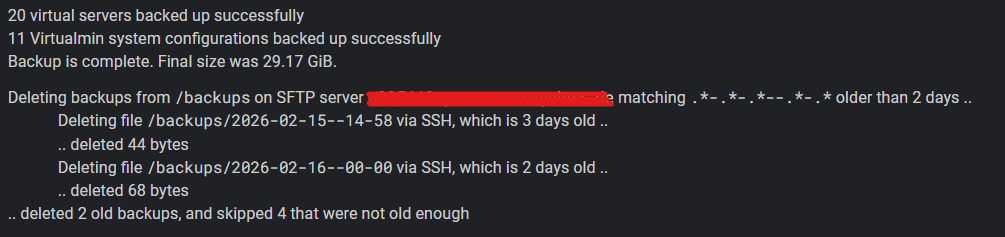
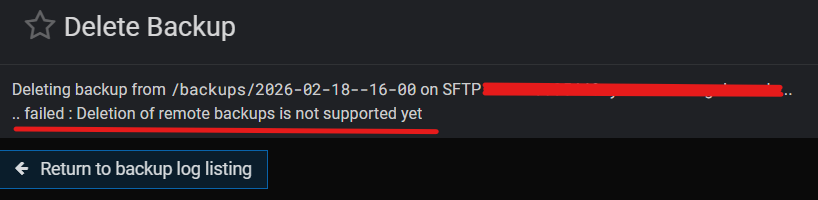
Backup creation to SFTP target succeeds , but automatic deletion does not remove the files from storage. Manual deletion is also not possible (“Deletion of remote backups is not supported yet”).
See screenshot above.
I must say, backup and restore so far came with a lot of bugs on a fresh Debian 13. Im currently evaluating Webmin for more deployments, coming from Plesk.
There’s no such thing as “a lot of bug,” since bugs are specific issues that can be listed clearly and reproduced. If you can break it down for us, we’ll fix it.
And also, SFTP backup purging is added for the upcoming Virtualmin 8.1.0 release.
You can use SSH for now, or take the risk of applying the patch with the webmin patch command to see how SFTP backup purging works for you.
By the way, as the first screenshot at the top indicates, Virtualmin seems to attempt to delete SCHEDULED SFTP backups via SSH already and indicates success (“deleted 44 Bytes”) but the backup actually remains on SFTP storage.
This ticket is about SFTP backups not being cleared, and it should already be fixed. Please apply the patch below, try again, and let us know if it works for you and if issue #3 is also resolved.
That’s right! I missed that there were many more separate changes instead of one PR, which would have been easier to apply.
Sorry, in this case, the only way to try it is to install the latest development version of Virtualmin. However, we don’t recommend doing that unless you are an experienced user or a developer who knows what you’re doing.
There isn’t a straightforward way to patch it. It’s generally safer to install the development version instead of applying a manual patch, since it involves quite a few files.
Whether it’s safe or not depends on the type of change. In this case, there were many changes made, in different files which makes it difficult to upgrade by copy/pasting the code.
If you really want to try the latest features, you can use a nightly Virtualmin build. If you don’t like it or something doesn’t work, you can always downgrade.