Hey Gangs,
I want to enable HTTP2 on my server !
→ Cent OS 8
→ Apache version 2.4.37
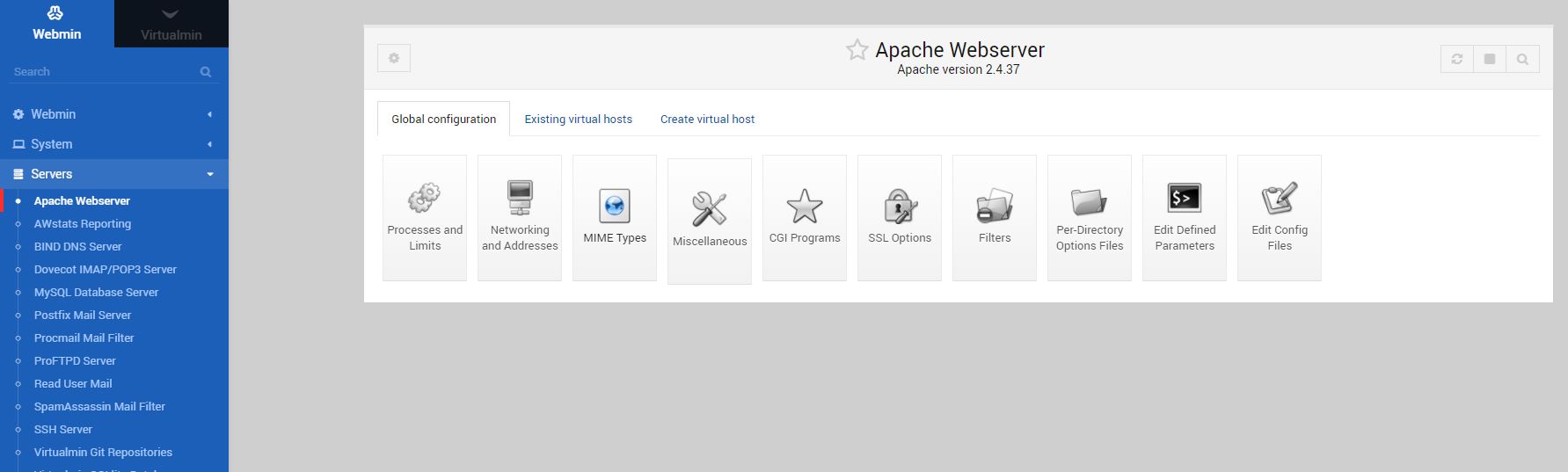
A friend told me that I can do that from [ Webmin > Servers > Apache Webserver > Global Configuration > Configure Apache Modules ]. BUT, as you can see in the image below, the “Configure Apache Modules” option is not available, I don’t know why !
Any help will be really appreciated,
Thanks in advance !
Already asked and answered, and that too quite recently. See CentOS 8 + http2 - #3 by wheeler
For those who are new to using forums, there is a search icon - it is a magnifying glass, a circle with a straight line protruding from it - and when this is clicked or tapped, it enables one to enter a search term - a word or phrase - and then shows the results of that search. Yes, that’s what this wonderfully cryptic icon does!
In this instance, @bomtack I entered “http2” as the search term and was immediately presented with the link which I have posted above. Had you clicked or tapped on the magnifying glass / search icon, you would not have to wait ten hours for someone like me to post an answer.
Thanks for reply,
I made an effort before posting here !
Yes I’m new here ! Thanks for the trick !
Just for people who will try this solution CentOS 8 + http2 - #3 by wheeler, they will have to restart the server after updating the /etc/httpd/conf/httpd.cond file, otherwise it will stay HTTP1.