Randomz
February 21, 2026, 6:20am
1
SYSTEM INFORMATION
OS type and version
EL 10
Webmin version
2.621
Virtualmin version
8.01
Webserver version
Apache
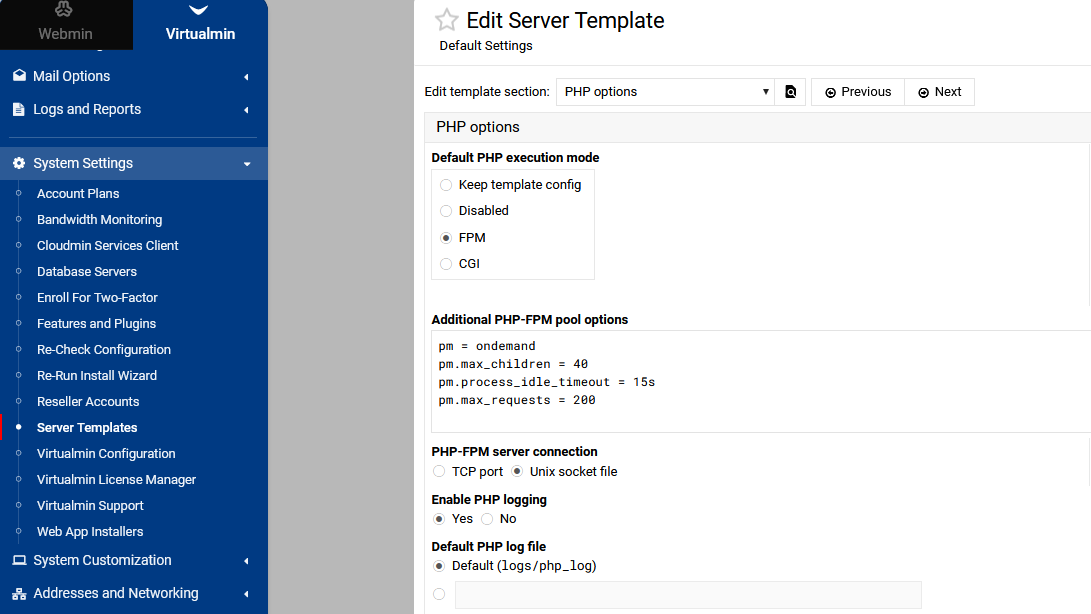
When doing a Transfer Virtual Server, the php-fpm values need to be adjusted to the target servers RAM.
Example.
pm.max_children = 20
Those values are currently kept even to a server with only 1Gb RAM.
Creating a new Virtual Server on the 1Gb server creates values
pm.max_children = 2
I know it’s extreme example going from 20Gb RAM to only 1Gb RAM, but it makes the point.
I don’t use Backup/Restore, but it would probably be the same.
I’m not sure if templates will work on transfer, have you tried there?
Randomz
February 21, 2026, 7:10am
3
No idea, I don’t have any adjustments in mine.
Do a system backup then look inside virtualmin.tar.gz, then probably in virtualmin_templates and see if you can see your custom settings.
Ilia
February 21, 2026, 7:47pm
5
How did you go from 20GB of RAM to just 1GB, exactly?
Randomz
February 21, 2026, 8:55pm
6
Quite easy.
Randomz:
extreme example
Randomz:
makes the point
It is an issue for me as I have gone from 1 x 20Gb to 2 x 8Gb servers which is where I noticed the problem, though I also know to check and fix it manually now.
Just thought somebody might want to know.
Ilia
February 21, 2026, 9:24pm
7
This doesn’t sound like a feasible scenario or something that would happen regularly.
The fix for you is to re-save the “PHP Options” page. I don’t think we should add any extra complexity to address such a niche issue.
Ilia
February 21, 2026, 9:49pm
9
Excellent. Virtualmin recommends a value that you should use. Try 2 for 1GB system.
Randomz
February 24, 2026, 5:38am
10
My point was that re-save PHP-Options doesn’t fix it.
Perhaps a tad less “niche” and possibly overlooked, is that I had the same problem transferring from the 20Gb server to 2 x 8Gb servers.
To me, a bug is a bug. Old school I guess.
Ilia
February 24, 2026, 12:01pm
11
It is ultimately a niche case, and we cannot automatically adjust PHP options based on reduced RAM.
It would fix the issue if you changed the value to be within the recommended range, as the error message suggests.
It’s not really a bug, and “fixing” it might just create more issues.