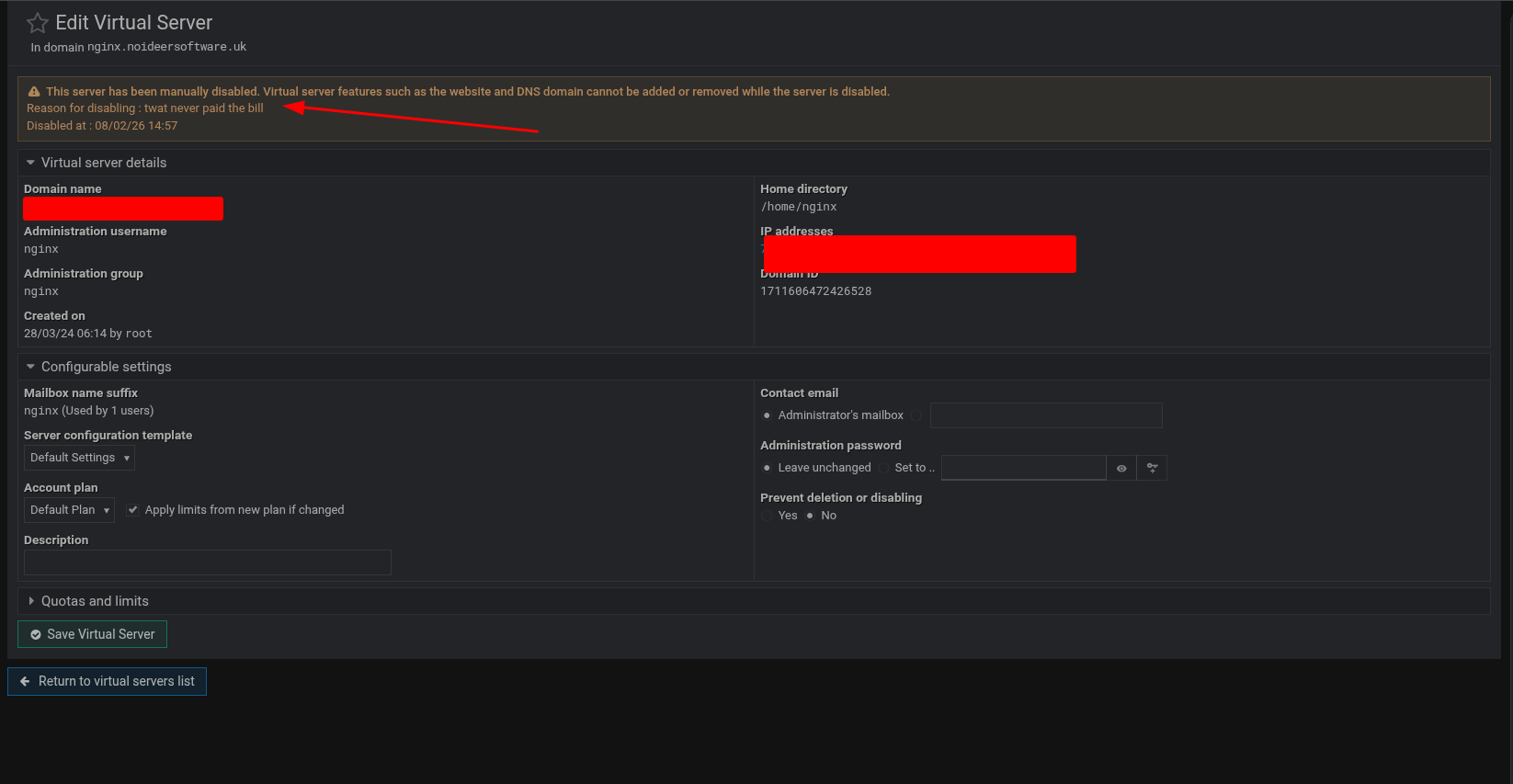
now yes it was disabled but it is not now !
so why when it was re-enabled did the “Disabled on” get removed or better still replaced with “Enabled on”? or even better a list of the reason(s) that are requested during the process of disabling?
I think having the disabled on appear only when it is disabled is better
even better a list of the reason(s) that are requested during the process of disabling?
This would be nice, when you suspend a virtual server is there a text field to enter a reason?
If not there should be an optional text field to add a reason, this could be from WHMCS and be such like: did not pay bill, pending payment, travelled to Mars and forgot he could not come back, …
Does it need to go there ? If you don’t use the virtual servers module I would guess so. To avoid duplication on switch to the virtualmin tab i display that module rather than the dashboard if i need dashboard infomation i use the slider which, in my case, is pinned open so i would see the ‘red’ domain when switching to virtualmin. From a client view they will see the virtual servers module on the left tab and dashboard on the right tab. As virtualmin is configurable in different ways adding this to the summary may be over kill
No (the reason was showing - but it should not be there as it had been re-enabled - or if it was shown then re-enabling should also be shown)
Yes (where a VS may have been disabled more than once) - this would be more complicated - and fussy but something I seem to perform quite a lot as a temporary measure.
Yes/No (disabling and re-enabling - Yes) but the display is confusing as in the OP - No
Can you add a screenshot, I have not upgraded from 7.50 yet.
No (the reason was showing - but it should not be there as it had been re-enabled - or if it was shown then re-enabling should also be shown)
sounds like a bug. when the virtual-server is re-enabled/enable the disable message should not be display as it is not relevant.
Yes (where a VS may have been disabled more than once) - this would be more complicated - and fussy but something I seem to perform quite a lot as a temporary measure.
Only the last message is usually shown, but the reasons should be stored on the webmin log, maybe a button to link to a prefilled search of the log could be added.
Also this a particular page is a summary, not a full audit and some users might not enter a reason.
however, a list of previous disable reasons, might be useful for the active admin. I am not in this group so it is hard for me to say as I only admin my stuff. There would need to be a limit on the number of reasons shown on the summary page.
not without disabling/reenabling a VS, (I have too many VMs and cannot remember which one this came up on)
just picked the VM currently working on disabled/reenabled but nothing now showing (but a whole lot has happened since (I wish i could tag the system info in some way to indicate the VM+VS names)