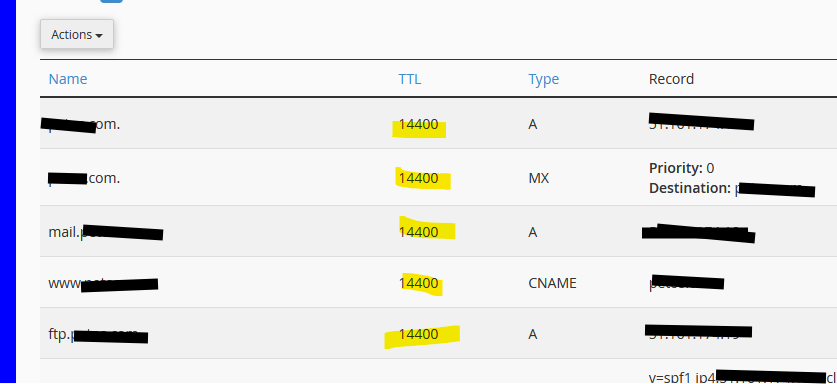
I have a need to change the TTL of a domain ready for a move to another server (site is hosted elsewhere so I only need to update the “A” record) to 300 (5 minutes).
I have updated the TTL in the DNS settings > DNS Records > Manually Edit Records and saved.
The top line now reads “$ttl 300”.
When I check using online services I see that domain.com TTL is 300 but the www.domain.com is 11 hours.
Obviously I’m being thick as usual.
Please can someone point me in the right direction?
I know the OS is past it’s due date and as a result I cannot install the later version of Virtualmin. That is on my list of “to-dos”.
I would appreciate any help that anyone can offer.
I just tried the command virtualmin modify-dns --domain example.com.au --all-ttl 5m
By the doc should add to all records, but doesn’t seem to add to the A records.
I can do it with the virtualmin modify-dns --domain example.com --add-record-with-ttl "www A 5m 192.0.2.1"
But thats adding a record not modifying a current record.
Thats how I read the docs, although I can see that the one setting would do all records though.
But then whats the difference between --ttl and --all-ttl flag
The default TTL for records can be set with the --ttl flag
followed by a number in seconds. Suffixes like h, m and d are also allowed
to specific a TTL in hours, minutes or days. Alternately, the --all-ttl
flag can be used to set the TTL for all records in the domain.
You probably shouldn’t do that in general. Unless you have a specific record that needs to change at a very different rate than the rest (e.g. some cloud thing with an ephemeral IP or whatever that you expect to change very frequently), it’s nicest to maintain one TTL.
I’m happy asis, just testing and I don’t think the command does what it says in docs.
Might be useful for users who want to move say www to another server and just want the www A record to be a low TTL.
But getting off topic.