Is: install php8.1-cgi and php8.1-cli and php8.1-fpm, and so on.
It is not:
apt-get install php8.1
Nor is it:
apt-get install php8.1-
php8.1- is not even a package that exists.
There is a package named php8.1 (or php or php8.2 or php8.3 or php8.4) and that package is a metapackage that depends on three execution modes, but libapache2-mod-php8.3 (this is the mod_php package) is the first one it depends on, so if you are installing php8.1 (or whatever version) without having preinstalled another execution mode that satisfies that dependency (e.g. the only one anyone should use, PHP-FPM), you will install mod_php.
Any documentation that tells you to install php or php8.x is wrong and should never be followed.
Any post here in the forum that tells you to install php or php8.x is wrong and should not be followed, and if I see if I will remove the post or correct it.
You never need mod_php. You should not install mod_php. The package named php or php8.4 or whatever version is a package that tells the package manager to install mod_php. Stop doing that and stop telling people to do that and stop linking to pages that tell people to do that.
We can’t prevent it. Users can and will uninstall all of Virtualmin to try to break their system by following some random bullshit on the internet. We’ve seen it happen.
You need to rest. I finally understood, but I sure most of beginner will believe they shall not install any php module in any way.
You mean litteraly the whole “PHP” package/library (“php8.1” “php8.2” wihtout “-NameOfTheModule”), all alone.
But everyone can install a module of any version “php8.4-NameOfTheModule” (What I said in my first post … Still removed the link because I didn’t put it for the first part but only the second)
I did NOT say to install the whole “php8.4” all alone.
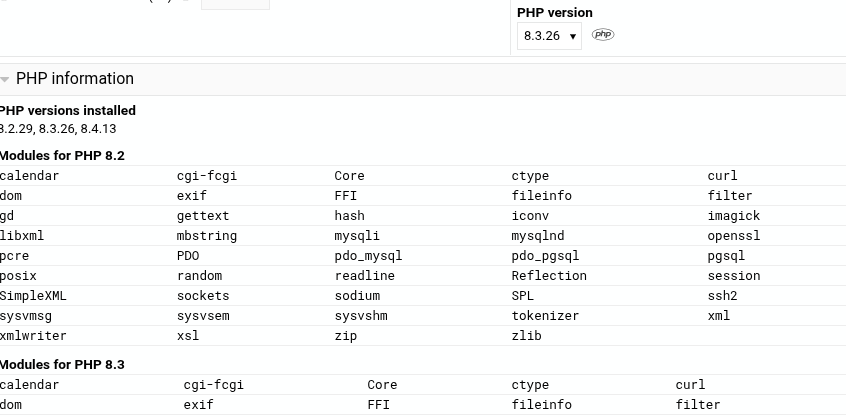
Back to the beginning. When changing the version would it be hard to implement code to show modules that are in the version used but not in the version switching to? Then maybe a link to where/how to add them? I’m assuming we aren’t letting domain owners just add modules at will here?
Yes, but they still won’t be able to install it, even after uninstalling Virtualmin—those packages are no longer available for installation on systems we configure.
@Ilia
For a few years now I have automatically received new versions of PHP. From 7.4, 8.2, 8.3 to 8.4
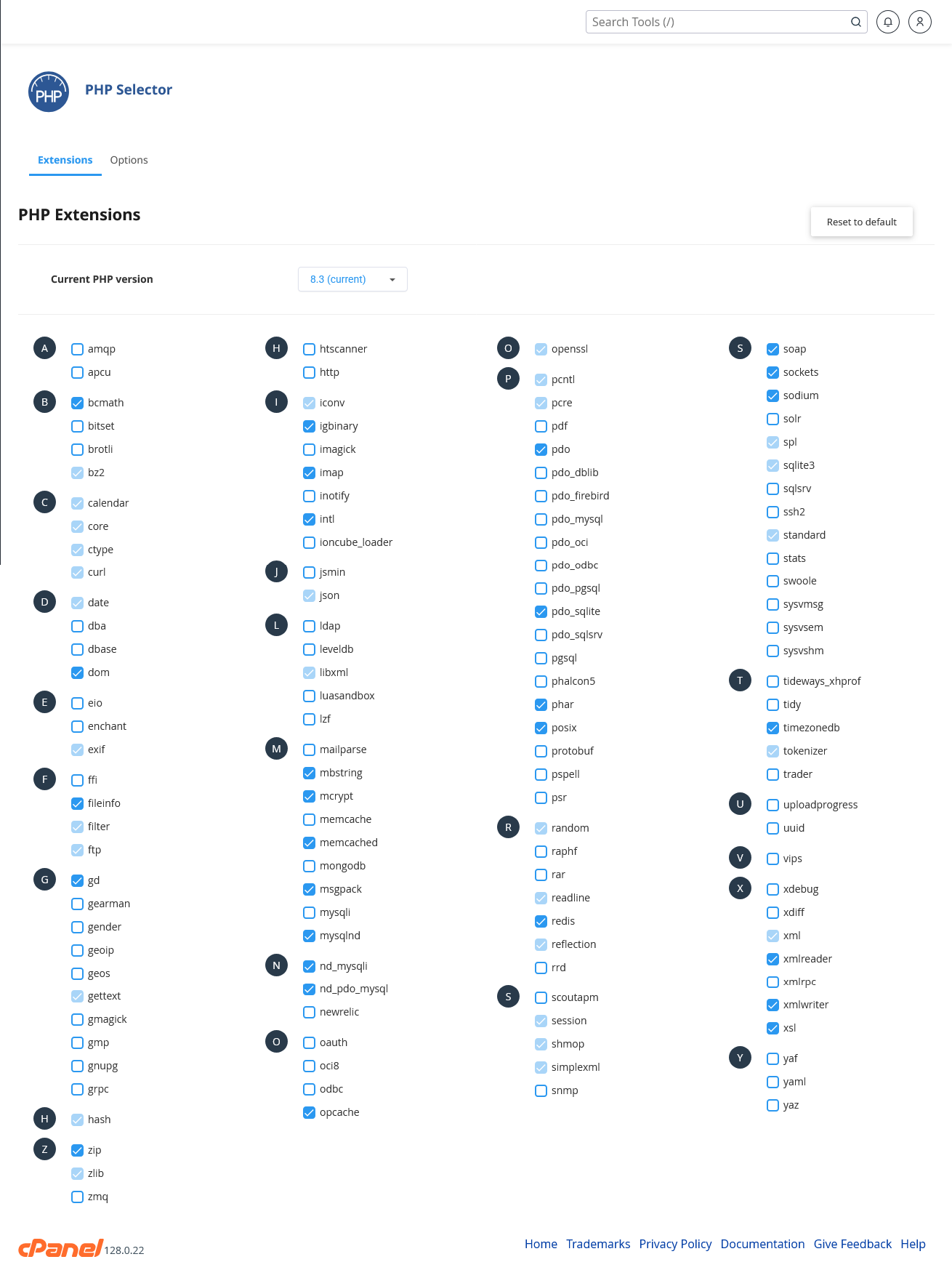
For almost every version one or more Extensions have disappeared.
In the latest (8.4) there are a total of five that have disappeared.
Does this mean that it is not possible to get these back in 8.4?
I don’t know how this could possibly happen “automatically” on any of our supported distros.
Have you not read the thread you’re commenting in? There has been extensive discussion about how to install PHP packages, including extensions like imap. In short, you install the danged package using your package manager, just like you did in previous versions.
But, also, PHP does remove features and change behaviors between versions. Sometimes those features/behaviors can be turned back on via configuration. You need to read the PHP documentation for your new version to find out about those things. We’re not the maintainers of PHP or your distros PHP packages, so we’re not the people to tell you about those changes.
note that from time to time, not often, the PHP developers will roll an extension into the base code, so the extension itself no longer exists as an extension in the newer version.
sorry I cannot think of an example over the last 5-10 years but I did see at least one instance of this happening I believe when I read the release notes very carefully for the newer version I found it was documented.
@Ilia is this available to a client account (i.e. not admin) in which case I can see the use for enable disable. perhaps a server template is needed here unless the server default is accepted until a change is made by the client.
But the reason it’s not allowed is obvious—we don’t want a domain owner to disrupt other domain owners by disabling PHP extensions they think they don’t need.
No, because from what I understand, PHP-FPM pools share the same PHP binary and its compiled extensions, so all modules are loaded globally, and once loaded, they’re active for every pool.

 I believe when I read the release notes very carefully for the newer version I found it was documented.