| SYSTEM INFORMATION |
|
| OS type and version |
Ubuntu Linux 22.04.4 |
|  |
| Virtualmin version | 7.10.0 Pro |
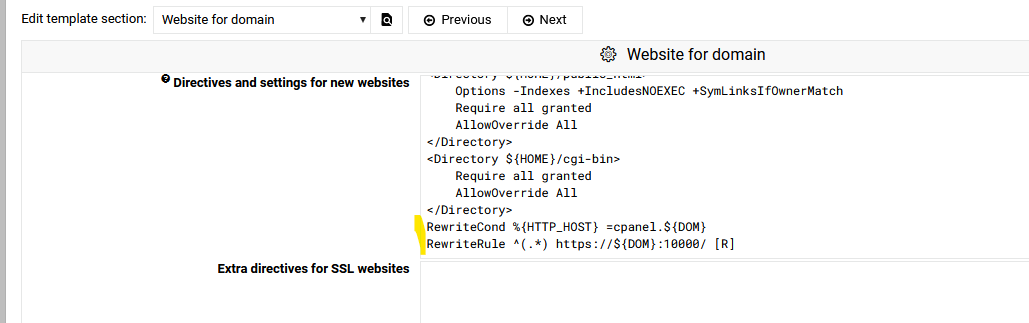
edited okay in server templates → default template
/cpanel → to path https://${DOM}:10000
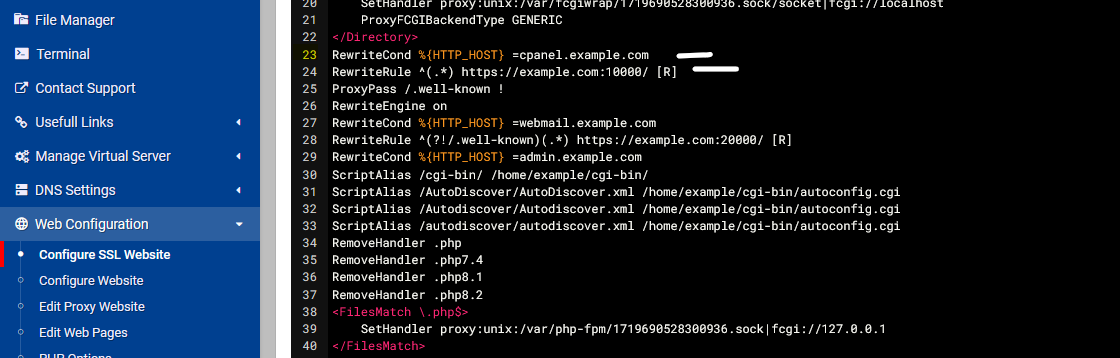
but migrating site it doesn’t create this (brand new server it worked).
the problem is trying to create a redirect like in web configuration → website redirects
/cpanel → https://domainname.com:10000 fails with
Failed to save redirect : Missing or invalid source URL path
tooltip says error is in save_redirect.cgi line 37
thanks.
Try this in your template
that will add this
we’re not redirecting a subdomain - we’re redirecting a url, like
domainname.com/cpanel → domainname.com:10000
Right, I was thinking you wanted cpanel.domain.com to domain.com:10000
yeah we’re trying to keep it a simple transition for our current customers.
I found this works
SSLProxyEngine on
ProxyPass /cpanel https://domain.com:10000
ProxyPassReverse /cpanel https://domain.com:10000
just add it to your template using the ${DOM} instead
copilot gave me the idea 
found an even easier route --at the end of that config file
Redirect /cpanel https://domainname:10000
(again, this is only for transferred domains that it isn’t working)
Ok, got that to work, does it work in template though?
P.S.
I was able in template, I’m sure it failed last time I tried
Created domain.
Adding website redirects …
Create redirect from /cpanel to https://domain.com:10000 ..
.. redirect created
… done
yeah, the template way worked on creating a fresh site, just not on migrating one