Automatic wildcard SSL host mappings break certificate selection and overwrite manual fixes

SYSTEM INFORMATION
OS type and version Debian Linux 13
Webmin version 2.630
Usermin version 2.530
Virtualmin version 8.1.0 Professional
Theme version 26.30
Apache version 2.4.66
Package updates All installed packages are up to date

Virtualmin / Webmin is automatically creating wildcard host mappings such as *.example.com in the generated SSL config for Dovecot, Webmin and Usermin.

In my case this is too broad and causes conflicts with more specific subdomains that have their own certificates. It would make more sense to generate only the exact hostnames that are actually needed, for example:

  • example.com
  • mail.example.com
  • webmail.example.com (if enabled)

On many systems this may go unnoticed because it does not immediately cause a visible problem. However, once sibling subdomains use separate certificates, the wildcard mapping can interfere with correct certificate selection.

Removing the *.example.com entry and replacing it with an explicit mail.example.com entry fixes the issue, but those manual changes are lost when Virtualmin regenerates the configuration upon certificate renewal.

I would suggest not generating wildcard mappings automatically, or at least making this behaviour optional.
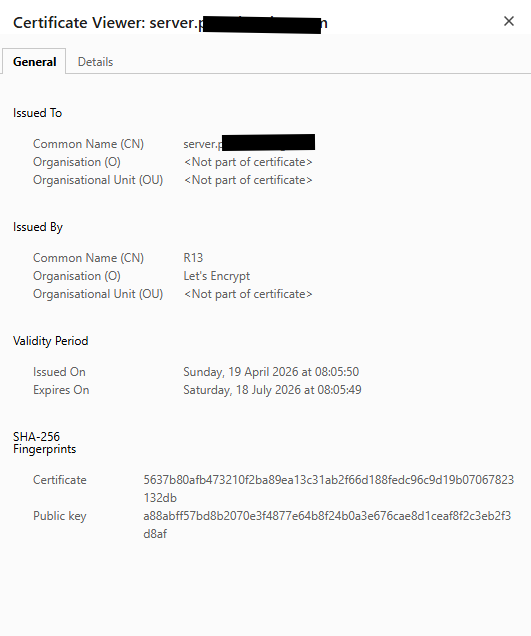
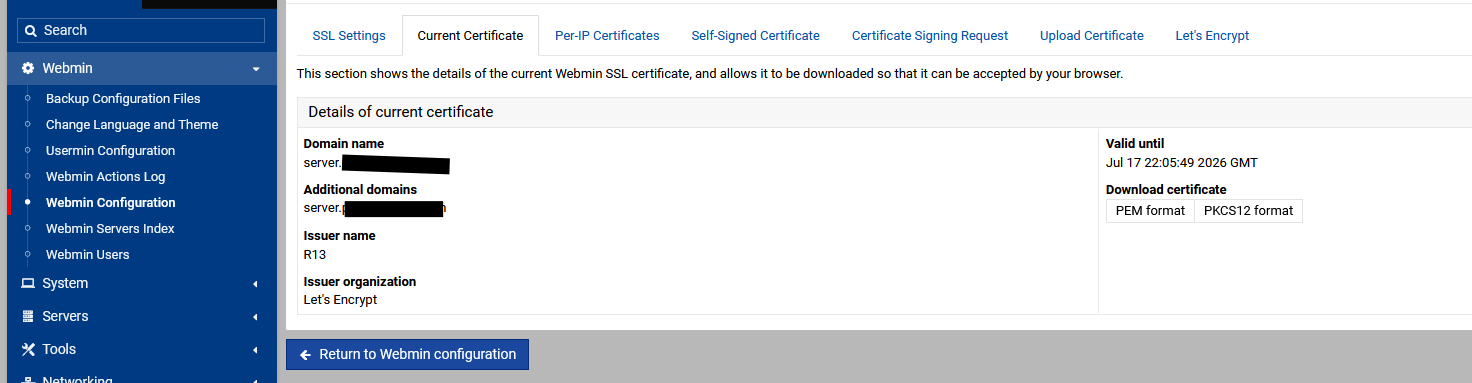
Its only generates one Let Encrypt certificate for the hostname, I see no wildcard generations.


Also in Webmin Config

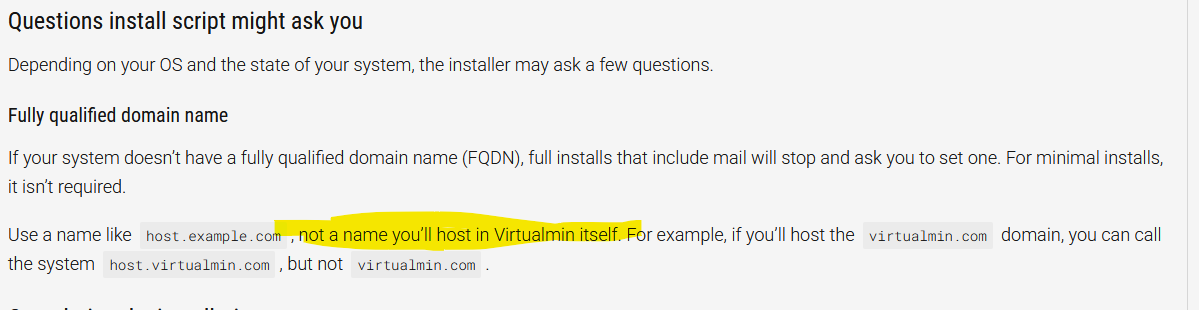
also you should NOT use a FQDN you will be using for hosting.
server.example.com would be fine.

I never said it did.
The certificates are created fine.

It’s the dovecot config (and some others) that isn’t.
It’s currently got:
example.com pointing to example.com cert
*.example.com pointing to example.com cert
host2.example.com pointing to host2.example.com cert

Then dovecut sees the wildcard in the config and serves example.com cert when you go to host2.example.com

Same error in the postfix conf, but postfix seems to work it out better and manages to present the right cert anyway (and miniserv/virtualmin itself)

Just to add, I never had an issue on my old server (rocky 8 / VM 7) only on my new one (Debian Trixie / VM 8)

Maybe staff can help knowing your issue.

Did you manually create that host2 record? If so, you should place it before *.example.com for it to work correctly. Virtualmin should already handle this properly for you, or is that not the case?

No, I didn’t create it manually. It was placed before *.example.com but dovecot still chooses to present the wrong certificate. The only way to make it work is to remove *.example.com (and then add mail.example.com)

Try placing the wildcard cert first and see if that works for you.

The wildcard shouldn’t really be there in the first place. Only domains that are actually in the cert should really be mentioned here

Did placing *.example.com first, followed by example.com, and then host2.example.com work for you?

Actually, I think I found the source of the issue. Could you share the full Dovecot config with all the SNI records?

It cannot possibly solve any issue. For Dovecot, the local_name block placement rule is simple—broader matches must come first.

This is why I’d like to have a complete overview of your Dovecot config to better understand what’s happening and what you believe isn’t working.

putting it the other way round should probably fix it, but I still think it’s wrong having wildcards in there for certificates that aren’t wildcard certificates.

How can I get you the conf without making it public?

From the config, which server is serving the wrong SSL certificate?

This is the manually fixed one. but ams3 was giving the sebs.space cert

Well, yeah, this is the bug I expected to happen with multiple domains sharing the same base name; right now, broader matches show up later in the Dovecot config and override earlier subdomains.

For reference, your current config is:

*.clients.domain.tld
clients.domain.tld
*.cloudflare.domain.tld
cloudflare.domain.tld
*.attendance.domain.tld
attendance.domain.tld
*.sleeps2christmas.domain.tld
sleeps2christmas.domain.tld
*.domains.domain.tld
domains.domain.tld
*.servercheck.domain.tld
servercheck.domain.tld
*.ams1.domain.tld
ams1.domain.tld
*.ams2.domain.tld
ams2.domain.tld
*.ams3.domain.tld
ams3.domain.tld
domain.tld
mail.domain.tld

…while it should be:

domain.tld
*.domain.tld
mail.domain.tld
ams1.domain.tld
ams2.domain.tld
ams3.domain.tld
attendance.domain.tld
clients.domain.tld
cloudflare.domain.tld
domains.domain.tld
servercheck.domain.tld
sleeps2christmas.domain.tld
*.ams1.domain.tld
*.ams2.domain.tld
*.ams3.domain.tld
*.attendance.domain.tld
*.clients.domain.tld
*.cloudflare.domain.tld
*.domains.domain.tld
*.servercheck.domain.tld
*.sleeps2christmas.domain.tld

@Jamie, when the bug was first reported today, I started digging into it, spent quite some time analyzing it, and finally came up with a proper patch.

@smolenaar—a note on your suggestion not to use a wildcard—having the wildcard is preferable because it provides coverage for deeper hosts without requiring explicit entries for each future subdomain, which makes maintenance easier for us.

Anyway, the issue you reported should now be resolved—please apply the following patch:

webmin patch https://github.com/virtualmin/virtualmin-gpl/commit/94211df

… and re-sync all Dovecot certs:

virtualmin list-domains --name-only | while read -r dom; do
  echo "Re-syncing Dovecot cert for $dom"
  virtualmin install-service-cert --domain "$dom" --remove-domain --service dovecot
  virtualmin install-service-cert --domain "$dom" --add-domain --service dovecot
done

After all that’s done, take another shot and let me know if everything works as expected.

Wait, it appeared that for --add-domain to work correctly, you need to disable it first!

So run this first:

virtualmin list-domains --name-only | while read -r dom; do
  echo "Re-syncing Dovecot cert for $dom"
  virtualmin install-service-cert --domain "$dom" --remove-domain --service dovecot
done

and only then:

virtualmin list-domains --name-only | while read -r dom; do
  echo "Re-syncing Dovecot cert for $dom"
  virtualmin install-service-cert --domain "$dom" --add-domain --service dovecot
done

or in one shot, as in my updated post:

virtualmin list-domains --name-only | while read -r dom; do
  echo "Re-syncing Dovecot cert for $dom"
  virtualmin install-service-cert --domain "$dom" --remove-domain --service dovecot
  virtualmin install-service-cert --domain "$dom" --add-domain --service dovecot
done

Thanks for the quick patch. I’ve tested it after applying the update and re-syncing the Dovecot certs, and it now presents the correct certificates for the domains I checked, so the issue I reported appears resolved.

I still think generating a wildcard mapping when the certificate itself does not contain wildcard coverage is the wrong approach in principle, but the immediate certificate selection problem is now fixed.

Thanks again for the fast turnaround.

I don’t disagree, but it’s harder to support.

I’m glad to hear it’s working for you now!