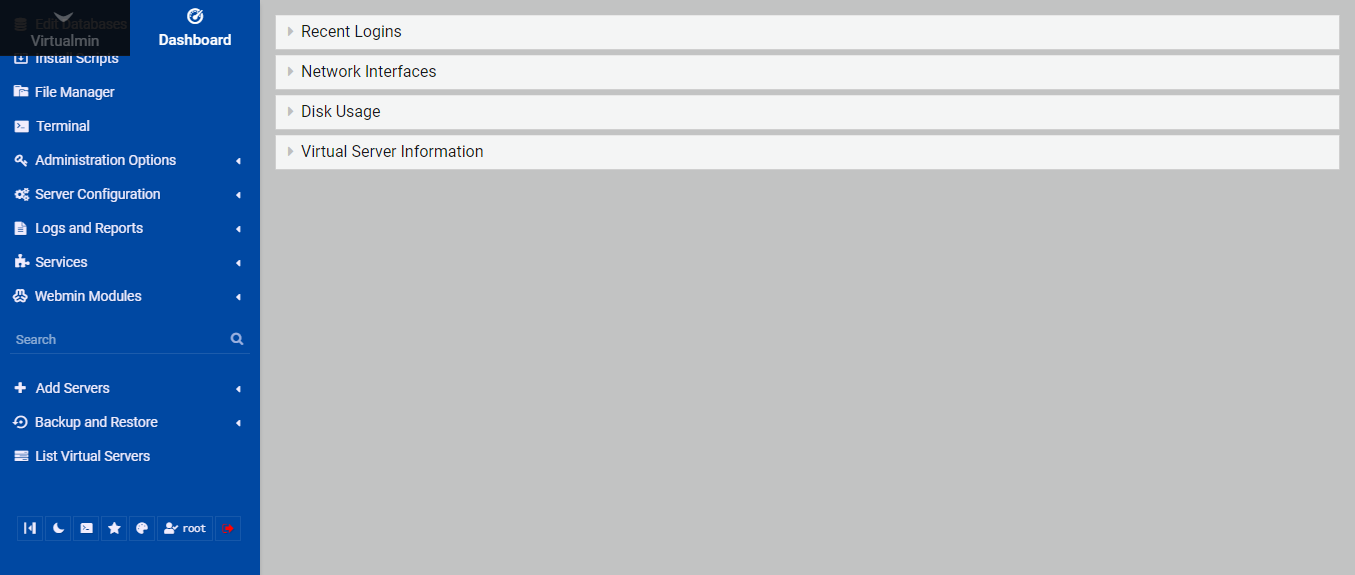
When I enter the system as root I see only one VM of the 8 I have installed.
Since I have another access with a user who has the full permissions, this does not disturb.
I tried to look for the cause but couldn’t find it.
(1-) Should I remove this VM that appears in the root access? And then reinstall it?
(2-) Is there any way to resolve via webmin root?
(3-) Could you use Usermin to change something?
Has this ever happened to anyone?
Not me - I assume it was a login through a standard login form for an url of one of your VS (I believe that you should be able to do root access for any of the VS domains) and only the “owner” access is restricted.
No! root should see everything. If it doesn’t, it means you somehow convinced Virtualmin to demote your user to a regular Virtualmin user. (I don’t know how.)
Webmin and Virtualmin root are the same.
Show us the whole root line from /etc/webmin/webmin.acl. It’ll look something like this:
But, it may be quite a bit shorter, if you’ve removed root privileges from root (somehow, I don’t know how…it used to be possible to assign ownership of a virtual server to root, which would lead to root becoming a Virtualmin virtual server owner user…which is very restricted and no longer root…but, I’m pretty confident we protect users from doing that now).
No. Usermin is not an administrative tool, it drops privileges and becomes the user you login as. It is webmail plus some extras.
But, it looks fine. So…I’m confused how you only see one domain in Virtualmin. I guess the fine-grained module ACL for Virtualmin got locked down somehow. Can you PM me a screens shot of what you see when you login as root?
No. That’s the name of the Webmin module that manages BIND (Webmin modules are not the software they manage, they are just the GUI, there’s nearly always some underlying package that is being managed…in this case bind, which will be some 9.x.x version in modern systems). The bind8 Webmin module supports BIND 8 and BIND 9. It is an accident of history that it is named that (there used to be bind4 and bind8, because those were the two major branches of BIND in use). BIND 4 and BIND 8 had totally different config file formats, and there were two separate modules in Webmin for them. bind4 has long ago disappeared from the distribution, but that history remains.
The system is accepting only one domain as root.
It’s like logging in as a primary user of one of the VMs.
These items are not in root1, only in root:
DFSADMIN IPFilter IPFW SMF
So, this means you created a virtual server and assigned ownership to root. I don’t know how you did it (I thought Jamie had closed every possible path for doing that many years ago, as it never makes sense…root owns everything on the server), but that’s the behavior we’re seeing.
I don’t know how to fix it, though, as the way to fix it is normally to correct the webmin.acl, but your root entry there is already correct.
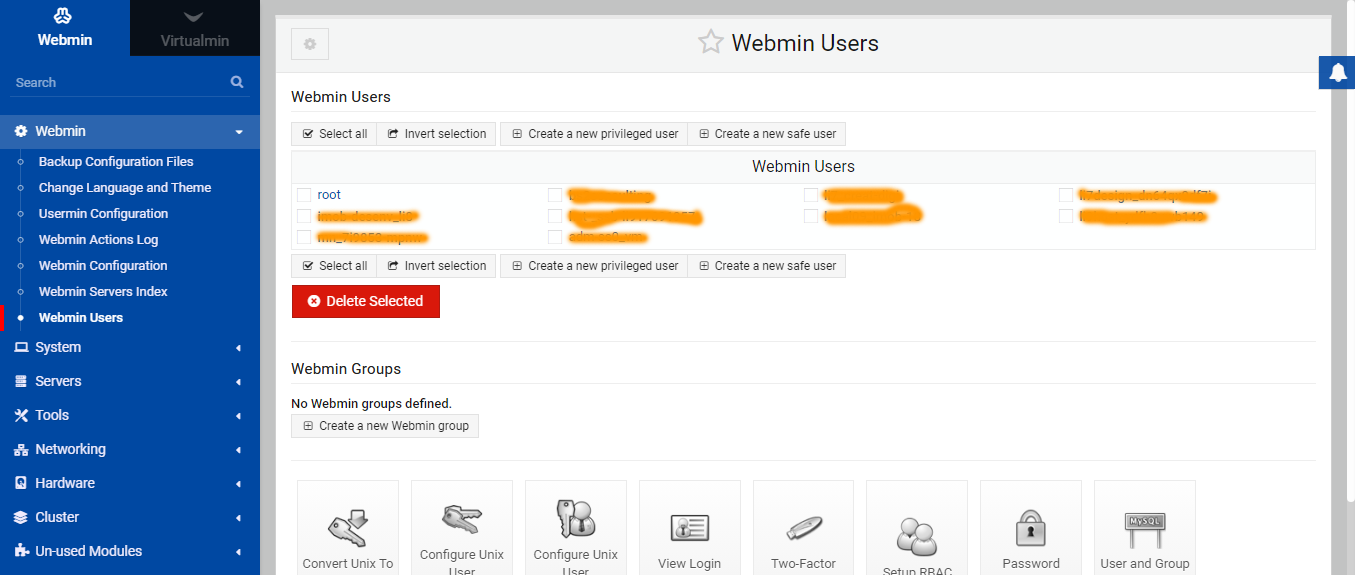
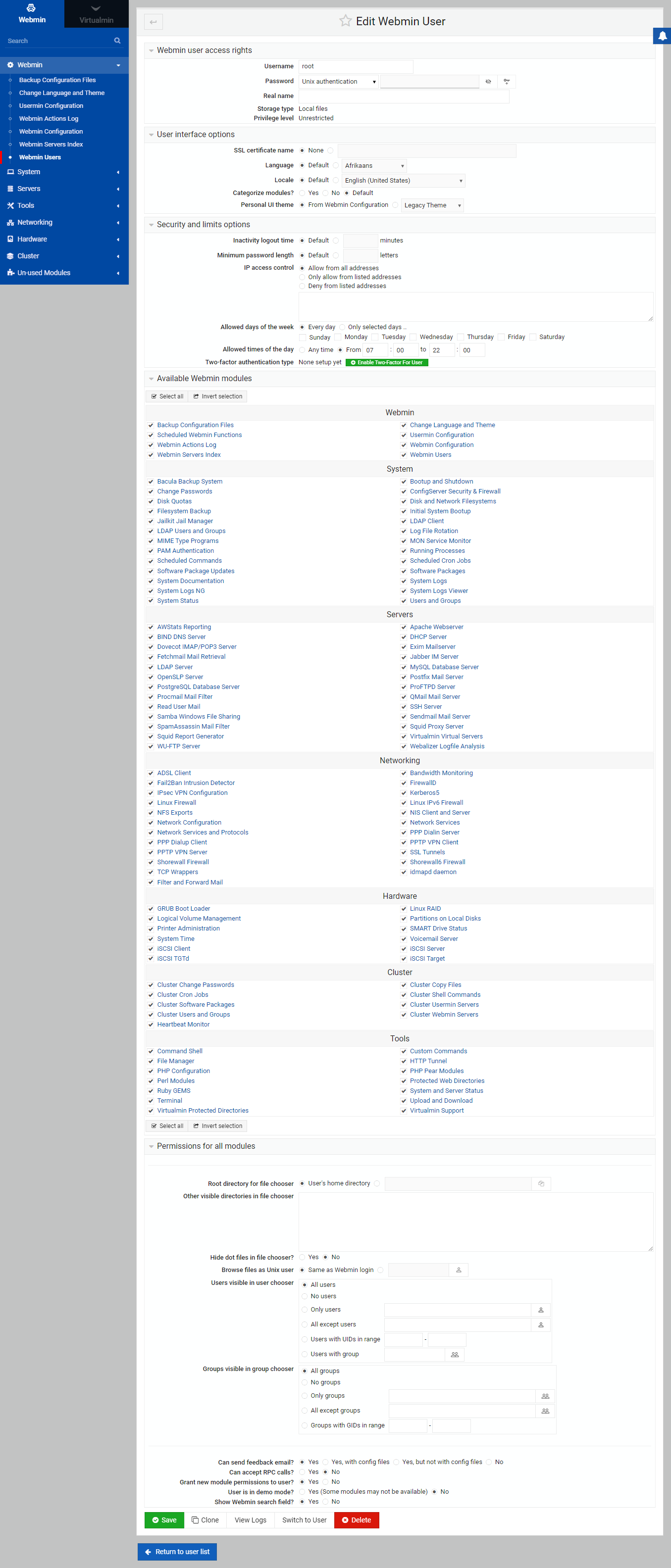
Click through to the root user in Webmin Users and show me what you see.
I have no idea what’s going on. That user is unrestricted and has all Webmin modules. I don’t know how you’d have a limited view menu when logged in as that user.
Can you try switching that user to the Legacy Theme to see what happens? I wonder if Authentic is confused about what it’s supposed to be showing you, somehow.
Er, maybe try Framed Theme. Sorry, I didn’t even realize one could still select the ancient primordial theme. I’m wanting to see if the left-hand menu is broken by Authentic or something with your user (but, I’m beginning to think it’s Authentic).

 I have no idea what’s going on. That user is unrestricted and has all Webmin modules. I don’t know how you’d have a limited view menu when logged in as that user.
