I have 8Gb + 4Gb swap file. Never exceeded 60-70% of real memory. Peek here and there which makes 10% swap memory used.
Nothing to point in that direction.
That’s exactly the information you should have shared from the start.
If I understand correctly now, you’re referring to the SSL certificate for your server’s hostname. If so, that should never be set up manually.
Here’s what to do instead:
- Go to “System Settings → Virtualmin Configuration / SSL settings” and check if the “Setup SSL certificate from provider for hostname” option is enabled.
- If it is, disable it and run “System Settings → Re-Check Configuration”.
- Then, re-enable the option and re-run configuration check again.
This will correctly configure the SSL certificate for your hostname, and you won’t have to worry about it again.
If you previously created a domain that matches your hostname manually, delete that domain first, then set “Setup SSL certificate from provider for hostname” to “Yes”, and re-check the configuration.
That’s all you need to do.
Sorry for that, but at the first I didn’t know what is happening. Apache2 wouldn’t start. One site has Cert renewal in that period of time. Once i disable it in Apache config, other sites came alive (once I enable them in Apache Config).
At that point, once I saw all sites are working fine, I knew that main domain don’t work. Everything was OK night before. I don’t know what happened.
This is what I get when trying to re-check configuration.
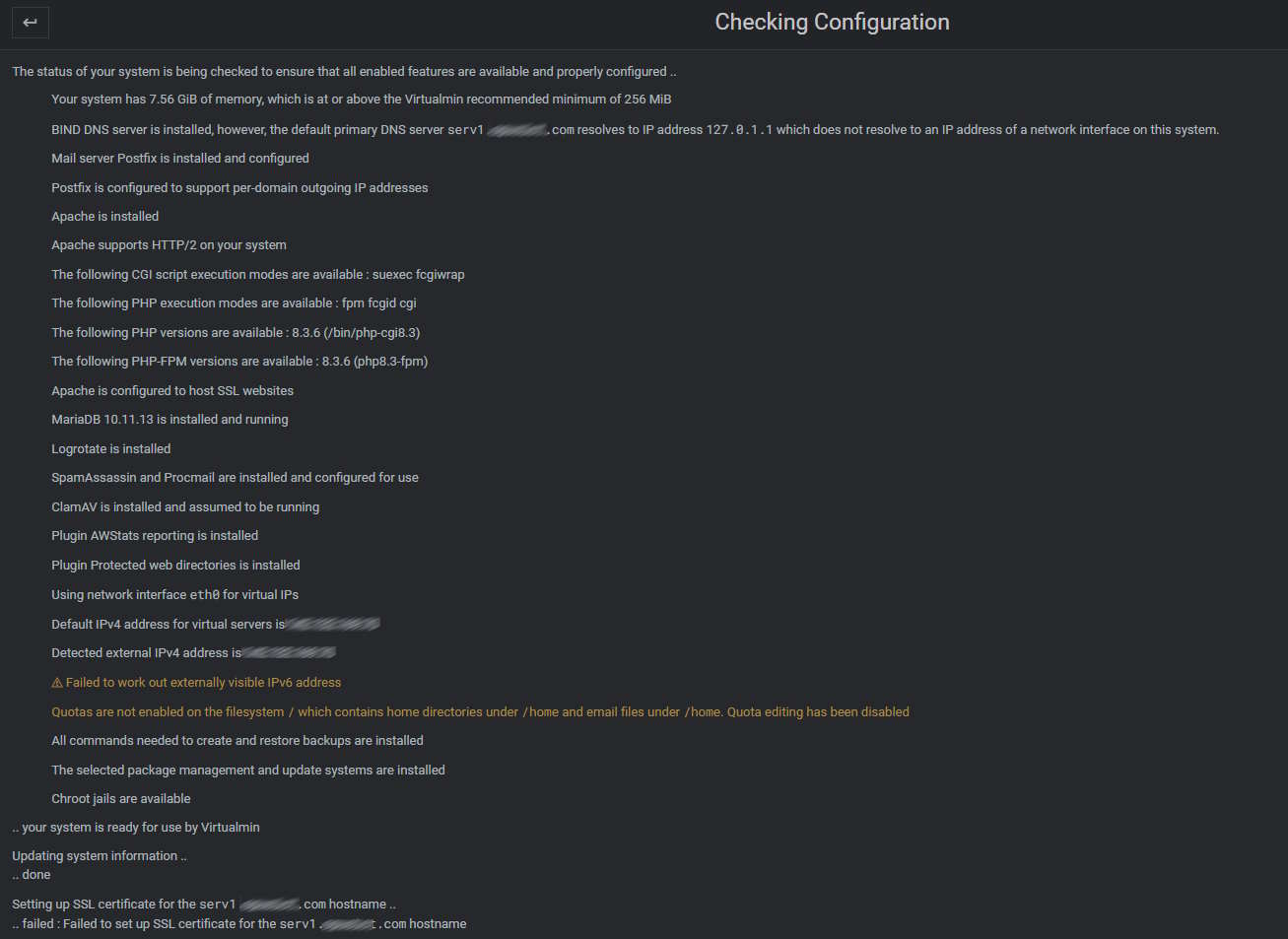
I don’t know what serv1 . domain . com IP should be? Now it is default and I didn’t change anything related to that.
P.S. I don’t know why it shows IPv6 because I don’t want to use it on purpose.
Ah, that’s something that we should address—what is the output of ip a on your system?
Your hostname seems to be unresolvable.
1 Like
ip a
1: lo: <LOOPBACK,UP,LOWER_UP> mtu 65536 qdisc noqueue state UNKNOWN group default qlen 1000
link/loopback 00:00:00:00:00:00 brd 00:00:00:00:00:00
inet 127.0.0.1/8 scope host lo
valid_lft forever preferred_lft forever
inet6 ::1/128 scope host noprefixroute
valid_lft forever preferred_lft forever
2: eth0: <BROADCAST,MULTICAST,UP,LOWER_UP> mtu 1500 qdisc fq_codel state UP group default qlen 1000
link/ether 91:00:08:87:19:77 brd ff:ff:ff:ff:ff:ff
inet XXX.XXX.XXX.XX/32 metric 100 scope global dynamic eth0
valid_lft 52667sec preferred_lft 52667sec
inet6 fe60::9000:8ff:fe87:1977/64 scope link
valid_lft forever preferred_lft forever
That’s a “the wrong site shows up” problem.
This is command output.
0- mydomain . com AND serv1 . mydomain . com are confusing. However, serv1 . mydomain . com is the only host that actually has IP instead *
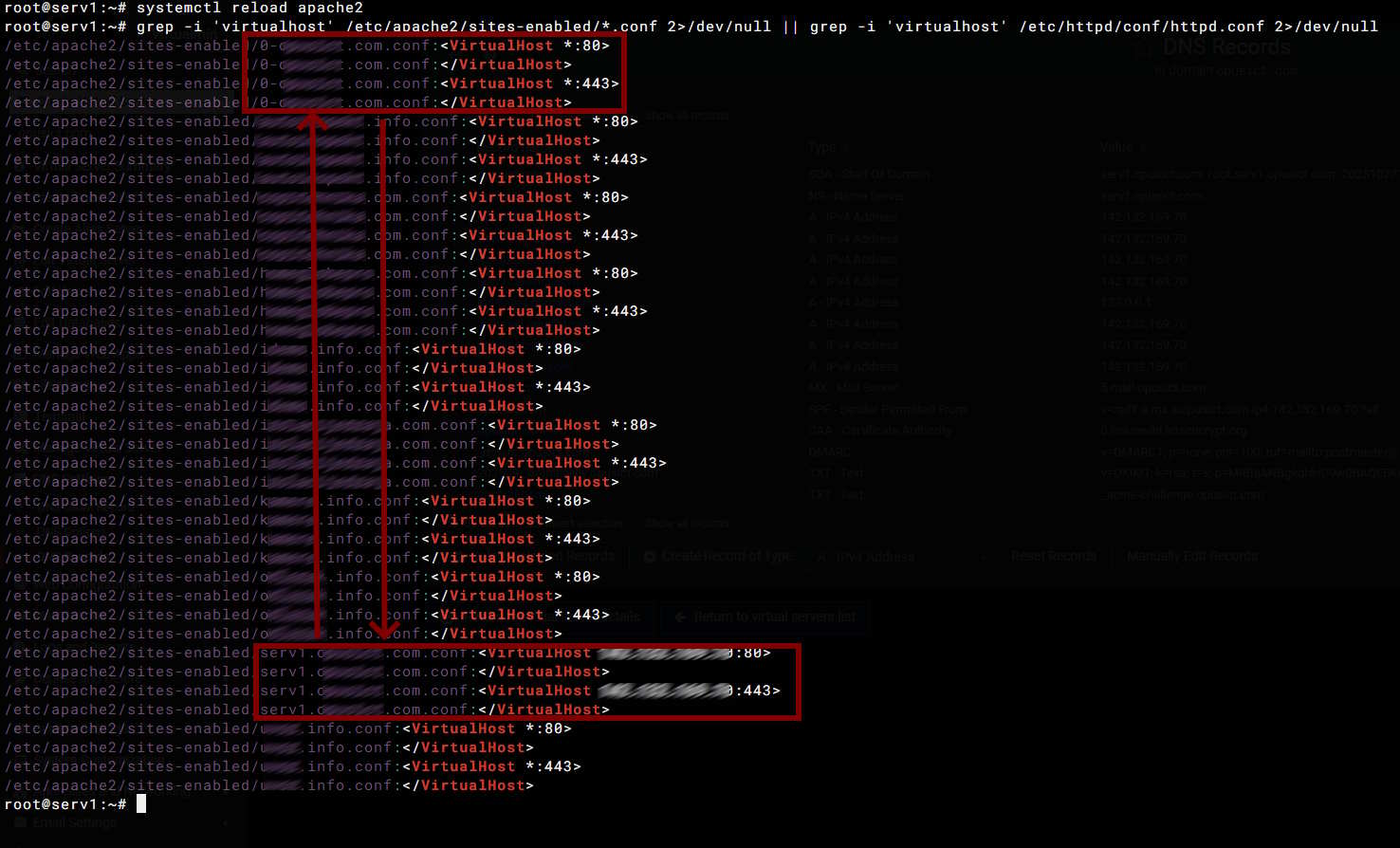
Yep. That’s the problem.
To understand why this is a problem, you just have to know that Apache considers an IP match more important than a name match.
1 Like
If you have this domain listed in virtualmin list-domains, just delete it using virtualmin delete-domain and reconfigure SSL for the hostname as I explained earlier.
If you don’t have it in Virtualmin, just delete those Apache configs manually, restart your Apache, and again configure SSL for the hostname in Virtualmin as explained earlier.
Just make sure your hostname is resolvable.
And, to make the site default on Debian/Ubuntu, we use a 0- prefix for the Apache config file.
It cannot be more easy.
1 Like
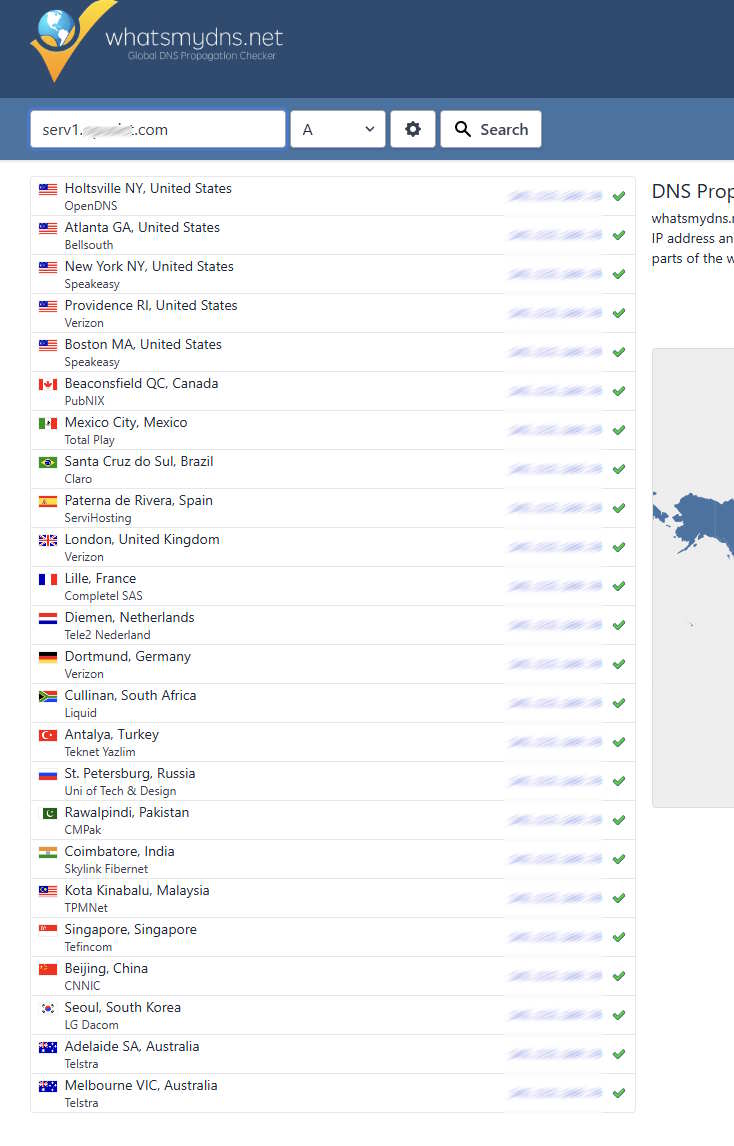
I don’t know why hostname is not resolvable
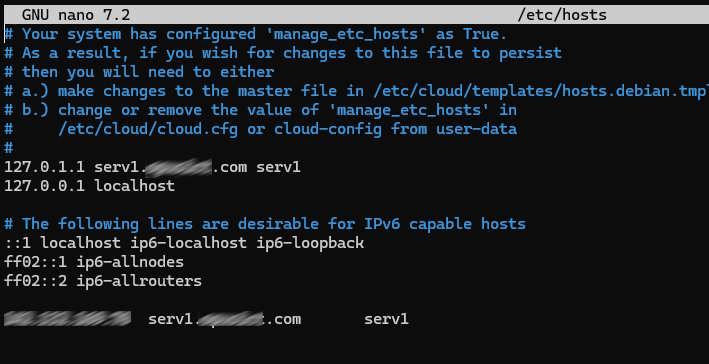
This is hosts file
When I try your guide I get this message
BIND DNS server is installed, however, the default primary DNS server serv1. mydomain .com resolves to IP address 127.0.1.1 which does not resolve to an IP address of a network interface on this system.
Tomorrow is another day. My sites are working now, and this is something I’ll think about next day.
Most likely new server and one step at the time. Migrating each host by hand (not using backup&restore).
Thanks all for helping me.
Simply remove this line:

Server software like BIND or Postfix expects the system hostname to resolve to a non-loopback address that’s actually assigned to a real interface!
OK, I’m still trying with this one.
What I’ve try this morning is manually re-check Hosts and Hostname.
Now, when I try @Ilia suggestion to re-check Configuration, this message appears.

Yes, there isn’t folder at the path, and new certificate files are created at the
/etc/ssl/virtualmin/17617273134207/

Any chance to navigate at the exact ssl path?
Thanks
Is this a new or migrated domain? I remember you mentioned a few days ago that you did a new clean install?
This is the old server. I try it for the last time. No success.
I’m in the middle of migrating process right now and it goes flawless. No issues whatsoever
This topic was automatically closed 8 days after the last reply. New replies are no longer allowed.