Thanks a lot Joe, the solution fixed the problem.
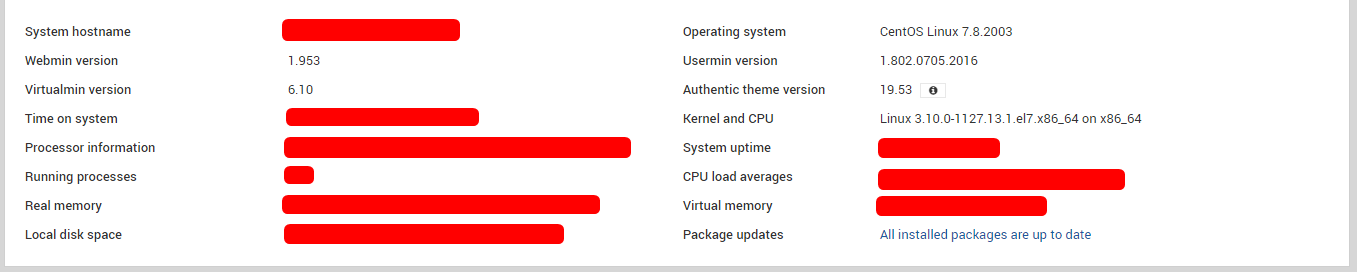
1 Like
Thanks for the update @fernandolcardoso. I’m still going to push a new package that will fix it automatically(ish, users will still have to actually update, but it won’t require manually downgrading and I see that enough people, over 2500!, installed the pro package before I fixed it in the repo to where it’ll be a lot of support requests if I don’t).
2 Likes
Thanks for the quick fix! It works perfectly!
@Joe Thank you for fixing this and hang in there. This happens to the best of us.
Happened to us also on multiple CentOS servers - all bumped to Pro and complaining about a problem with our license. Not actually having a Pro license and being stuck in this condition isn’t going to cause virtual server problems is it?
In other words, is it safe to wait for the auto-fix to show up?
Quotas for XFS are fixed here -
1 Like
thanks bro… I knew it was a Virtualmin code problem because Webmin does recognize the quotas and nothing needs to be changed in the grub or anywhere else
I have the same issue after update.
I’ve run the command: yum downgrade wbm-virtual-server-6.10.gpl-1
but after when clicking “re-check license status” I get the following error:
Now re-checking your Virtualmin license .. .. a problem was detected : An error occurred checking the licence : Invalid host or serial number
@odizl Check this question After update virtualmin thinks i'm Pro
@fernandolcardoso, I’ve checked the comment you linked but not sure what is the question there…
I run the command
# nano /etc/yum.repos.d/virtualmin.repo
The results came the same as in the comment…
Can you help me with the steps I need to take in order to fix this?
*sorry for my ignorance, I’m not really a system admin  just someone that follows guides online
Confirm the operating system you are using. It is possible that the yum command is not possible for you.
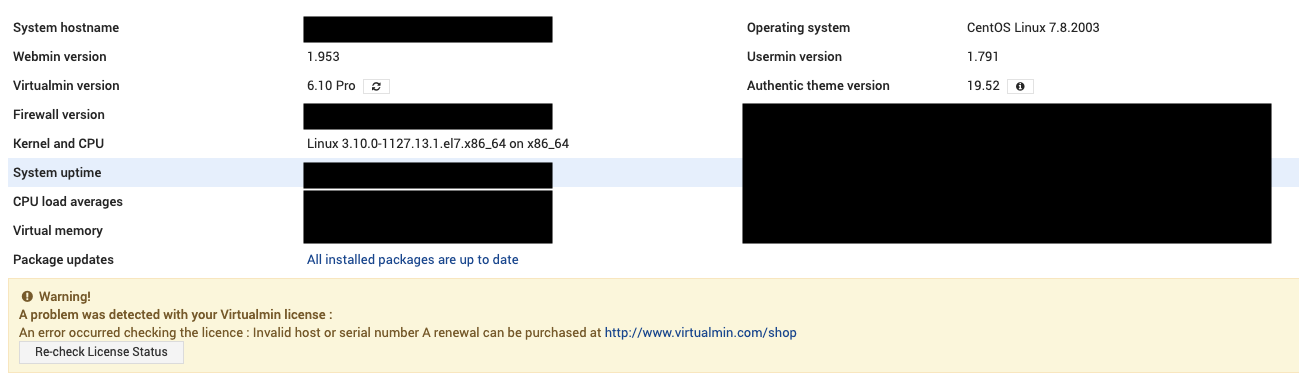
@odizl, in this case, apply the following command
sudo yum downgrade wbm-virtual-server-6.10.gpl-1 -y
then restart Webmin with the command
sudo systemctl restart webmin
if it still doesn’t work, restart your server.
1 Like
Thanks @fernandolcardoso, that did it!!!
This topic was automatically closed 4 days after the last reply. New replies are no longer allowed.