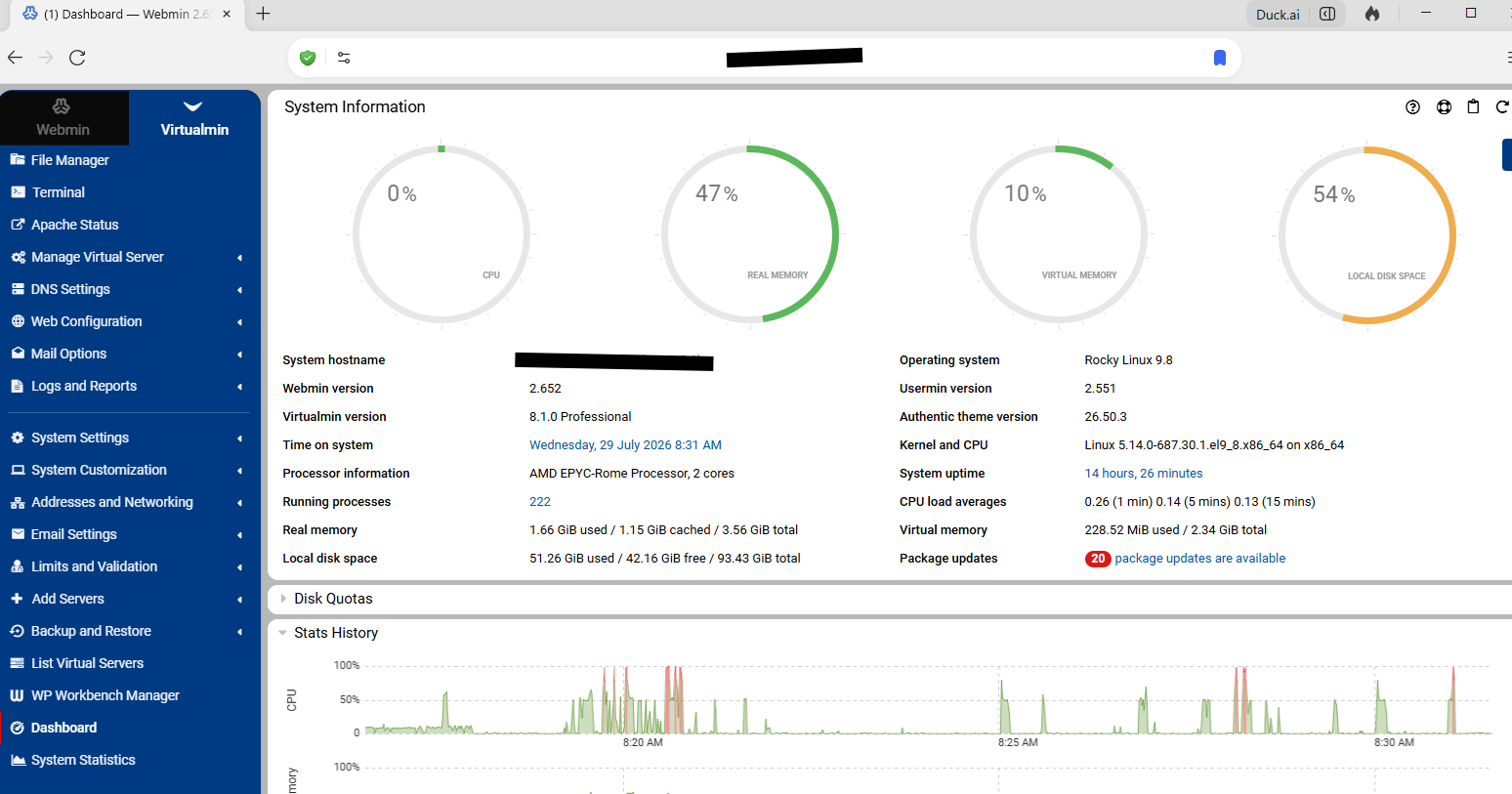
Sorry if format is poor. I am very new to Webmin and this forum.
The Symptom is that Webmin is listening on port 10000. The server is nginx.
In all cases, if I access the server on port 10000 I get a Webmin login prompt. That seems fine regardless of the browser type. If I log in with Firefox browser version 153.0.1 (64 bit) everything seems to work and the display is as expected. The Dashboard is nominal and all is well.
If I log in using the DuckDuckGo (beta) browser the system seems to hang. There are a lot of errors posted on the console but the system is occupied so extensively that I cannot even perform console commands. I have experienced this twice now and in both cases had to reboot the server to regain control.
The first time I used DuckDuckGo because that is my normal browser. After that I used Firefox successfully several times. However I forgot today and accidently used DuckDuckGo and thus had it occur again.
It is not critical to my usage since I can simply use Firefox. But it seems like the crashy part probably is not good. I can try to get more debugging information if anyone is interested but it is expensive in time since it takes about 20 minutes and a server restart to learn anything.
Thanks! I really appreciate your having spent time to investigate this.
I took your suggestion and ran “top” on an ssh terminal. That immediately showed the difference between the two browsers.
The ddg (DuckDuckGo) browser resulted in the kswapd0 demon consuming a constant 35% CPU. The VPS I am running on only has 1Gig of real memory. So some serious thrashing go on. I noticed a huge spike in the number of processes called /usr/libexec/we. This continues until the system can’t maintain the web connection. After that no further connection is possible. As before I couldn’t even shutdown the system and had to cut the power (not sure what the VPS provider actually does to effect that but it is treated the same).
After rebooting I tried the same with the Firefox browser and there was no swap activity at all. Also no /usr/libexec/we processes. Just nice and quiet.
So I figure that the ddg browser is making some (look ahead maybe?) demands on the server. Not sure how much memory would have satisfied the demand (I noted that your server shows 3.56G so maybe thats enough?)
In anycase I will write this one off to a ddg being a hog and not enough server memory to feed it.
1 Gig I would create just used for testing, I don’t think its enough for permanent server unless its running very few domains. BTW have you allocated swap? Do you see virtual memory..
Logging onto virtualmin can cause a pick in memory use for a shot period.Weird DuckDuckGo is any different then say Firefox or chrome as its just a browser.
Thanks again for the support responses!
As Stefan guessed I have, in fact, no swap configured! (I never checked!)
So before I go much further I need to configure a couple Gigs for that.
I suspect that that will clear the problem up. I think that the ddg browser probably does a lot more pre-fetching than the Firefox so I probably don’t exceed the real memory limit when using Firefox (based upon no actual knowledge).
I will let you know after I set the swap to something greater than zero.
It doesn’t matter if they mean well, a client should never be able to crash the server. (But, again, probably OOM killer…it’s absolutely possible to fire up enough connections to overwhelm a small VM that’s also running a full web hosting stack.)
OK, thanks again for all the attention. I really do appreciate it!
I have reconfigured my VPS to that it has 1 Gig of real memory (as before) but now has 2 Gigs of swap which shows up as virtual memory on the dashboard. Which now runs under DuckDuckGo!
There was an initial spike in activity but it has settled down quickly and is running as expected.
I also note that the Dashboard actually shows a virtual memory percentage graphic when earlier it did not.
My takeaway is that the minimum suggested memory for Webmin should be on the order of 2 Gig (both swap and real combined).
I see no fault to Webmin since there is no way (at least none I can think of) to preclude the possibility of being overwhelmed by requests from an aggressive browser and having a minimum memory requirement is pretty standard.
So I hereby rescind the “bug-report” adjective on this post and thank all participants.
Are you really only using Webmin (no Virtualmin)? The memory usage of Webmin alone is tiny and expected to run on very small, even embedded, devices with a few hundred MB of RAM. The memory usage of Virtualmin (which pulls in an entire LAMP stack, and a dozen other large-ish components, the size of which is mostly out of our control) is not tiny.
Well, to be honest, I don’t really know. I installed what was called “Webmin” but if that pulled in Virtualmin with that I can’t say. Sorry to be so ignorant but how can I tell?
Installing Virtualmin does pull in Webmin, because Virtualmin is a set of modules for Webmin.
But, a 1GB system is a little small for Virtualmin (you can use the --minimal installation mode to get a smaller footprint, with fewer services, which will maybe run OK).
But, we still don’t know why your system has instability problems. We suspect OOM killer, but you’d need to look at the kernel log to be sure.
And, if it is OOM killer, I don’t see how Webmin alone could be responsible, as it is quite small.