Webmin 2.670 does not show logged in users from the "Users and Groups" system module button on Ubuntu 26.04.1 LTS

SYSTEM INFORMATION
OS type and version REQUIRED
Webmin version REQUIRED

Webmin 2.670 does not show logged in users from the “Users and Groups” system module button “Show logged in Users” on Ubuntu 26.04.1 LTS.

I think the “who” command in Ubuntu has changed something.
Thanks for Webmin. It is great and I have used it for YEARS!

Same, using Rocky 9, looks like a bug.

Hello,

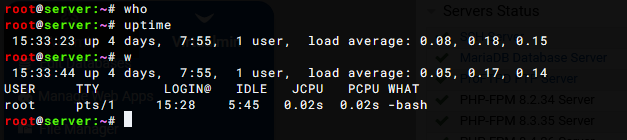
What is the output of the who command on your system?

Interesting
image

if I ssh on it works
image

P.S.
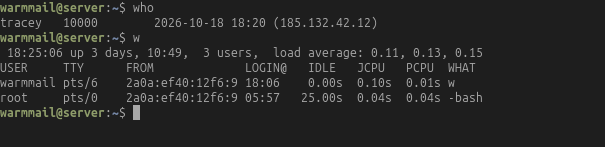
The w command gives be the best results

on Ubuntu 24.04 I get this

and the who command is this

on Ubuntu 26.04 I get this

and the who command looks like this

image

They are broadly the same but on 26.04 the pts/xx has been replaced with what I guess is the webmin port.
these results are from an ssh login

I tried a webmin terminal and got the same results but oddly the ip address is wrong, which I know is not a webmin issue but a system issue

maybe this sheds some light on the subject ?
https://bugs.launchpad.net/ubuntu/+source/coreutils/+bug/2130814

Thank you all for the heads-up!

The fix is here:

webmin patch https://github.com/webmin/webmin/commit/8417d5c

Added patch and still not showing anything.
I evan logged off and on again.

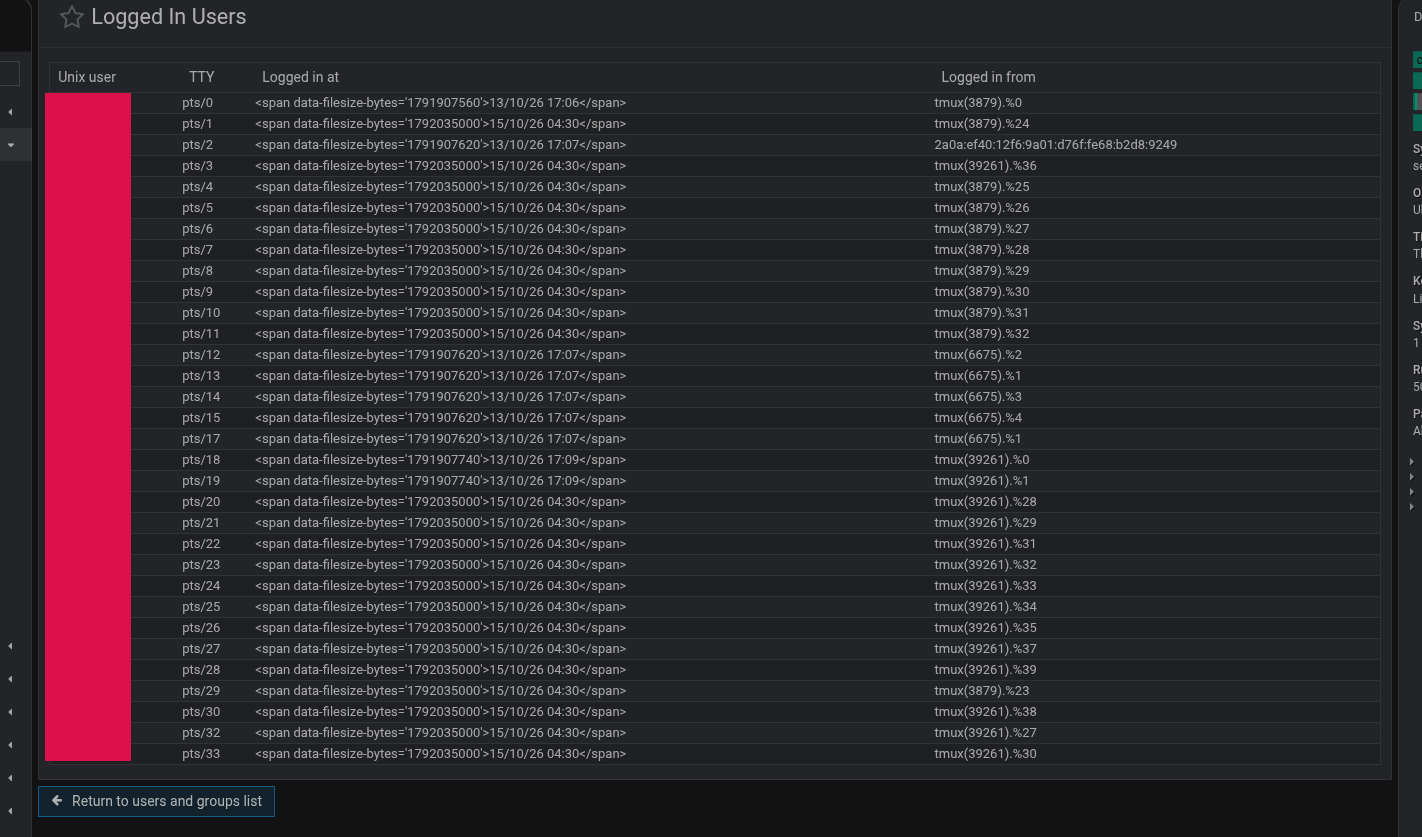
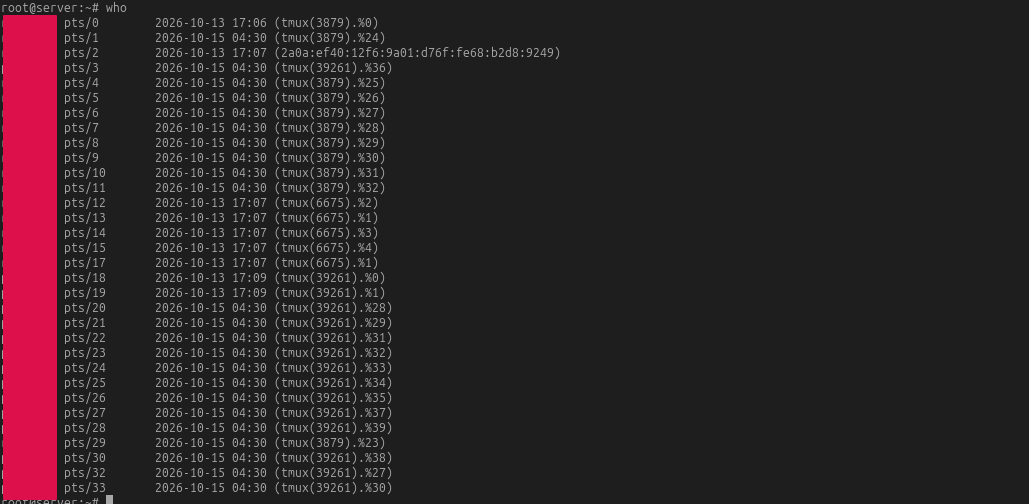
I get the following


but these are logins by a server in my server index and not a local user, using Ubuntu 24.04 (before /run/utmp disappeared) the same server would show all the logins (I use tmux with 4 panes so there should be at least 5 entries) so I guess the patch is not a full fix. Note the HTML code that is not being rendered also
just to clarify, root is logged in via ssh and has 4 tmux panes open in the days of /run/utmp each instance would have been returned by the who command
the ‘w’ command picks up root but doesn’t show the connection from the server in my servers index. Which is correct ?

This HTML rendering issue is fixed now. Thanks for point that out.

And, showing root entry is correct on the “Logged In Users” page, as tmux panes should not be counted as separate logins.

As of missing login entries, my earlier patch fixed parsing, but who itself was missing SSH logins on Ubuntu 26.04.

I’ve now added systemd-logind support for systems without utmp, so Webmin can read those sessions directly, keeping who as a fallback.

webmin patch https://github.com/webmin/webmin/commit/7522fbb

If you look at the previous screen shot root is missing (the user that started tmux) you will the w command shows root logged in but who does not, additionally who shows a connection via webmin (server in webmin servers index) where w does not, so which is correct ? When in reality both utilities are missing an element

w is correctly showing root’s SSH login. And, on Ubuntu 26.04 systems without the old utmp login records, who will miss SSH sessions that w finds through systemd, so this is why my previous fix makes Webmin read systemd sessions directly to list the missing root SSH login.

I think I would like to be aware of, in this case someone logged in as root hopefully these screenshots help


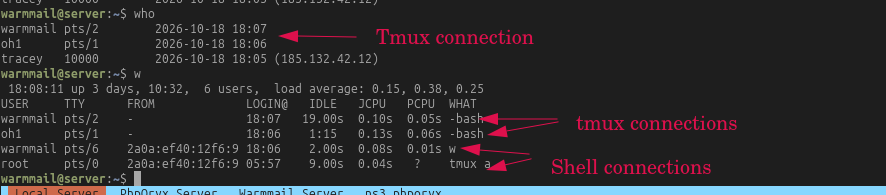
notice who does not show shell connections (e.g connections via ssh) but does show the connections via tmux, hence there is no IP displayed (I’m guessing that if the IP is local that data is omitted from the who output).
Webmin shows this


as you can see Webmin is missing the connections via ssh and only showing the connections ( in my case ) via tmux.
killing the tmux server I get this


which has dropped the tmux server connections (expected) but still does not show the ssh connections
and webmin shows this

so effectively Webmin is not showing any users logged in via ssh

I mentioned this and suggested the fix in one of my previous comments:

Applying this patch makes no difference even after restarting Webmin

You’d need to clear the left menu cache. Try, for example, re-saving the “System Settings ⇾ Features and Plugins” page.

That didn’t alter anything either

Works fine for me on alma9 without any patches, maybe not affected.

perhaps a difference between Alma & Ubuntu the OP is using the Ubuntu OS

Was the patch applied cleanly?