here is that issue on video, the disk cannot be ejected, whether the virtual machine is powered on or off.
All good and I hope you make Cloudmin better and better 
here is that issue on video, the disk cannot be ejected, whether the virtual machine is powered on or off.
All good and I hope you make Cloudmin better and better
Ah, I think I found the issue. The latest change should address it, so show “No ISO inserted” when the drive is empty.
Please install the latest Cloudmin 10 update and give it another shot.
Lol, this is something I wanted TrueNAS to do for 3 years.
I updated Cloudmin to version 10.0.202611050005 and rebooted the system. However, the virtual CD/DVD drive still does not show “No ISO inserted”.
My intention was to disable the CD/DVD drive so the virtual machine boots directly into the operating system.
I have tried to reproduce it in various ways, and the drive gets ejected from the CD-ROM every time. I do not understand how come it doesn’t for you.
If you just need to boot into the OS, go to “Edit Virtual Machine → Resources”, choose “System Disk” in the " First boot device" option dropdown, and click the Save button.
After that, what does it show for “CD/DVD drive”?
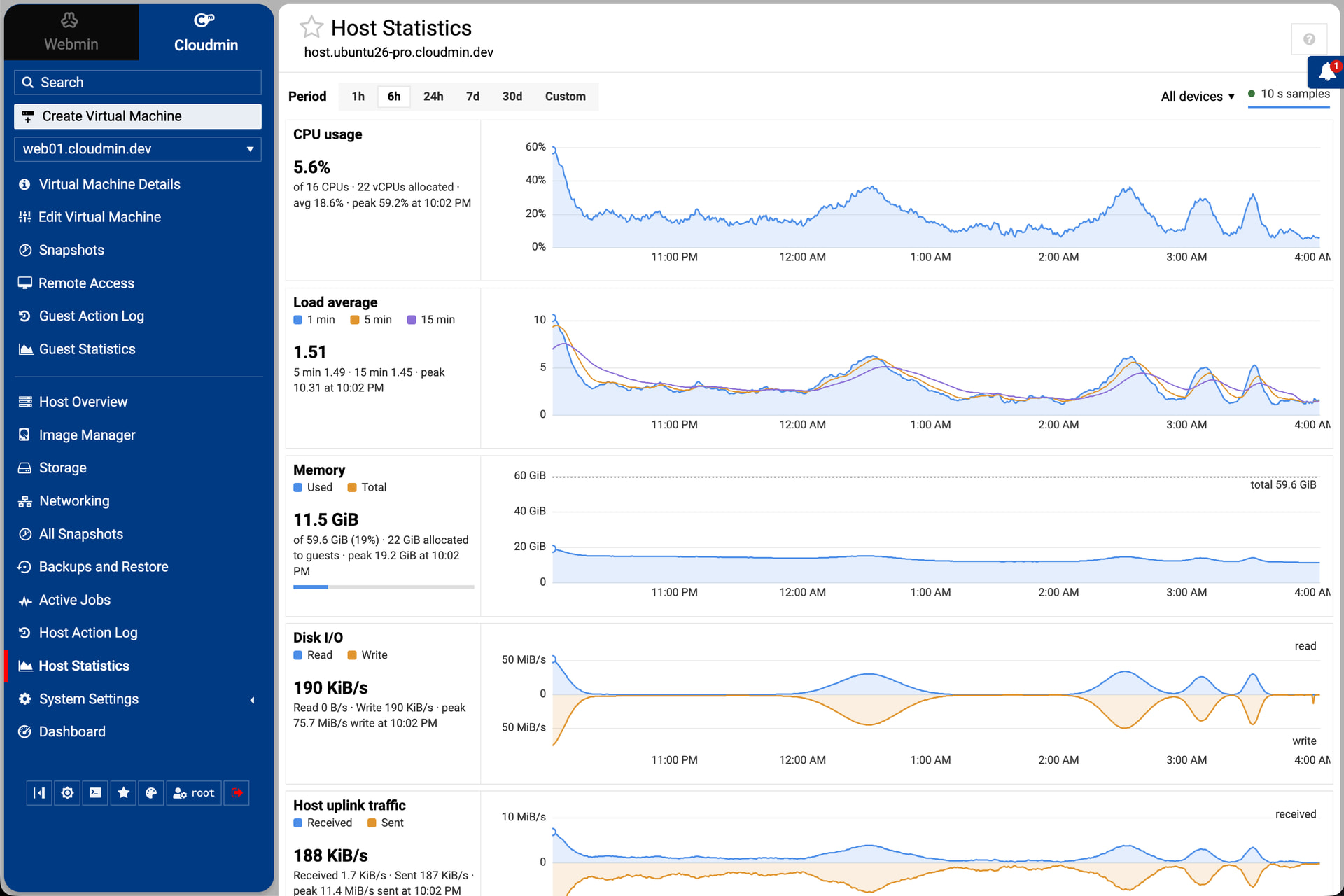
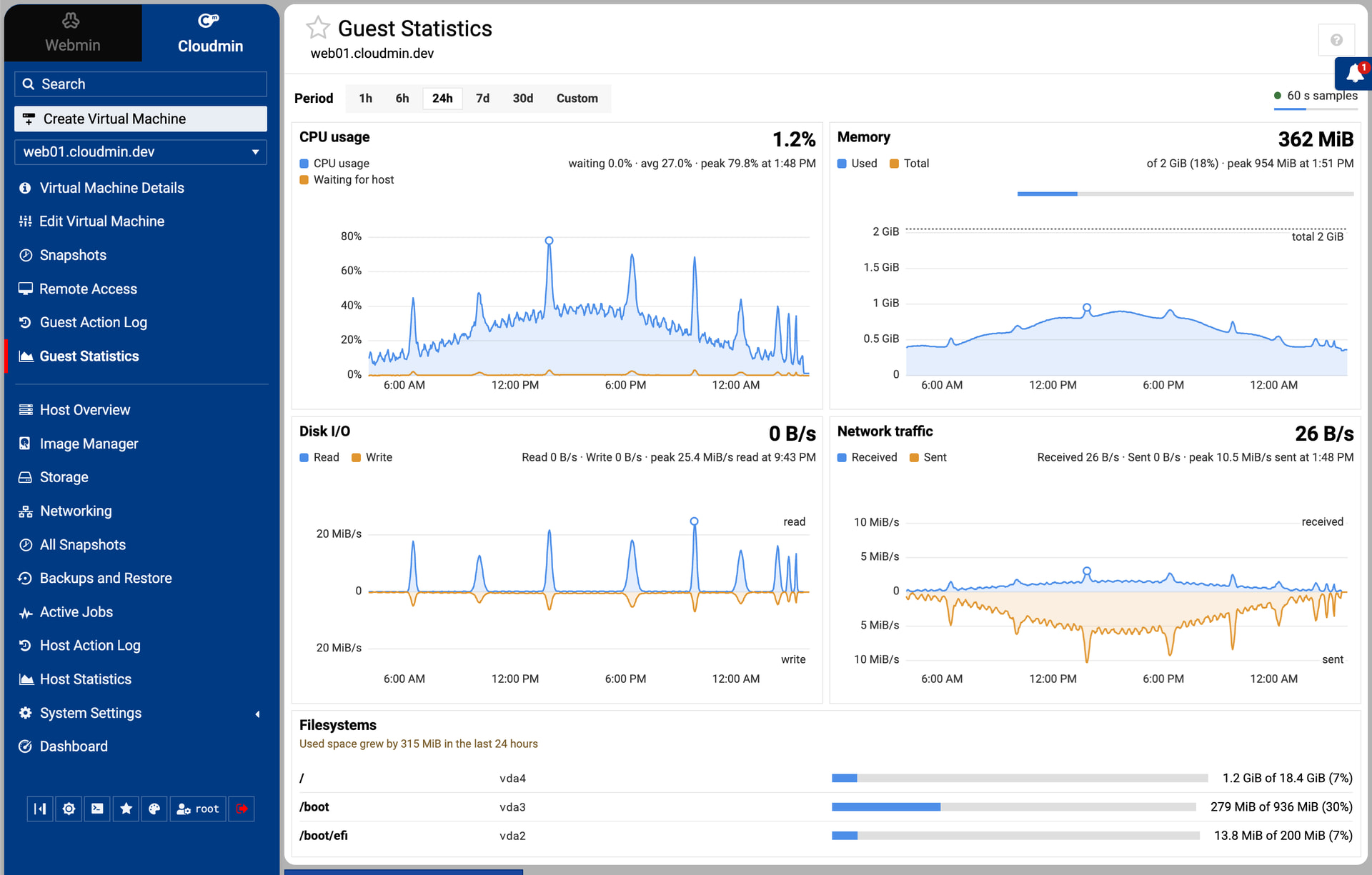
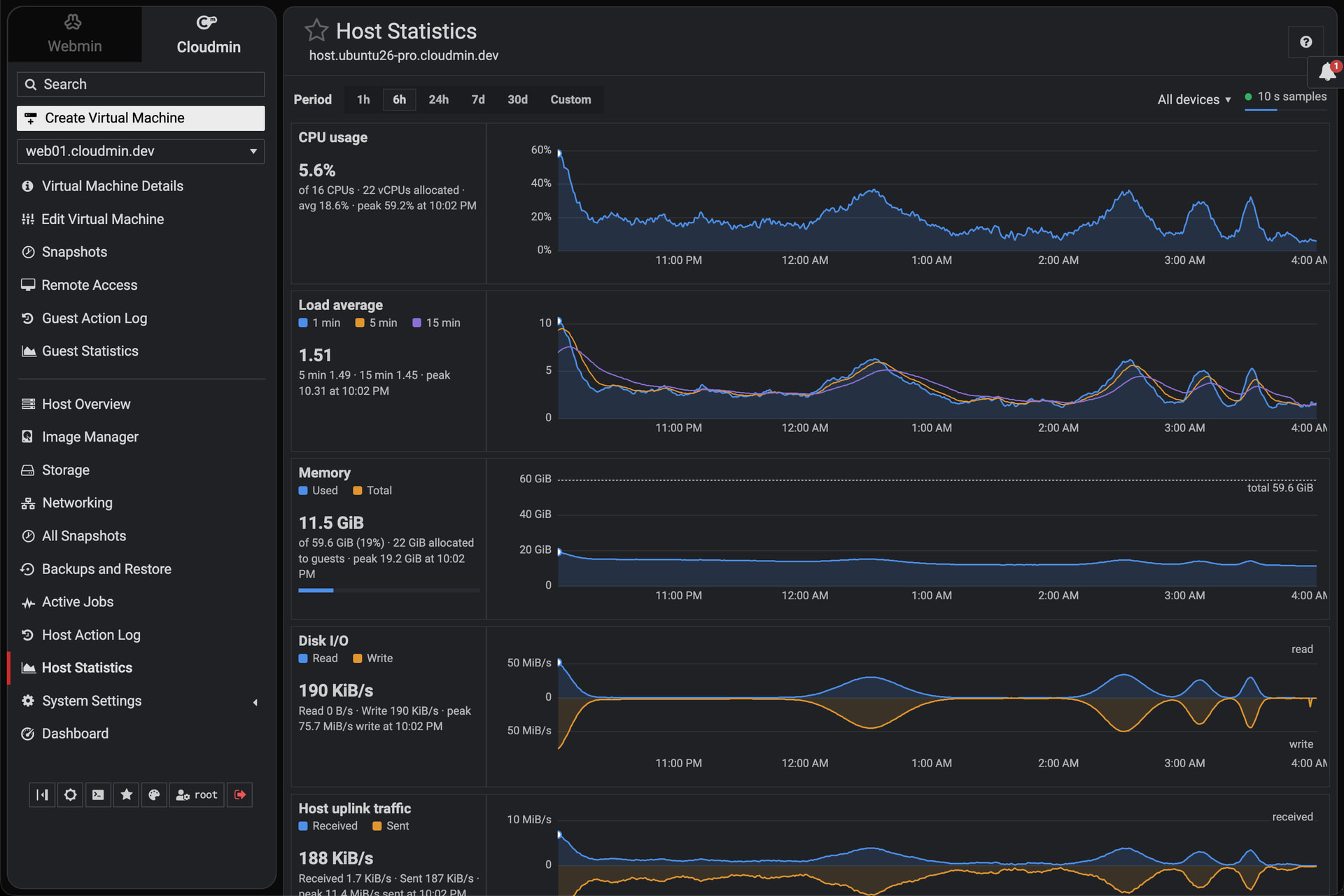
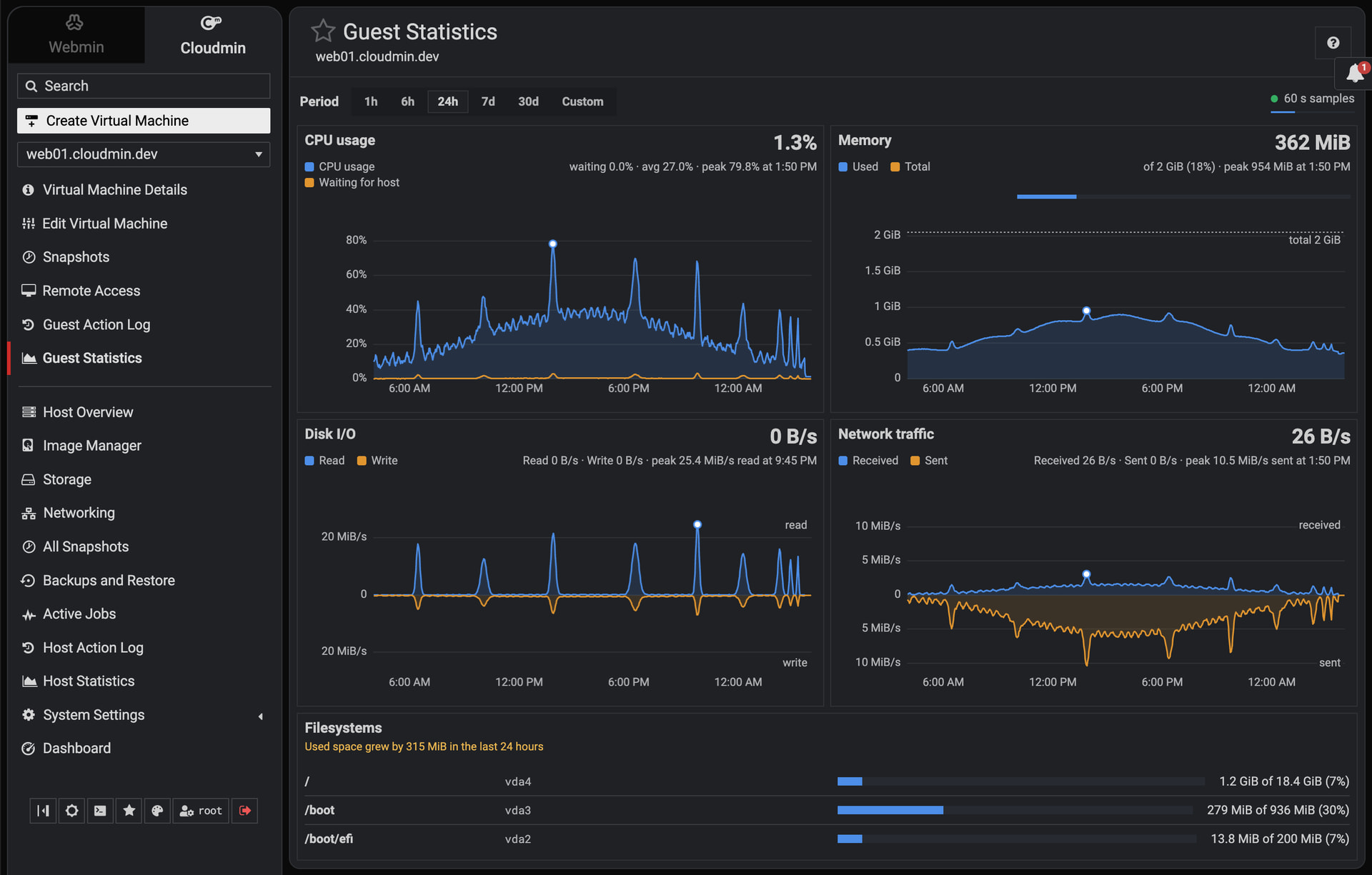
Alright, Cloudmin 10 now has fast, interactive statistics for hosts and virtual machines, powered by uPlot, the same charting library we use on the Dashboard.
Canvas rendering keeps the charts light and responsive. You get live updates, zoomable history, and CPU, memory, disk and network activity. Configurable collection runs in the background, so the history is there when you need it.
Examples: